Users
The accounts that can sign in — invitations, roles, member links and deactivation.
What it is
A user is an account that can sign in. Each user has one role, which decides what they may do, and can be linked to one member record, so that they see their own flights, balance and duties. Sign-in is by username and password; a username is unique within the club.
Users and members are different things. A member is a person in the club; a user is a login. A member who never signs in needs no user, and a staff account need not be a member.
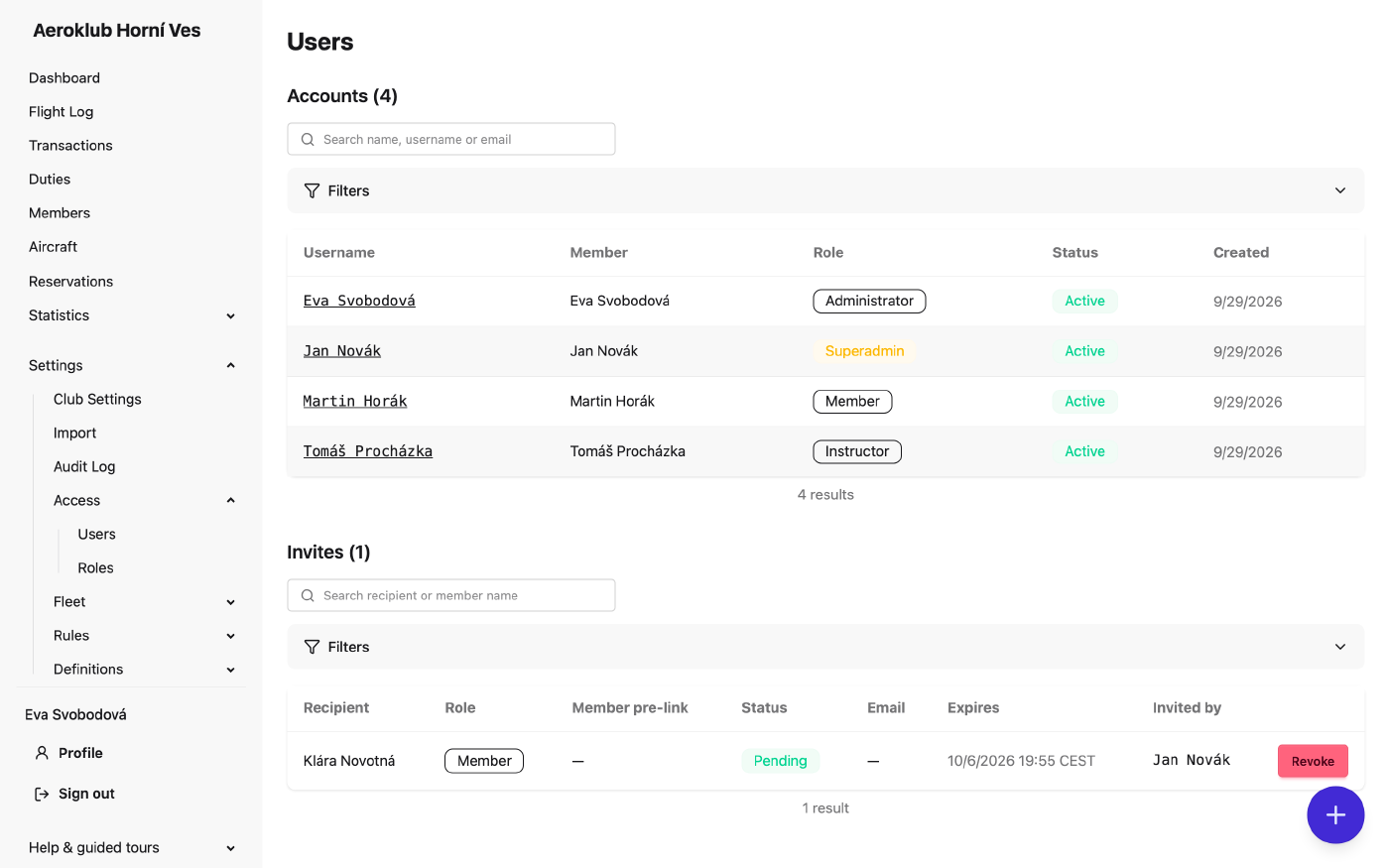
The page has two lists:
- Accounts — username, linked member, role, status and creation date. Search by name, username or email, and filter by Status (active by default) and Role. A Superadmin badge marks an AeroclubHQ support account; its role cannot be changed.
- Invites — recipient, role, Member pre-link, status (Pending, Accepted, Revoked, Expired), the invite email’s delivery state (Queued, Sent or Failed — hover over Failed for the reason), expiry and who invited. Filter by status (pending by default), role and member. Revoke stops a pending invite’s link at once.
The page needs View users. Inviting needs Invite users; changing an account needs Manage users.
How to use it
Invite a user
There is no self-service sign-up: every account starts with an invitation. The + button opens Invite a user.
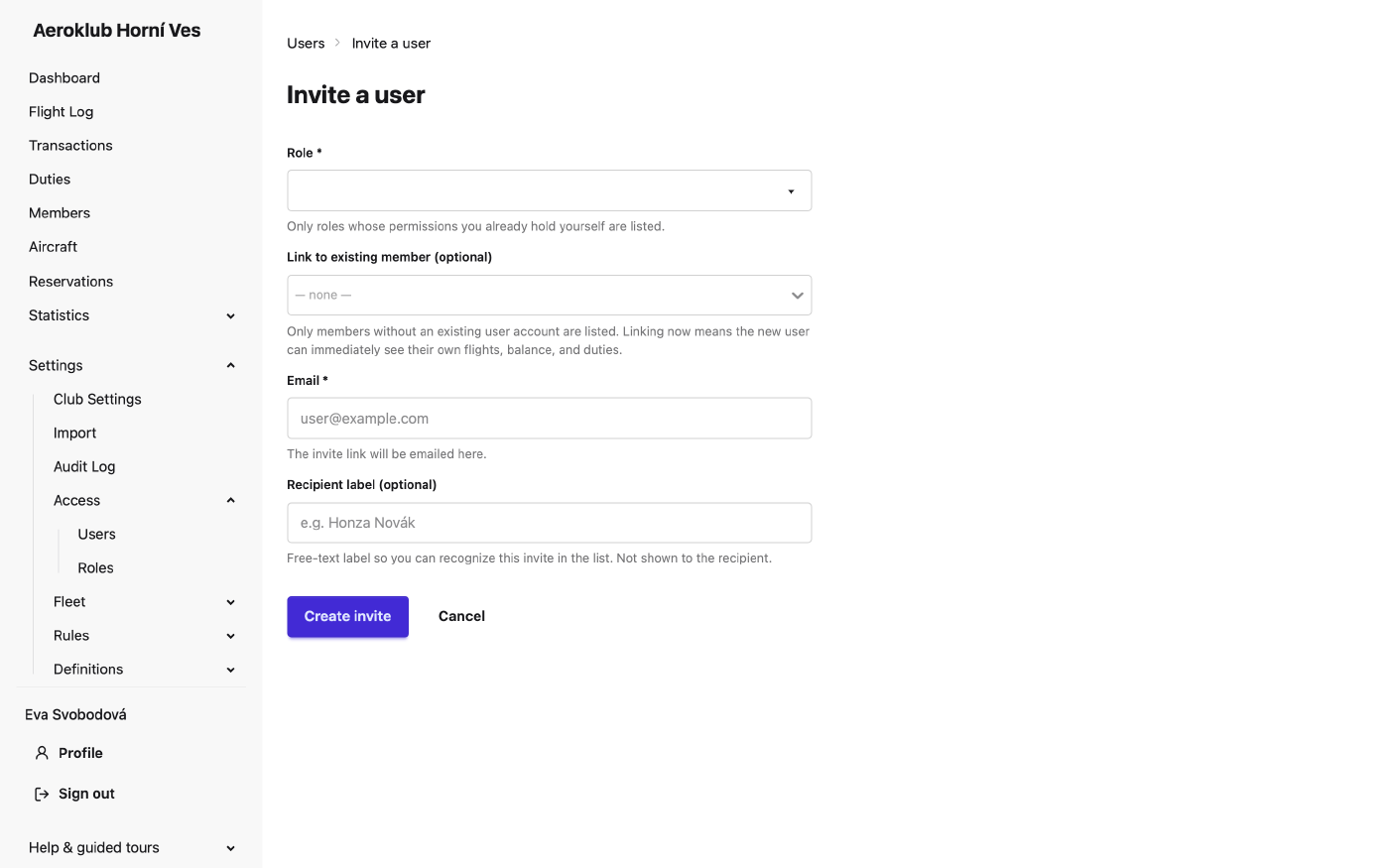
- Role — only roles whose permissions you hold yourself are offered.
- Link to existing member (optional) — only members without an account are listed. Picking one fills in their email.
- Email — where the invite link is sent.
- Recipient label (optional) — helps you recognise the invite in the list; the recipient never sees it.
- Click Create invite.
The recipient opens the link, chooses a username and a password, and is signed in. The role, the member link and the club are fixed by the invite. The link works for seven days and only once.
- Opening the link does not use it up, so email scanners and link previews cannot spoil it. Only creating the account does.
- If the email cannot be sent, the page shows the link once so you can pass it on yourself. It is not shown again — if you lose it, revoke the invite and create a new one.
Most invites are sent from the members side instead:
- Add member with Send login invite switched on.
- Send invite for several members at once from the members list (up to 200; the emails go out a few seconds apart).
- A member import with Send login invite to each imported member, see Import.
- Resend invite, revoke or copy the link from the Account panel on a member’s page — for example after a failed or expired invite. A resend replaces the pending invite.
See Members.
Manage a user
Click a username to open the account.
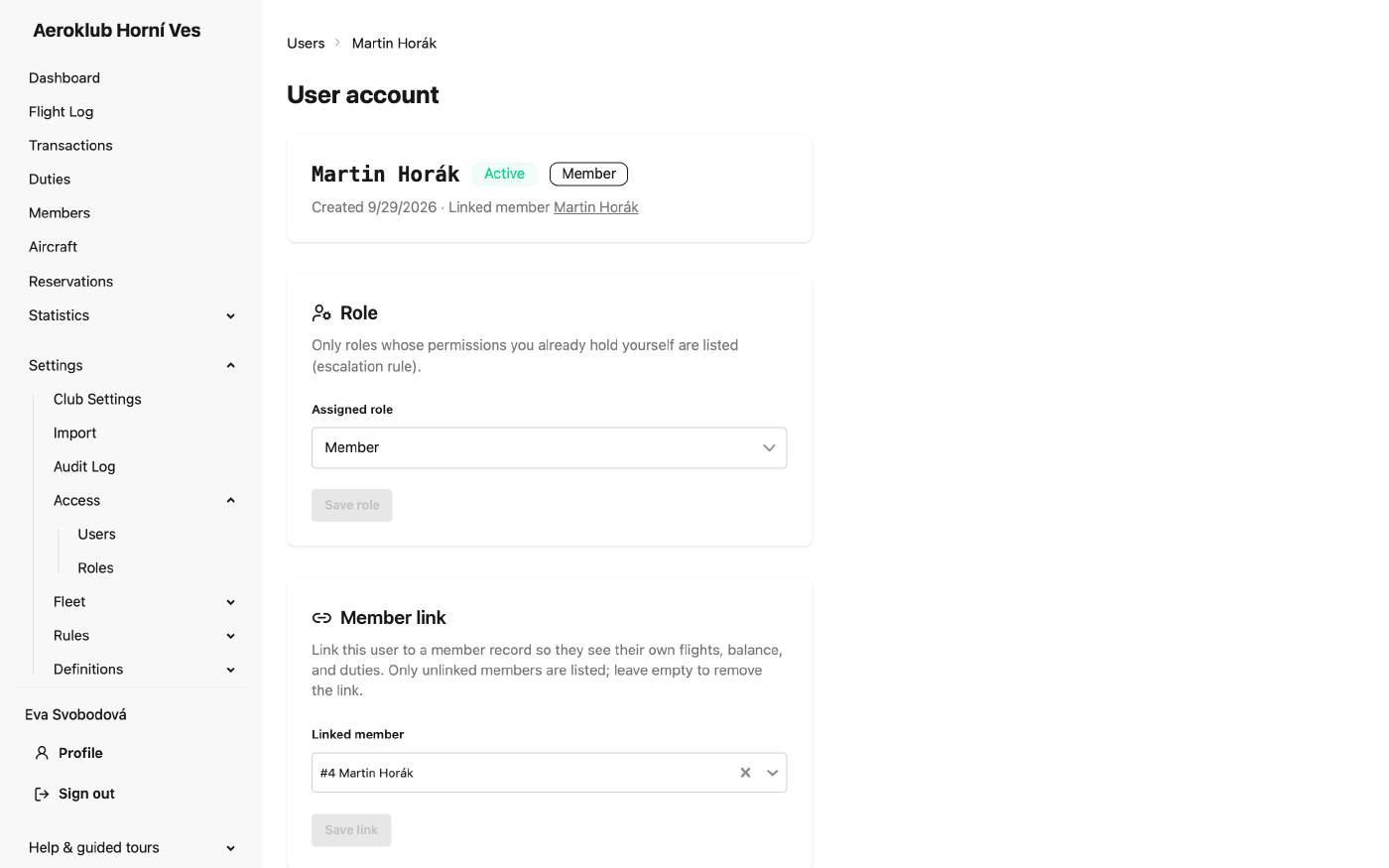
- Role — pick another role and click Save role. Only roles whose permissions you hold yourself are offered.
- Member link — link or unlink a member record and click Save link. Only unlinked members are listed.
- Status — Deactivate user signs them out on their next request and revokes every pending invite they issued. Reactivate user restores access. A user is never deleted, so their history stays intact.
You cannot change your own role or deactivate your own account. A change that would leave the club with nobody who can manage roles is refused.