Certificates & Licenses
The certificates and licence types your club recognises — licences, ratings and standalone credentials — and the pilot roles they give their holders.
What it is
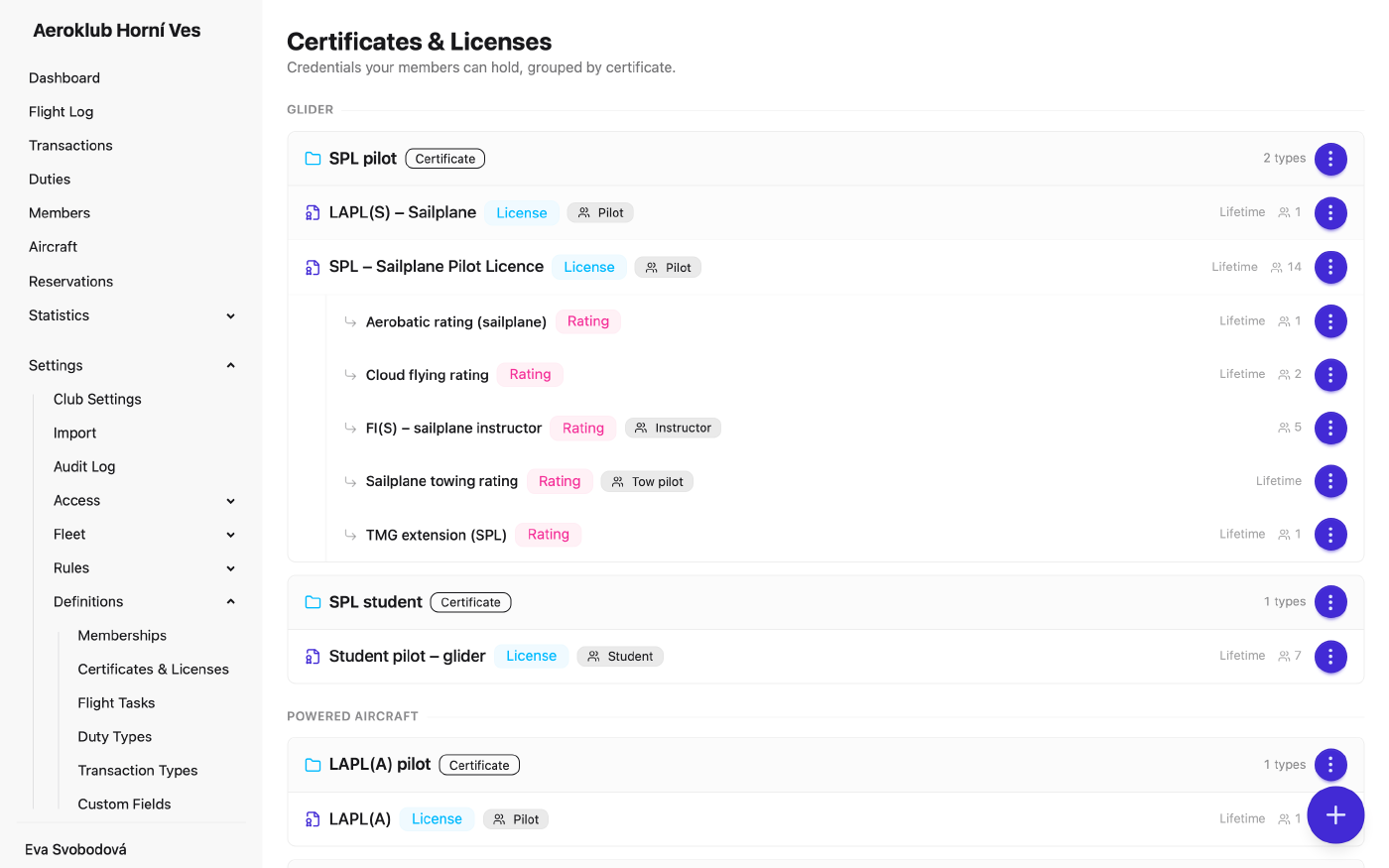
This page defines the credentials members can hold. It has two levels:
- A certificate is a group tied to one aircraft category — for example SPL Pilot for gliders or PPL Pilot for powered aircraft. It groups the licence types that count toward flying that category.
- A licence type is one kind of document a member holds. Its Kind is one of:
- License — the master document (SPL, LAPL, PPL). Usually lifetime.
- Rating — an endorsement on a licence (TMG, Towing, Aerobatic, instructor certificate). It always has a Parent licence, and a member can get it only while holding that licence.
- Medical, Language proficiency (LPE), Radio, Other — standalone credentials with their own renewal cycle.
A licence type can be filed under a certificate or left standalone. Standalone types are listed under Standalone Credentials. Each new club starts with a catalogue of common EASA licences, ratings and credentials that you can extend or deactivate.
The type only says whether a document is Lifetime — never expires. The document number, issue and expiry dates are recorded on each member’s licence.
How to use it
- Add a certificate — Add Certificate asks for a Name and an Aircraft Category.
- Add a licence type — Add License Type, or Add License on a certificate, or Add rating on a licence. Fill in Name, Kind, Role tag (licences and ratings), Parent licence (ratings), Certificate and Validity.
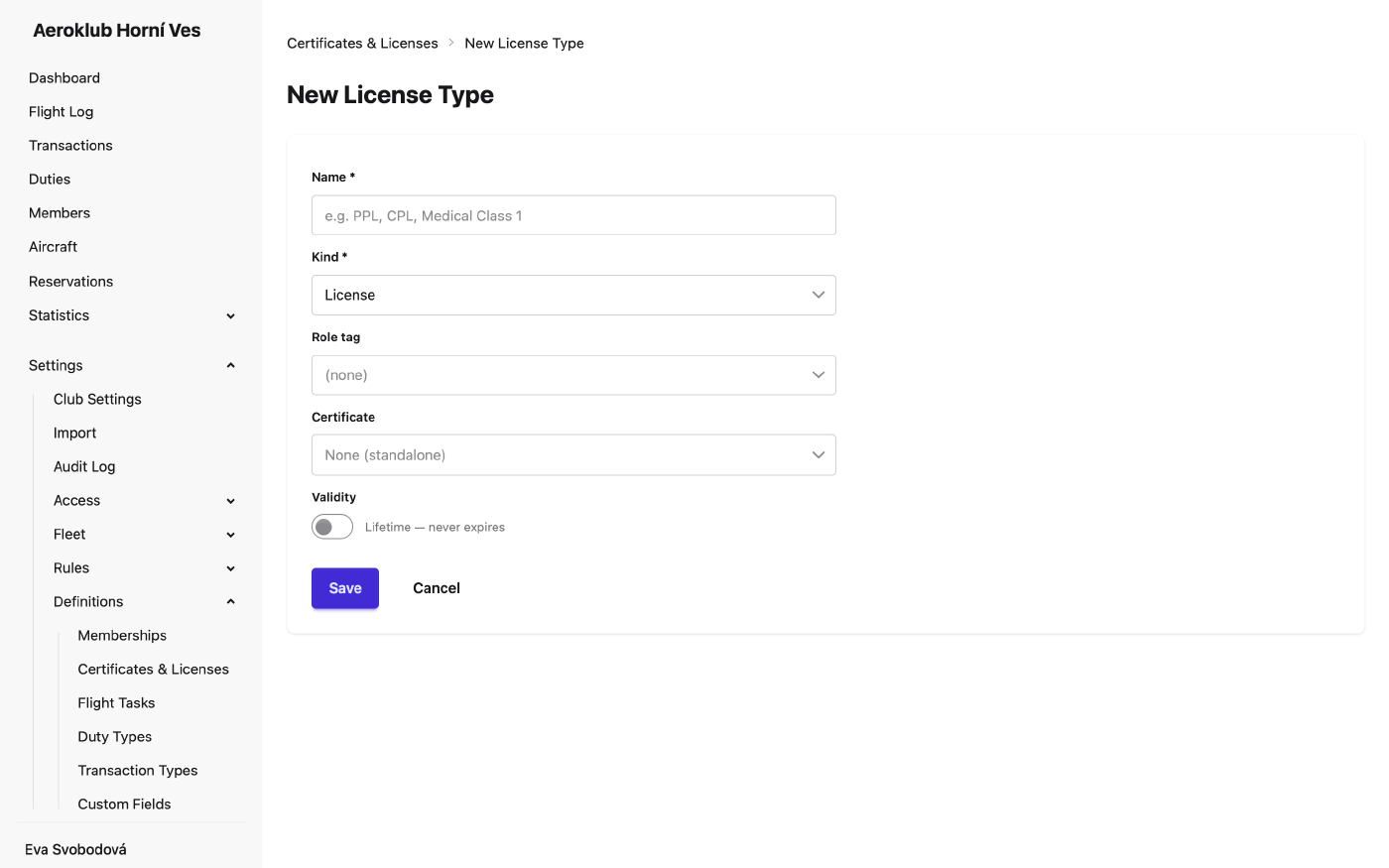
- Edit — once members hold a type, its kind, role tag, parent licence and certificate are locked. To change them, deactivate the type and create a replacement.
- Rename, Deactivate, Delete — from the row menu. A certificate can’t be deleted while licence types are filed under it; a licence type can’t be deleted while members hold it — deactivate it instead.
- Record members’ licences — on the member’s Qualifications tab: add, renew, and End licence… (see Members).
Pilot roles
A member’s roles are never set by hand. They come from the credentials they hold in effect — not expired, not ended, not superseded — through each type’s Role tag: Pilot, Instructor, Tow pilot, Examiner, Mechanic. The Student role comes from a student membership.
Roles change on their own when a credential is added, expires or is ended, and are read as of the flight’s date. They drive:
- Flights — only members with an Instructor (or Tow pilot) credential filed under a certificate of the aircraft’s category are offered as instructor (or tow pilot).
- Maintenance — only members with a Mechanic credential can be named as the person who performed maintenance.
- Rules — Has certificate in pricing conditions and Licence not expired in qualification rules.
- Filters — the certificate filter in the Flight Log and flight statistics.
A credential can also be ended on purpose — a student moving to a pilot licence, or a licence surrendered. End the old licence and add the new one; the end date splits the member’s flights between the two certificates.
Has certificate conditions refer to a certificate by its name. Renaming a certificate updates every rule that uses it, and each changed rule gets an entry in the audit log.
Related
- Qualification Rules — rules that require a valid licence.
- Members — where each member’s licences and expiry dates are recorded.
- Flight Tasks — tasks are organised by certificate.
- Club Settings — when a licence counts as expiring soon.