Custom Fields
Club-defined fields on members and aircraft — text, number, date, yes/no, choice lists and birth numbers — usable in rules, imports and exports.
This page is for club administrators. As a pilot you don't need it — go to the Pilot guide.
What it is
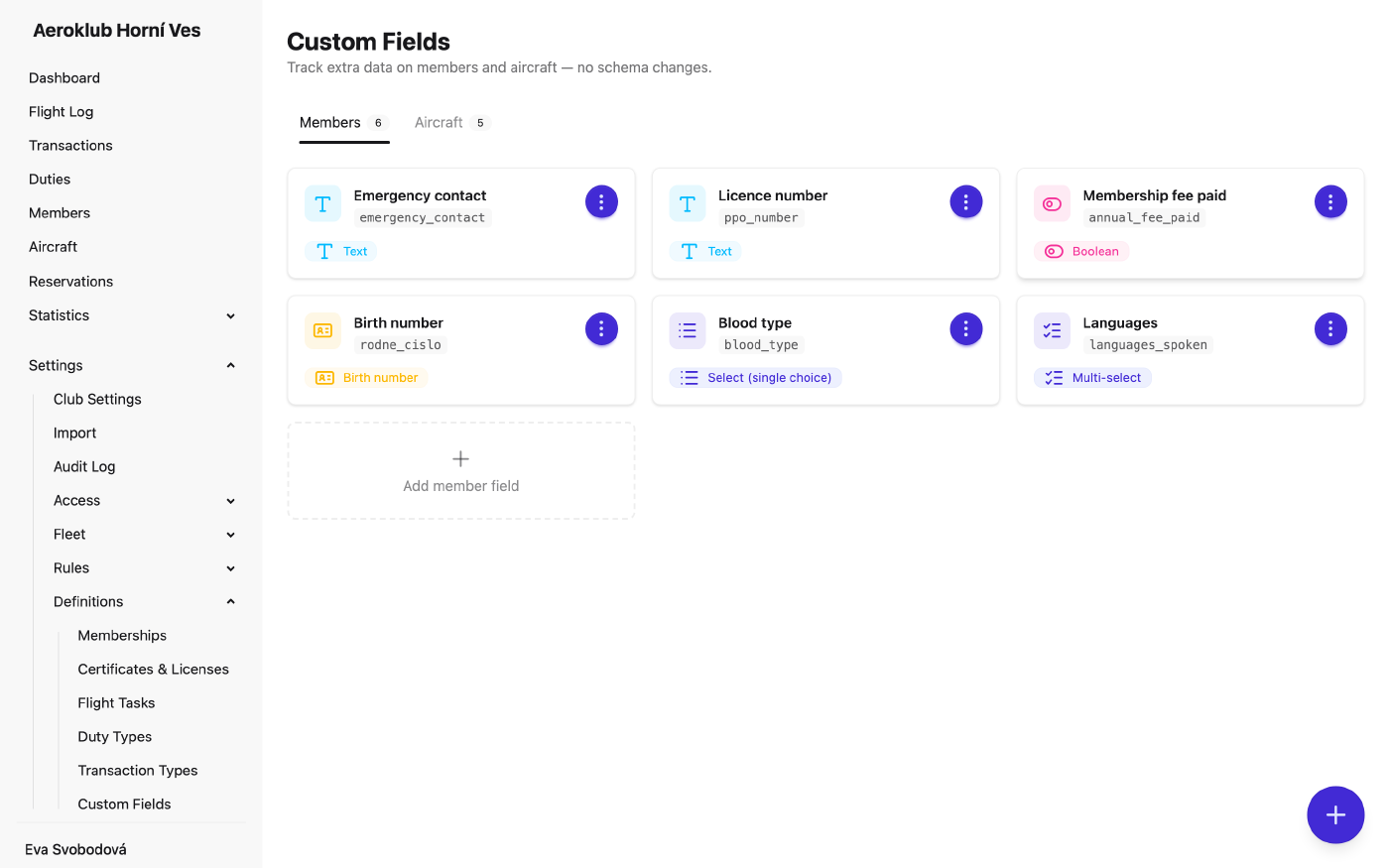
Custom fields add your own data to members and aircraft — for example a member’s national aero club number, Annual fee paid, or an aircraft’s home base. They appear next to the built-in fields, with no technical work.
The page has two tabs, Members and Aircraft. Each field has:
- Key — the internal name, used in imports and exports. It can’t be changed later.
- Label — what people see.
- Field Type:
- Text, Number, Date, Boolean (yes/no).
- Select (single choice) and Multi-select — from a list of Options you define.
- Birth number (members only) — a Czech/Slovak birth number, checked for format and checksum, and against the member’s birth date when one is known.
- Required — the field must be filled in.
- Member can edit this field (members only) — members can change it themselves on their profile. Such fields are marked User-editable.
- Sort Order (aircraft only) — the order fields appear in.
How to use it
- Add a field — Add member field or Add aircraft field opens the form on the tab.
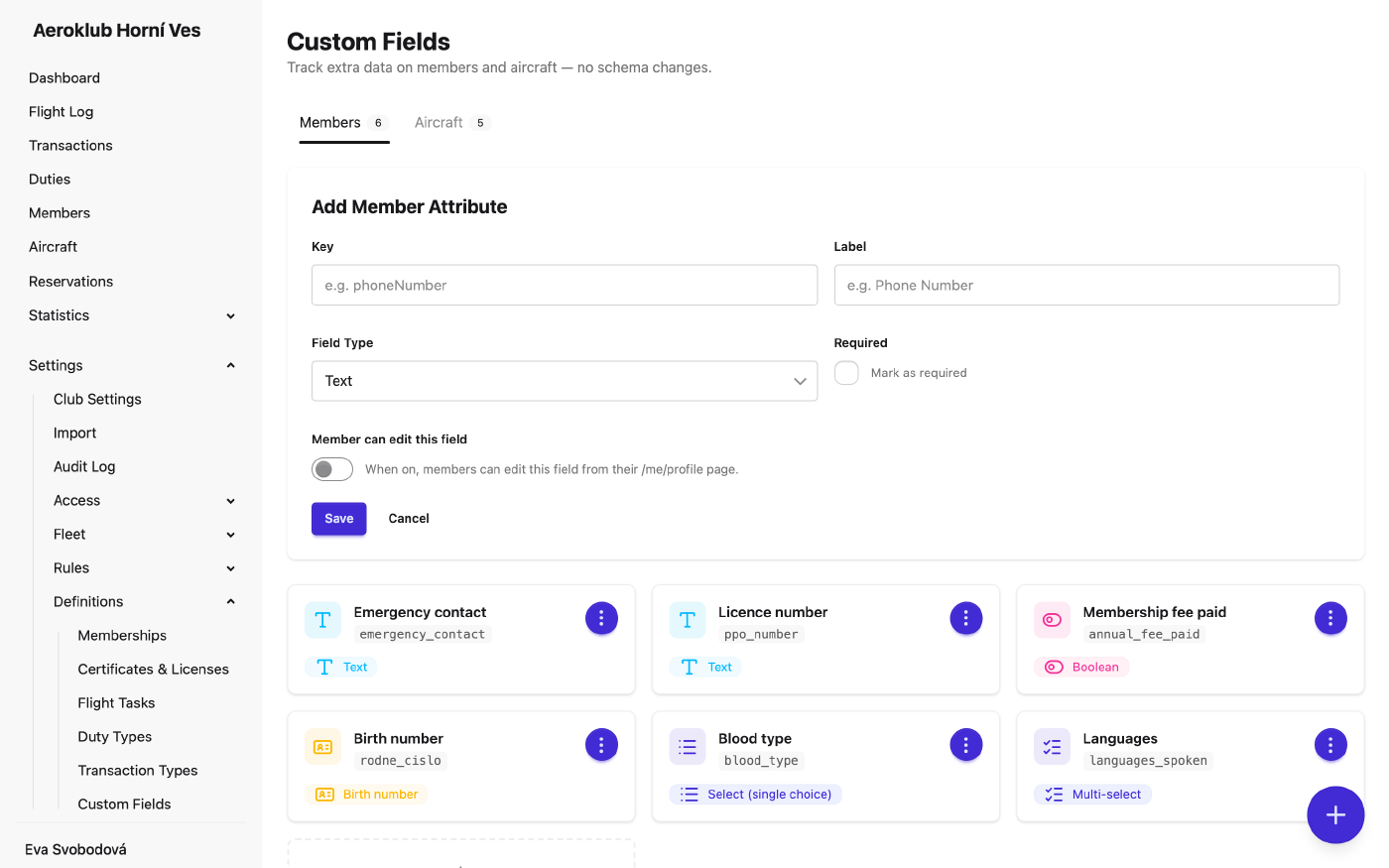
- Edit — change the label, options, required flag and the other settings. The Field Type is fixed once created: to change it, delete the field and create a new one.
- Manage options — add an option, click one to rename it, or remove it. Removing an option that records use asks first and clears it from them. An option a rule still uses can’t be removed.
- Delete — refused while any rule still uses the field. Values stored on records lose their definition.
- Fill in values — on each member’s or aircraft’s edit page, or in bulk through a CSV import.
Where fields are used
- Member fields — conditions in Qualification Rules, Penalties, Periodic Transactions and Bank Mapping Rules. A bank rule can also set a yes/no member field.
- Aircraft fields — conditions in Pricing Rules.
- Imports and exports — every field is a column in the member and aircraft CSV import, and in the member export.
In conditions, choice fields offer is, is not and is one of. For a multi-select field, is means “includes this option”.
Related
- Members — custom fields on member records.
- Aircraft — custom fields on aircraft records.
- Import — fill in or correct fields in bulk.
- Bank Mapping Rules — set a yes/no field when a fee is paid.