Flight Tasks
The catalogue of what a flight was for — training, solo, cross-country — organised by certificate and used by flights, pricing, accumulated facts and statistics.
What it is
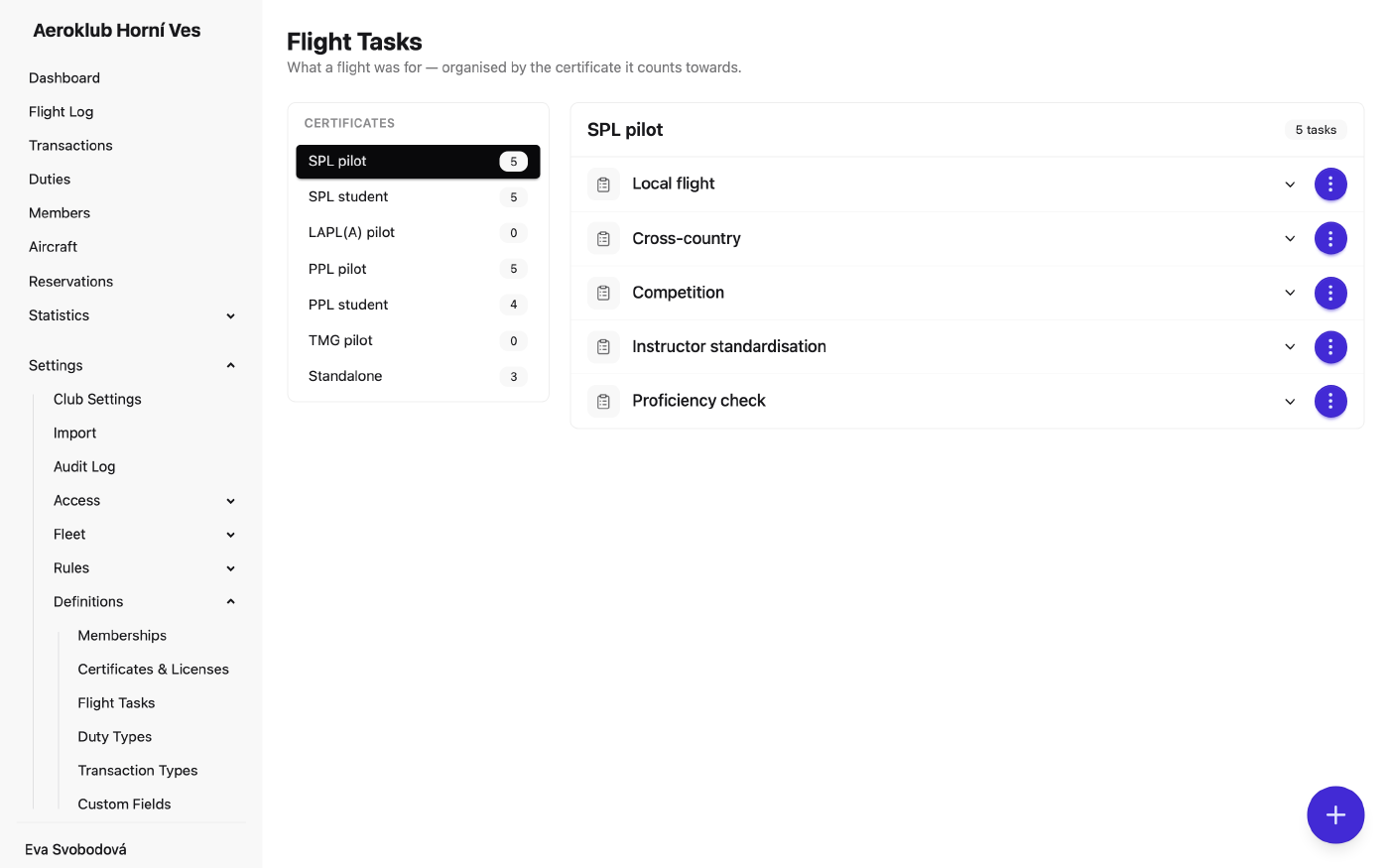
Flight Tasks is the list of what a flight can be for — for example a circuit, stall practice, a solo, or a navigation flight. The pilot picks one when logging or completing a flight.
Tasks are organised by the certificate they count toward: the left panel lists the certificates and Standalone (tasks not tied to one), each with its task count. The same task name can exist under different certificates. Certificates themselves are managed on Certificates & Licenses.
A task can have a description. It appears on the Flight Tasks page (open it from the row) and when you hover over the task on a flight or in a pilot’s logbook.
The system task Tow flight is marked System and can’t be edited, deactivated or deleted.
How to use it
- Add a task — the + button opens New Task: Task Name, Certificate (or none) and an optional Description.
- Edit — change the name or description from the row menu. The certificate is set when the task is created.
- Deactivate / Reactivate — hide a task you no longer use without losing its history.
- Delete — only while no flight uses the task; otherwise deactivate it.
Where tasks are used
- Flights — each flight records its task; the Flight Log filter groups tasks by certificate.
- Pricing — the Flight task condition in Pricing Rules.
- Flight history — the flight filter of Accumulated Facts, e.g. “cross-country hours this year”.
- Statistics — flight reports can break activity down by task.
Rule conditions and fact filters refer to a task by its name, so a condition matches every task of that name. Renaming a task updates the rules and facts that use it. If another task still has the old name, conditions are widened to match both names; an “is not” condition is left as it is.
Related
- Flight Log — where each flight is classified by task.
- Pricing Rules — different rates per flight task.
- Certificates & Licenses — the certificates tasks are grouped under.
- Duty Types — the equivalent list for club duties.