Components
What the club maintains on its aircraft — airframe, engine, propeller and the like — each with checks that come due by hours, starts or date.
What it is
Components are the parts of an aircraft that maintenance is tracked against — engine, propeller, parachute, ELT. Each component has checks: the things that must be kept current, such as a 100-hour inspection or an annual certificate.
A component definition sets:
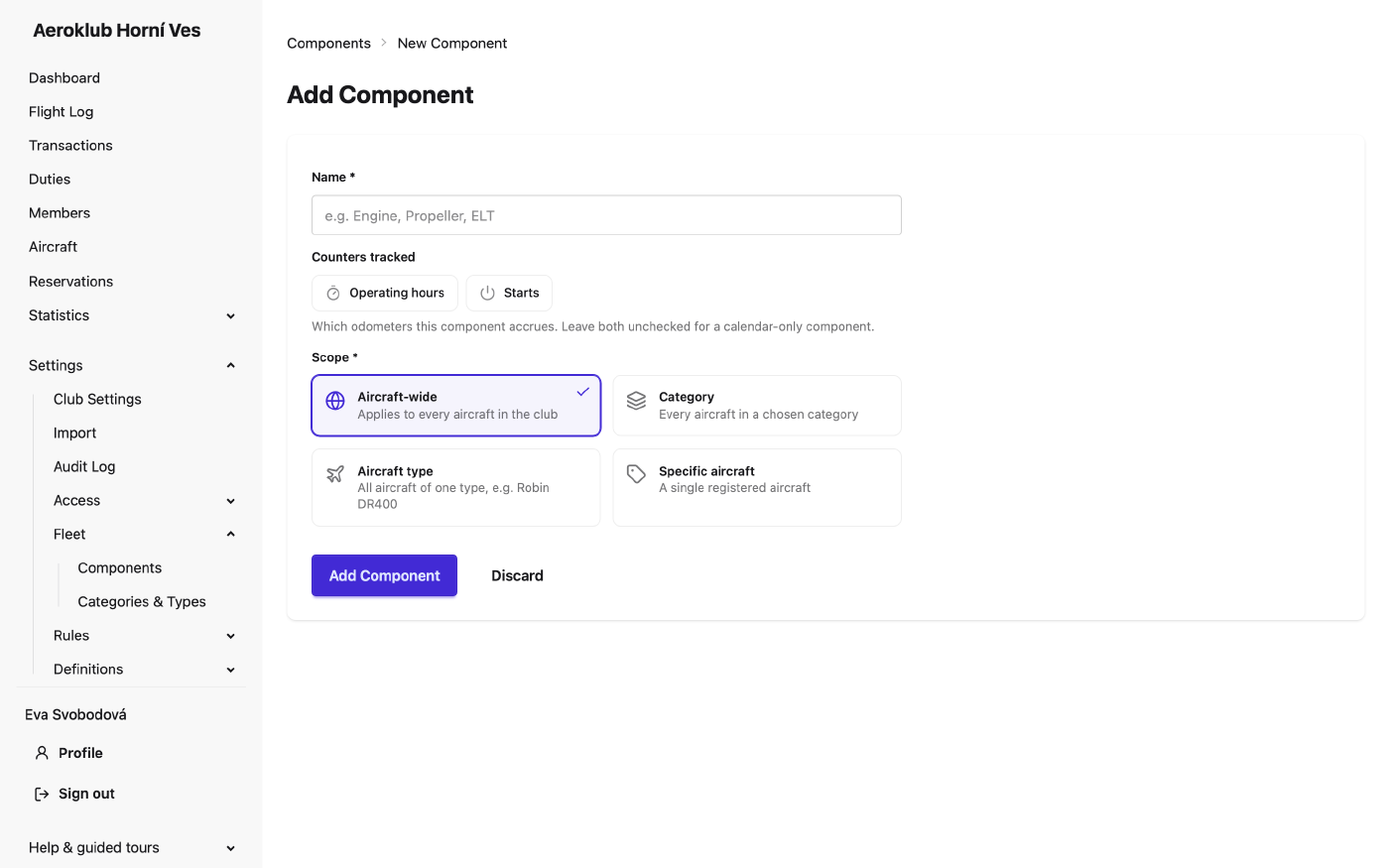
- Scope — which aircraft it applies to: Aircraft-wide (every club aircraft), a Category, an Aircraft type, or one Specific aircraft. The scope can’t be changed after creation.
- Counters tracked — Operating hours, Starts, both, or none for a calendar-only component. Once aircraft track values against it, the counters are locked.
Every aircraft inherits the components of every scope it falls into.
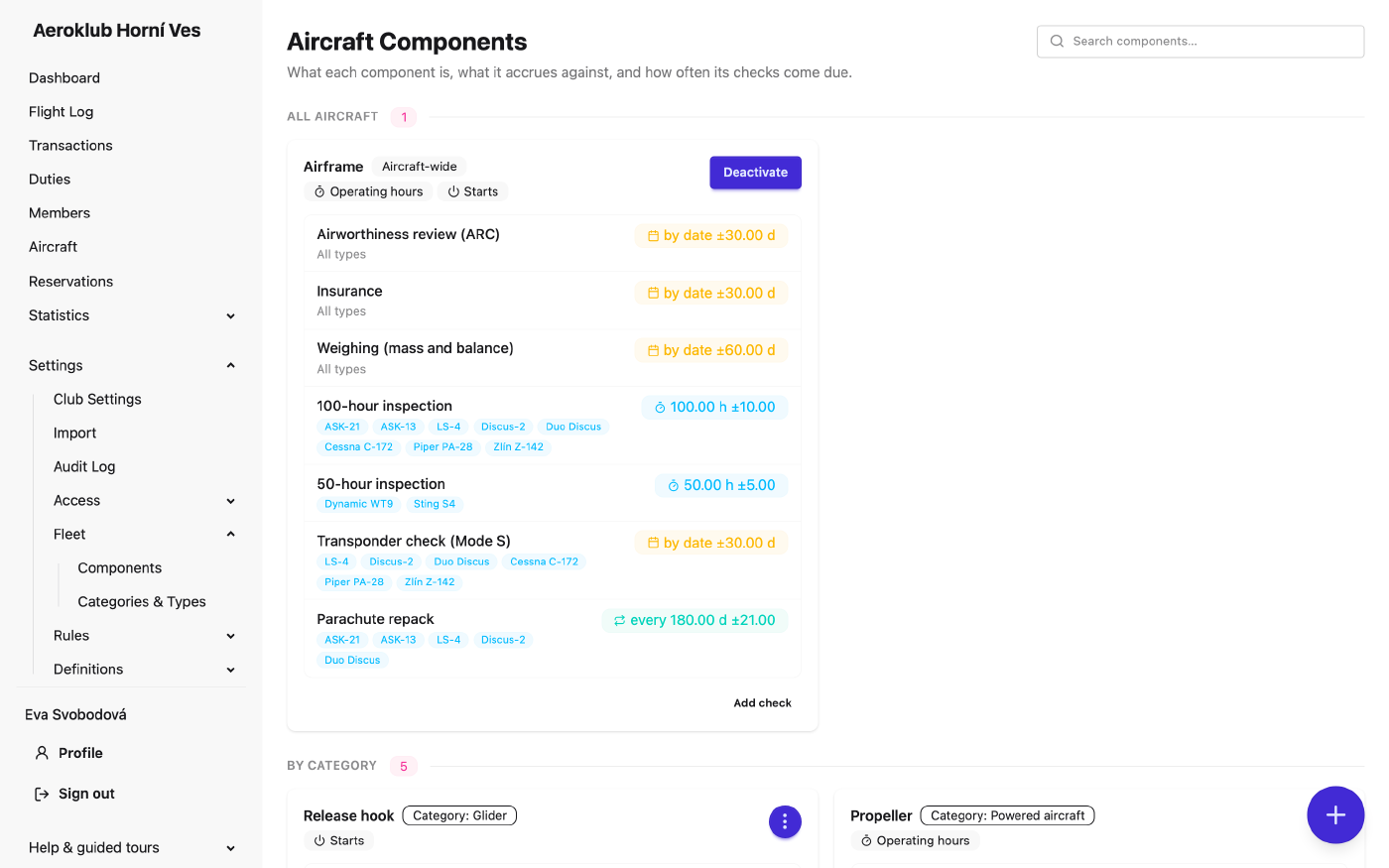
The Airframe is a system component on every club aircraft. It tracks both hours and starts — the aircraft’s lifetime totals — and carries the aircraft-wide checks such as the airworthiness review, insurance and periodic inspections. It can’t be edited or deleted.
Only the club’s own aircraft are maintained. External and privately owned aircraft have no components — not even the airframe — no checks, no airworthiness and no maintenance log. A component can be scoped to a club aircraft only.
How to use it
- Browse — the list groups components into All aircraft, By category, By aircraft type and Specific aircraft, each with its counters and check summary. Search by name.
- Add a component — the + button → Add Component: Name, Counters tracked and Scope.
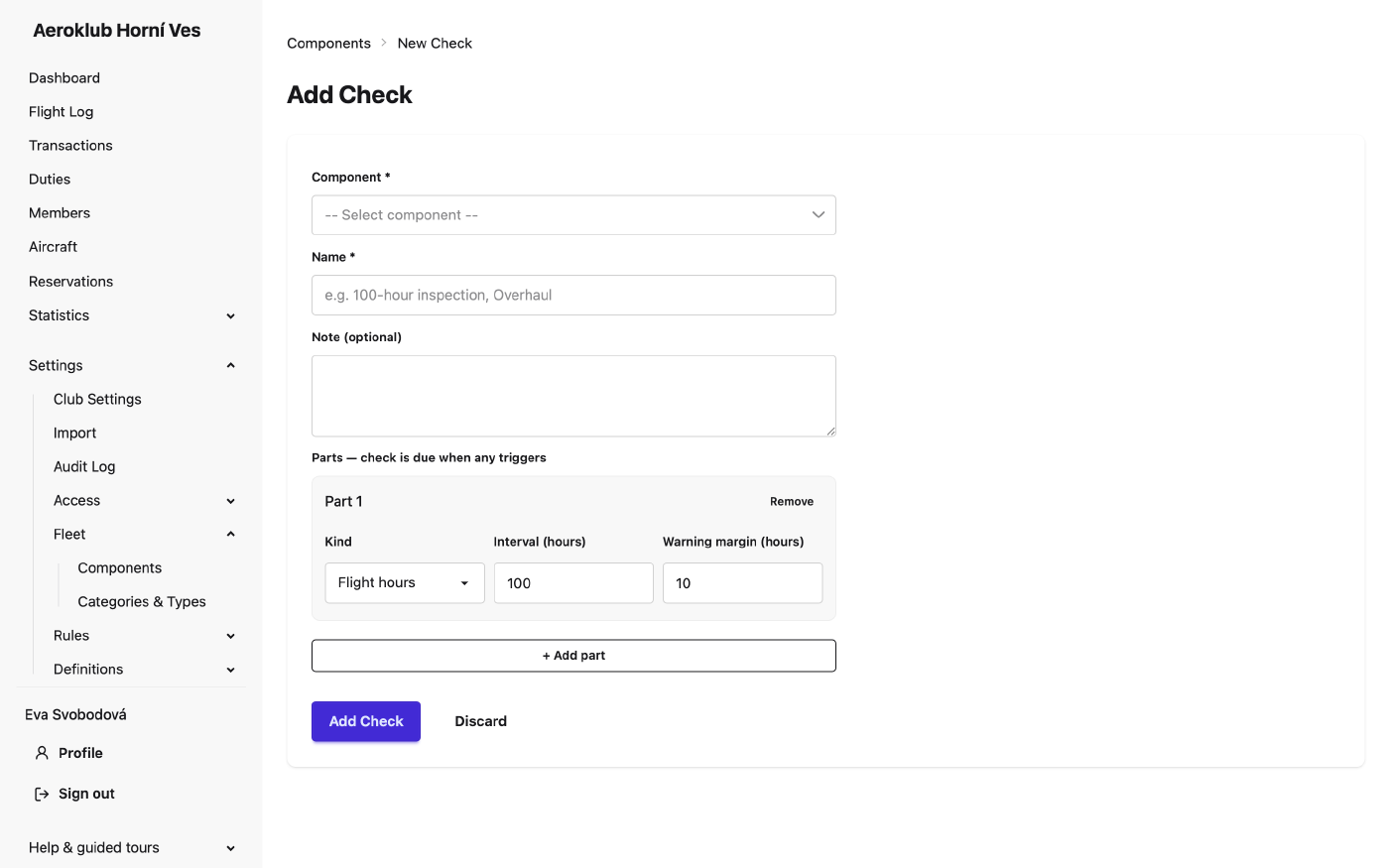
- Add a check — Add check on a component, or the + button → Add Check. Give it a name and one or more parts. For a category component, choose at least one aircraft type of that category; for an aircraft-wide one, leave the types empty to cover all.
- Edit, Deactivate / Reactivate, Delete — from the row menu. A component or check that aircraft use, or that has recorded maintenance, can’t be deleted — deactivate it instead.
Check parts
Each part is one way the check comes due, with its own Warning margin. The check is due when any part triggers.
| Kind | Due |
|---|---|
| Flight hours | every N hours since the last maintenance |
| Starts | every N starts since the last maintenance |
| Calendar date | on the expiry date recorded with the maintenance |
| Every N days | N days after the last maintenance |
Changing a part’s kind resets the maintenance recorded against it on every affected aircraft; the form asks before saving.
Status and airworthiness
On each aircraft, every inherited check shows OK, Warning, Overdue or Not set. A check never recorded, or a certificate with no expiry, counts as overdue. The aircraft is Airworthy only when no check is overdue.
Maintenance is recorded on the aircraft’s page: Record maintenance on a check (with the date it was performed and, optionally, the mechanic who Performed by), and Record Installation when a component is replaced or overhauled — its counter and checks then start again from the new part. Every recording goes to the aircraft’s maintenance log.
Overdue and upcoming checks appear on the Dashboard and, if turned on, in the maintenance email alerts.
Related
- Aircraft — where maintenance is recorded and the maintenance log is kept.
- Categories & Types — the scopes components apply to.
- Certificates & Licenses — the Mechanic role tag for who performed the work.
- Dashboard — airworthiness alerts.
- Notifications — maintenance email alerts.