Aircraft
The fleet: club, external and private aircraft, airworthiness and maintenance, tracking, and each aircraft's flight log.
What it is
The fleet register. Every aircraft has a registration, a category and type, and one of three ownership states. Its operating hours and starts are always computed from its flights, so they can’t drift from the flight log.
Ownership
| Club aircraft | External | Privately owned | |
|---|---|---|---|
| Who owns it | The club | Someone else (a visiting or foreign aircraft) | One or more members |
| Type | From the club’s type catalogue | Free text (e.g. Duo Discus T) | Free text |
| Maintenance and airworthiness | Yes | None | None |
| Can be reserved | Yes (if Reservable) | No | No |
| Who can browse its whole history | Everyone | Everyone | Its owners and flight/aircraft managers |
Whether an aircraft is the club’s is fixed when it is registered; an aircraft can later move between external and private. On a private aircraft with exactly one owner, that owner is preselected as pilot on new flights. Ownership alone doesn’t change billing: pricing rules use the conditions private and external to decide what to charge (see Pricing Rules).
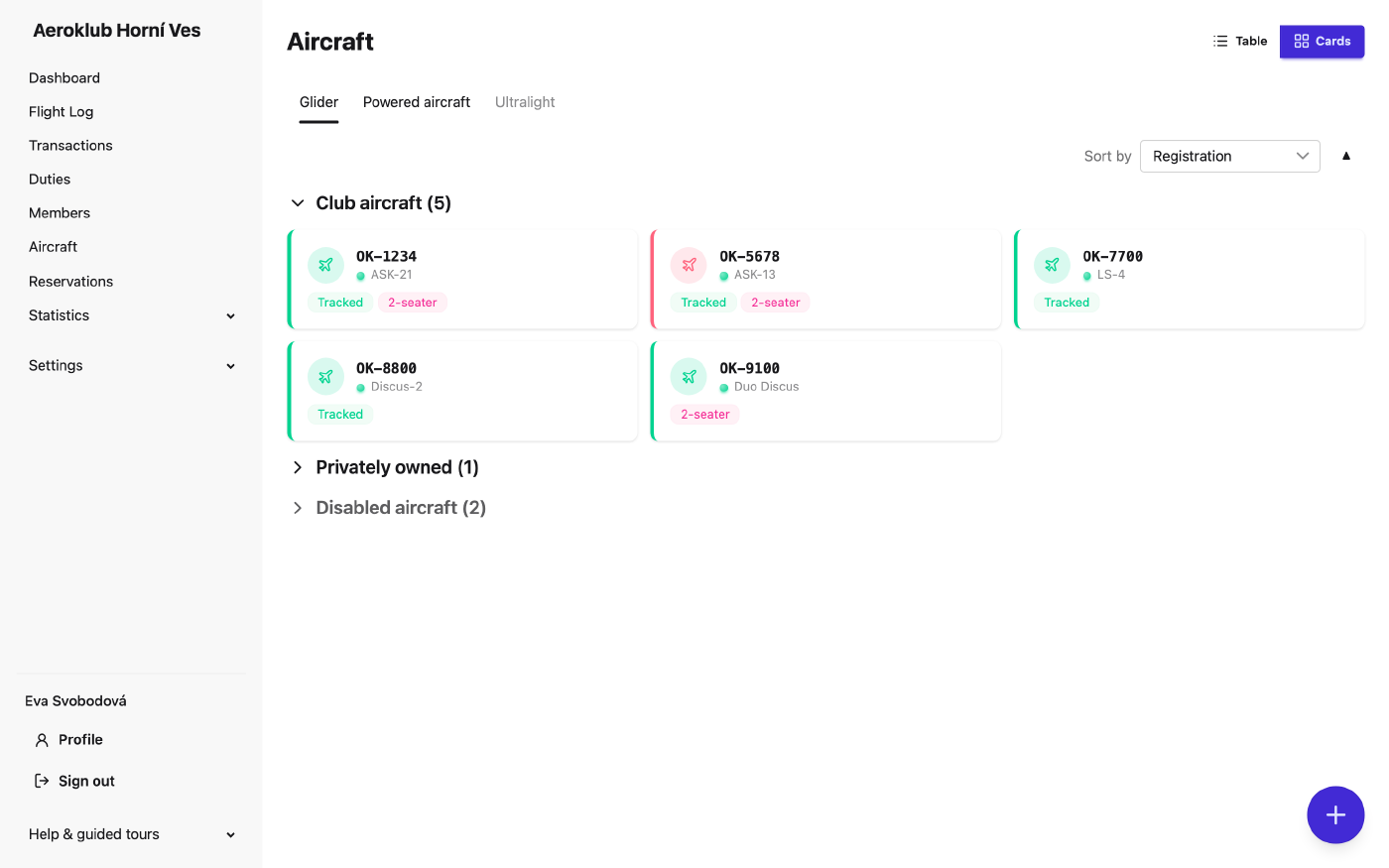
The list
Aircraft are grouped by category, with Club aircraft first and the External, Privately owned and deactivated aircraft in their own sections. Search by registration. Every row opens the aircraft.
The aircraft page
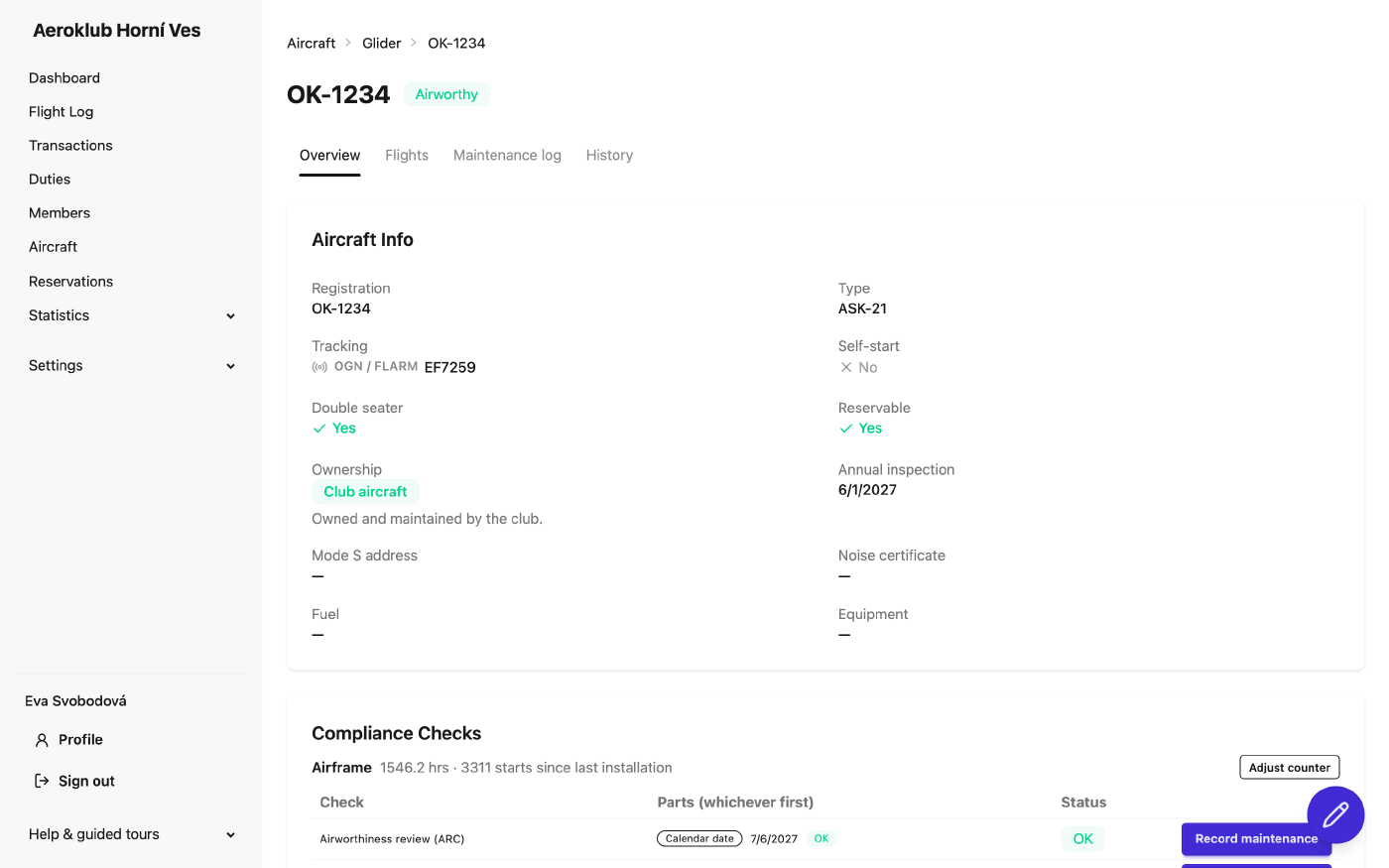
- Overview — details, total hours and starts, the airworthiness verdict and every maintenance check with its status, what comes next and what remains. Here you Record maintenance on a check, Record Installation of a replaced or overhauled component, or Adjust counter. An aircraft is airworthy only when no check is overdue; a check never recorded counts as overdue.
- Flights — the aircraft’s flight log with cumulative hours and starts. Grouped view adds up a glider’s day into one row; a powered aircraft’s flights are grouped by day, task and airfields. A warning chip appears when the chosen period still holds unapproved flights, with a link to them. The log can be exported as PDF or CSV.
- History — every change to the aircraft.
- Maintenance log — (club aircraft only) the permanent record of every maintenance recording: date performed, component and check, values, who performed it (a member holding a mechanic licence) and who recorded it. Entries are never edited; a correction is a new recording.
Adding and editing
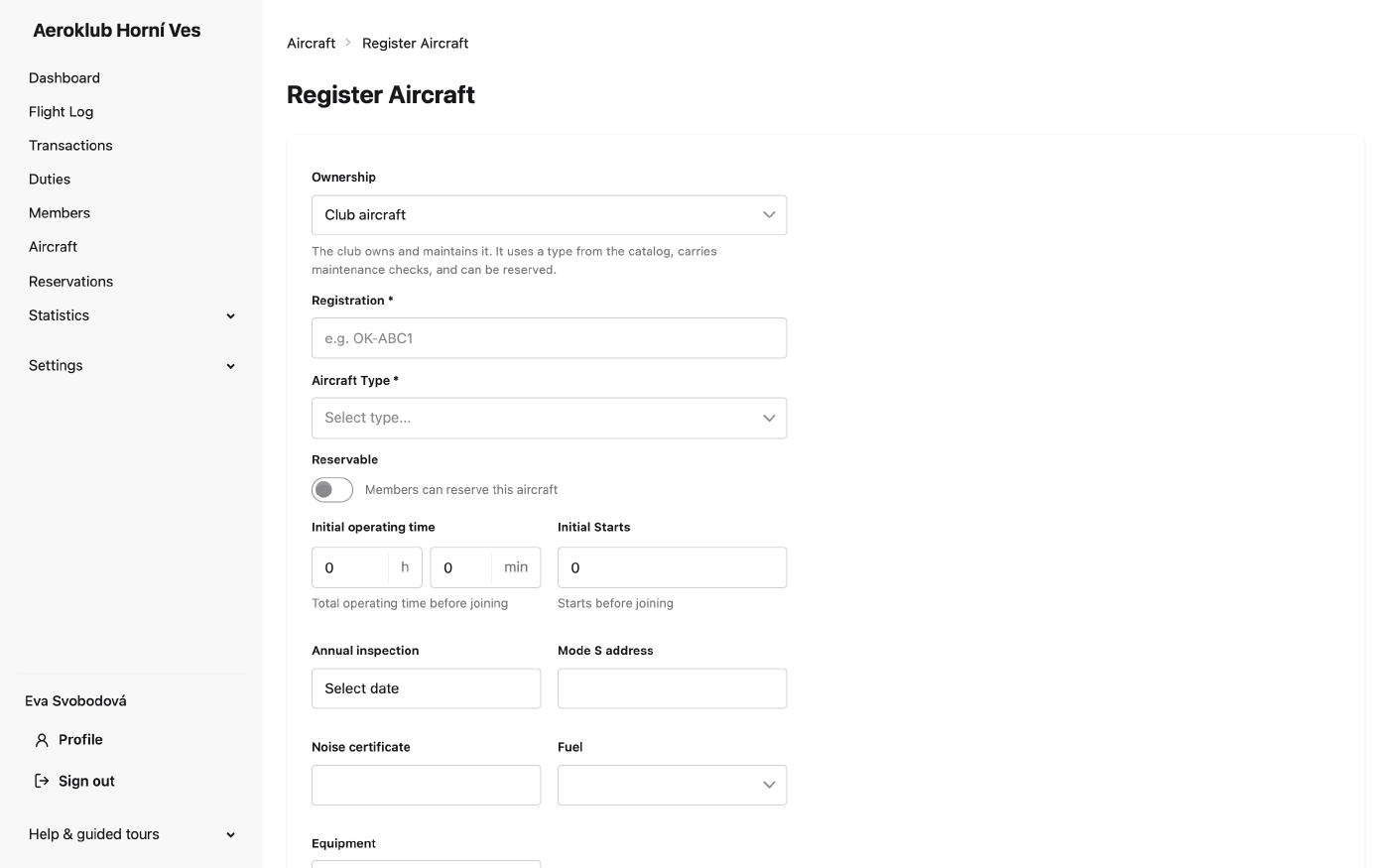
New aircraft asks for the registration, ownership, category and type (or a free-text type), owners for a private aircraft, and the flags Tow Plane, Self-start, Double seater and Reservable. A club aircraft can carry its Initial operating time and Initial Starts from before it entered the club’s records.
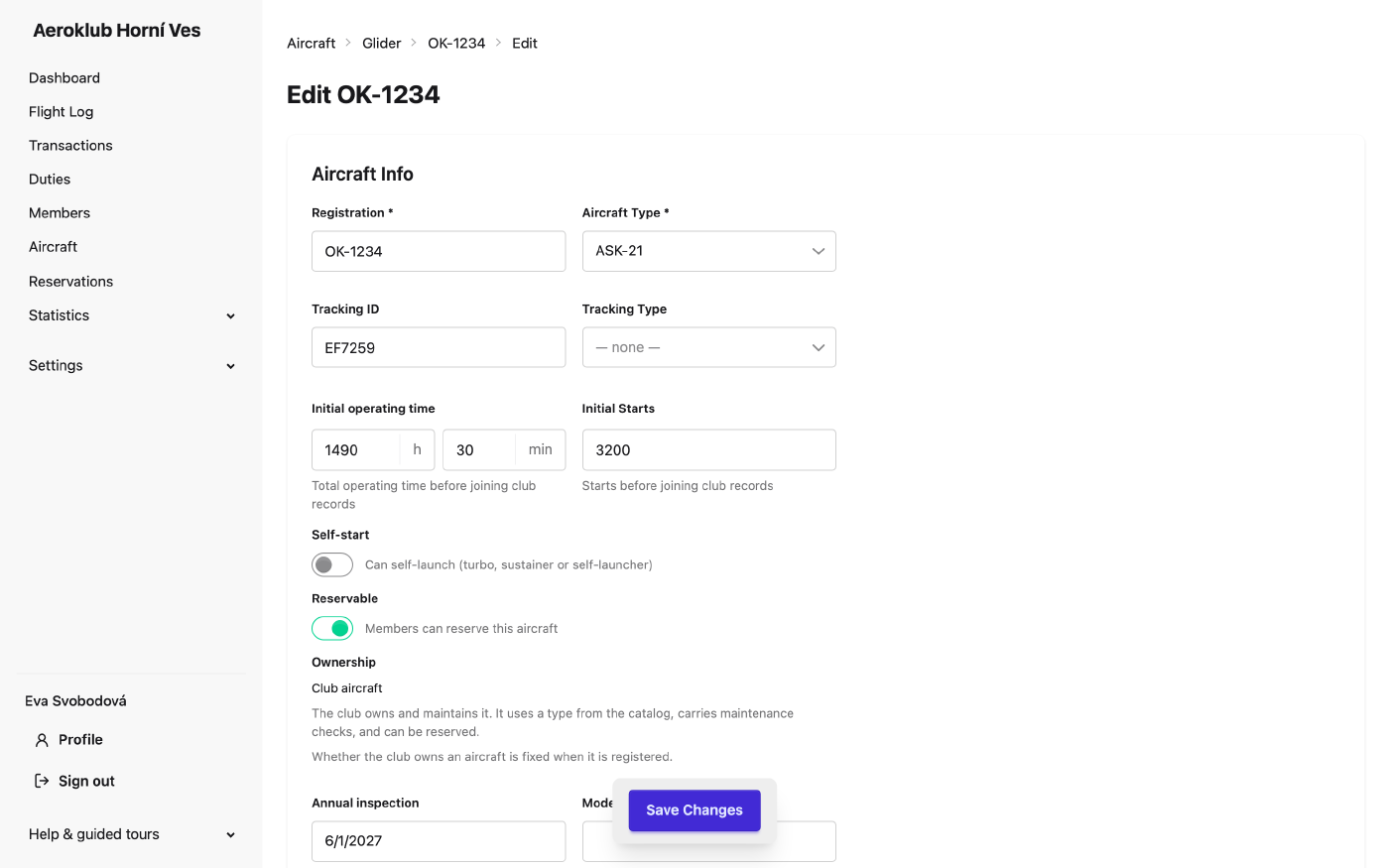
Everything about an aircraft is changed on its Edit page:
- the fields above,
- Tracking Type (FLARM or OGN) and Tracking ID — how the receiver recognises the aircraft’s beacons,
- Flight Track (when the integration is on in club settings): tracker ID and key, Test connection, last poll and last error,
- the Danger Zone: Deactivate aircraft (keeps its tracker settings; its beacons are no longer attributed) / Reactivate aircraft, and Delete aircraft, possible only when no flight uses it.
Related
- Components — the checks each aircraft inherits.
- Categories & Types — the fleet’s classification.
- Flight Log — the flights flown on the fleet.
- Reservations — booking club aircraft.