Bank payments
Payments imported from the club's bank account: the review queue, browsing the account, and correcting a posting.
What it is
When the club’s account at Česká spořitelna is connected (Bank integration), the app fetches its movements three times a day and turns members’ transfers into credits on their accounts — nobody re-types payments.
The import stores only movements that concern members. A payment matched to a member (by variable symbol or by the name in the payment) is posted straight away; one that a mapping rule claims is posted under the rule’s type. The club’s other banking — salaries, suppliers — never enters the app. Payments that need a human decision wait in the Bank payments queue.
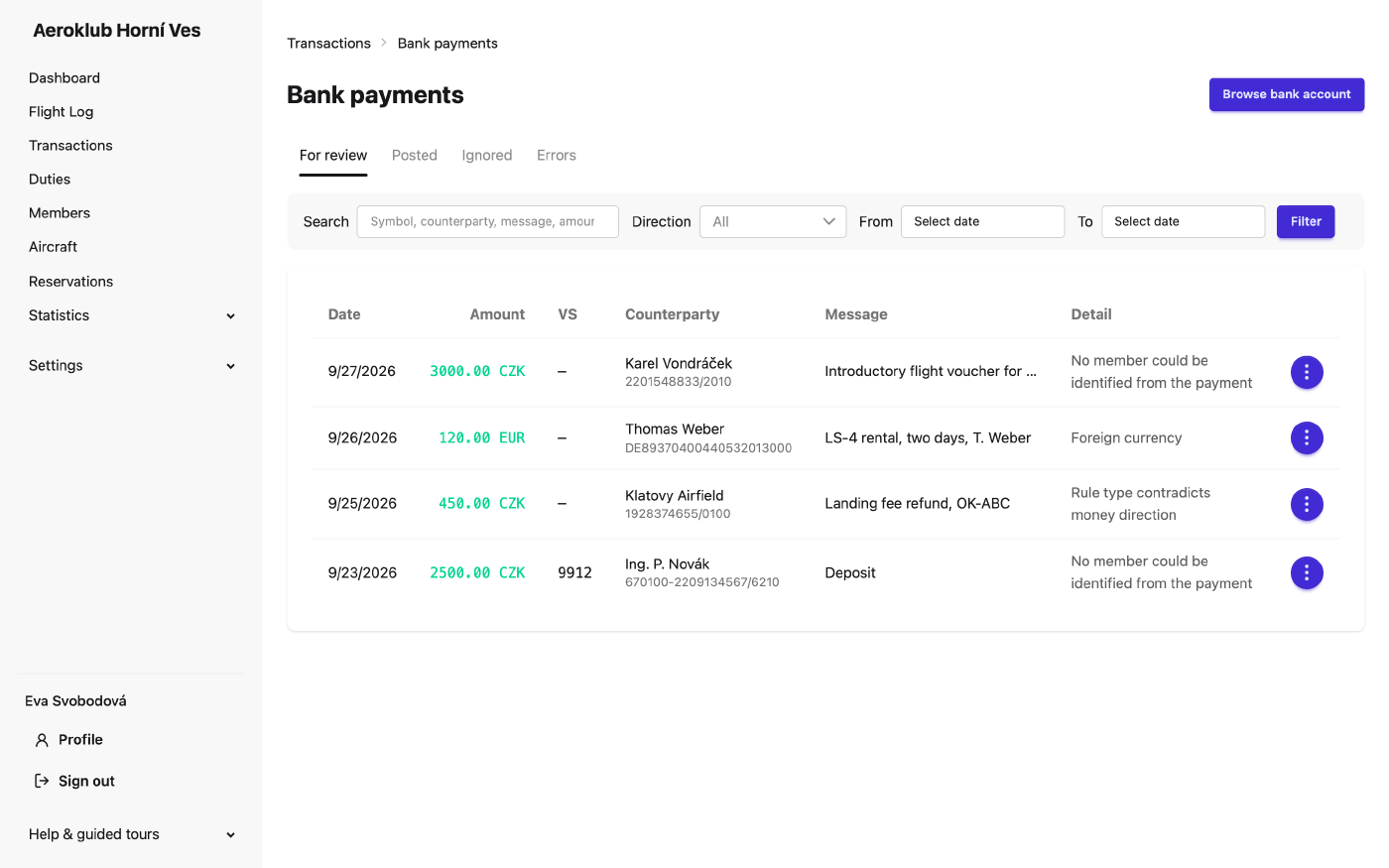
The review queue
Open it from Payments → Bank payments (the badge shows how many wait), or from the dashboard card. Tabs: For review, Posted, Ignored, Errors. Search by symbol, counterparty, message or amount, and narrow by direction and date.
Typical reasons a payment waits: no member could be identified, a foreign currency, or a rule whose type points the other way than the money. For each row:
- Assign member & post — choose the member (and type) and book it.
- Ignore — not the club’s concern; can be reopened later.
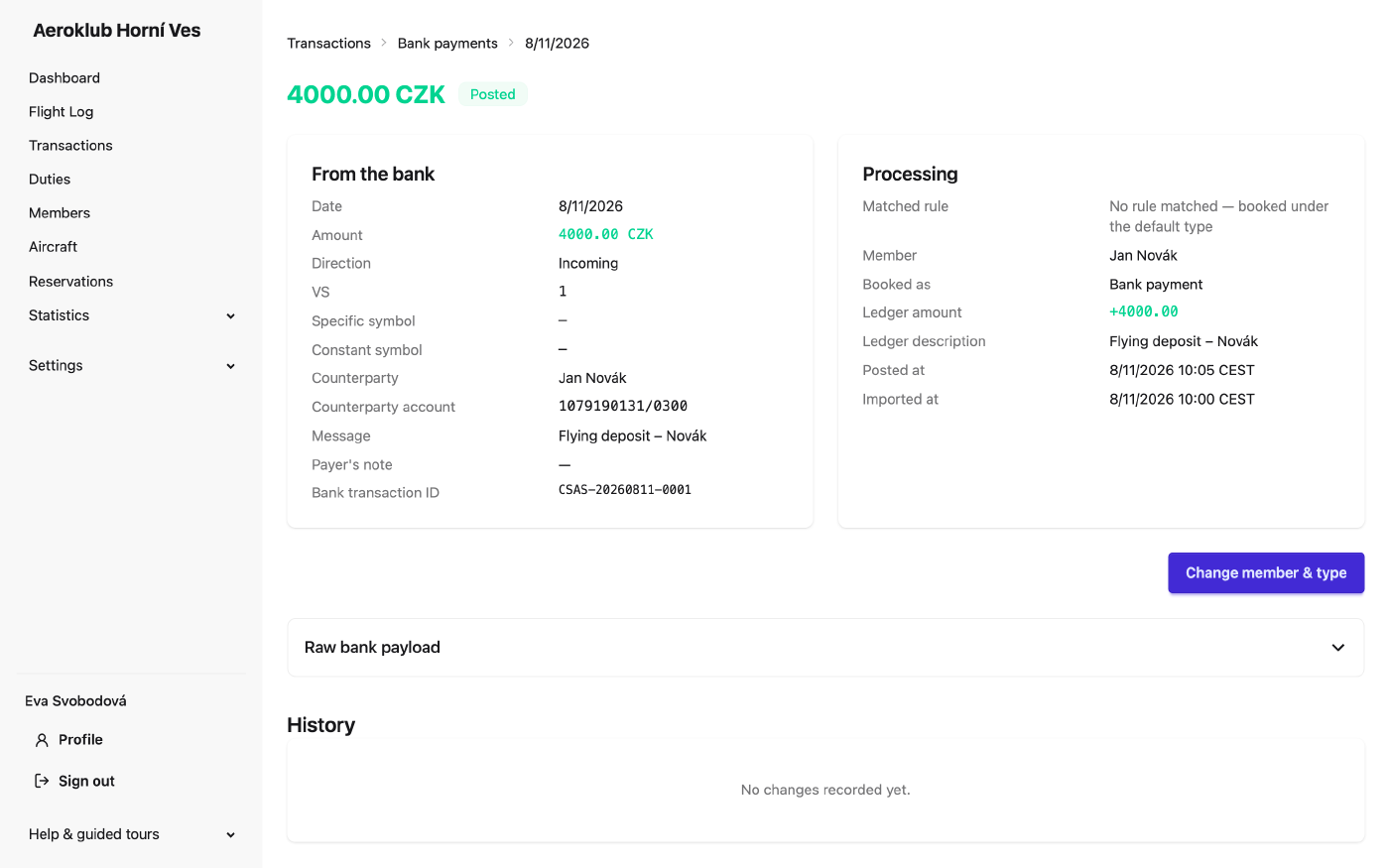
- Change member & type — on a posted payment booked to the wrong member or under the wrong type. The bank’s own facts (amount, date, direction, message) never change.
- Reopen — bring an ignored or failed row back for a decision.
Payment detail
Detail opens one payment: From the bank (every field exactly as the bank sent it) and Processing (the reason, the Matched rule or No rule matched — booked under the default type, the member, the type it was booked under and the ledger amount), plus the entry’s history — where a correction shows as a before → after change.
Browse the account
A payment that no rule claimed and no member matched is not stored — so it never appears in the queue. Browse bank account shows every movement in a date range (up to 92 days), each with what the rules would do with it. Pick the member of each payment right in the table (picking one ticks the row), then Import selected…: choose to post the payments to members’ ledgers (one transaction type per direction) or to set a member field. The button says what is still missing. Nothing is stored until you import, and browsing doesn’t affect the scheduled sync.
This is also the quickest way to answer “why hasn’t my payment arrived?” — the row says which rule it matched or why it was skipped.
Related
- Bank integration — connect the account and choose how members are matched.
- Bank rules — route payments to transaction types or member fields.
- Payments — the ledger the payments post to.