Dashboard
The first screen after signing in — what needs attention, adapted to each person's role.
What it is
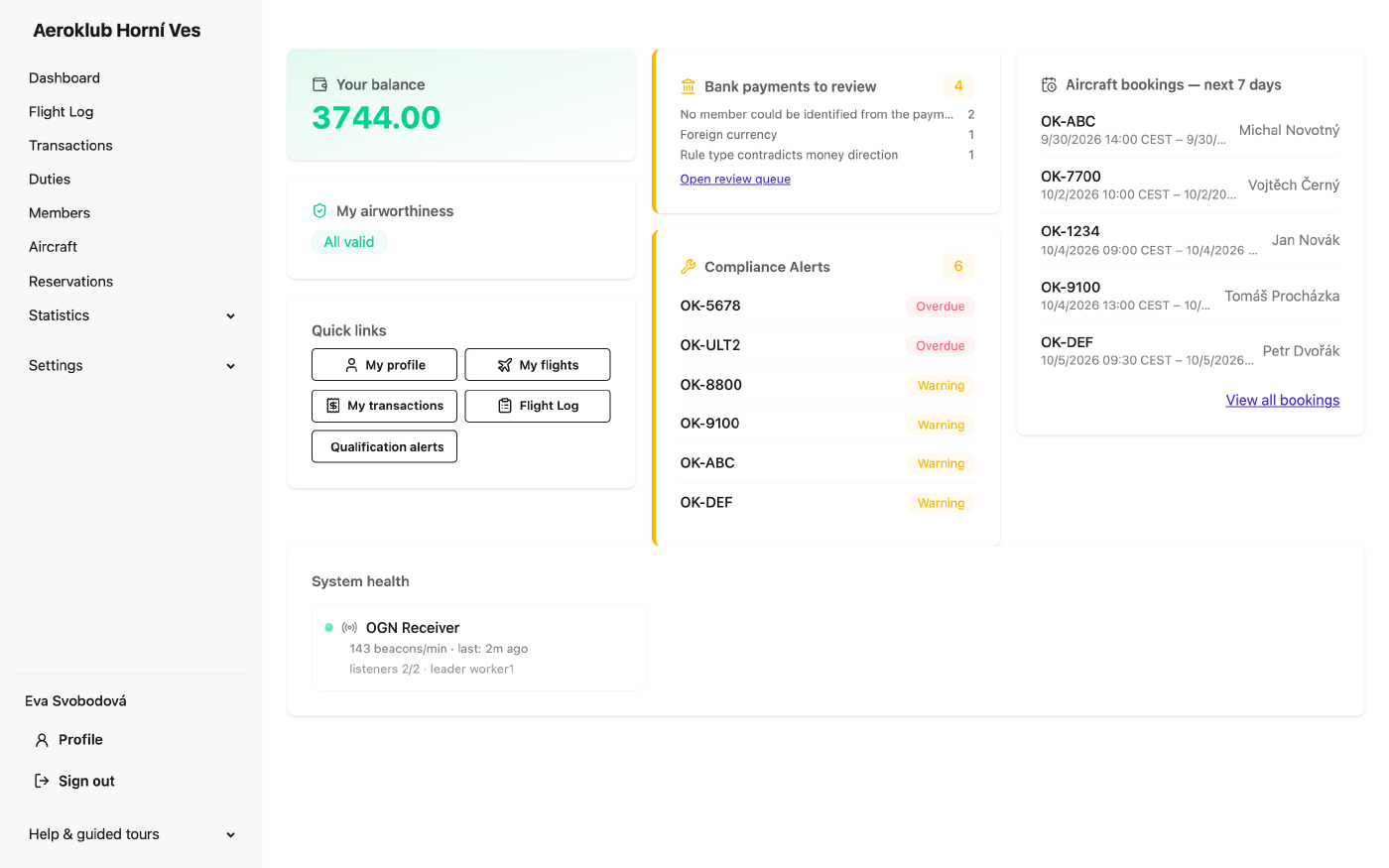
The dashboard shows what needs attention, not raw counts. Each card appears only to people who can act on it, and most cards hide themselves when there is nothing to report. A pilot’s dashboard (balance, their own flights waiting for approval, airworthiness, quick links) is described in the pilot guide; this page covers the club-wide cards.
The cards
- Finish setting up your club — for a new club, a checklist of the steps that make flights bill correctly: aircraft categories, aircraft types, aircraft, membership types, members, pricing rules, users and roles, the email language and notification recipients. Each step has Go and, where a guided tour exists, Show me how. The card disappears when every step is done; Dismiss hides it for the session.
- Bank payments to review — incoming bank payments the import couldn’t post on its own, with the main reasons and a link to the review queue. See Bank payments.
- Qualification Alerts — members whose licences are expired or expiring, or who fail a qualification rule, most serious first. View all qualification alerts opens the full list.
- Compliance Alerts — aircraft with maintenance checks overdue or approaching, grouped by aircraft. Click an aircraft to see its checks.
- Aircraft bookings — next 7 days — upcoming reservations.
- System health — the OGN receiver (beacons per minute, time of the last beacon), the Flight Track poller when that integration is on, and the bank connection (last sync, Re-authorization required, or a warning when the bank authorization is about to expire).
Guided tours
Help & guided tours at the bottom of the menu lists interactive tours of the app — flight lifecycle and billing, your account, aircraft, definitions, rules, a deep dive into pricing rules, adding a duty and members. Each tour shows only the steps the user’s role can see. New users are offered a tour once on their first visit.
Related
- Flight Log — the flights behind the approval counts.
- Qualification Rules — what raises a qualification alert.
- Components — the checks behind compliance alerts.
- Club Settings — the warning thresholds and integrations.