Exports
Download members, flights, payments and duties as CSV or PDF — with the columns you choose, in the order you want.
This page is for club administrators. As a pilot you don't need it — go to the Pilot guide.
What it is
The members, flights, payments and duties lists can all be downloaded. The download always contains exactly the rows the list’s filters select. Next to the plain CSV and PDF buttons, Custom export… opens a column picker.
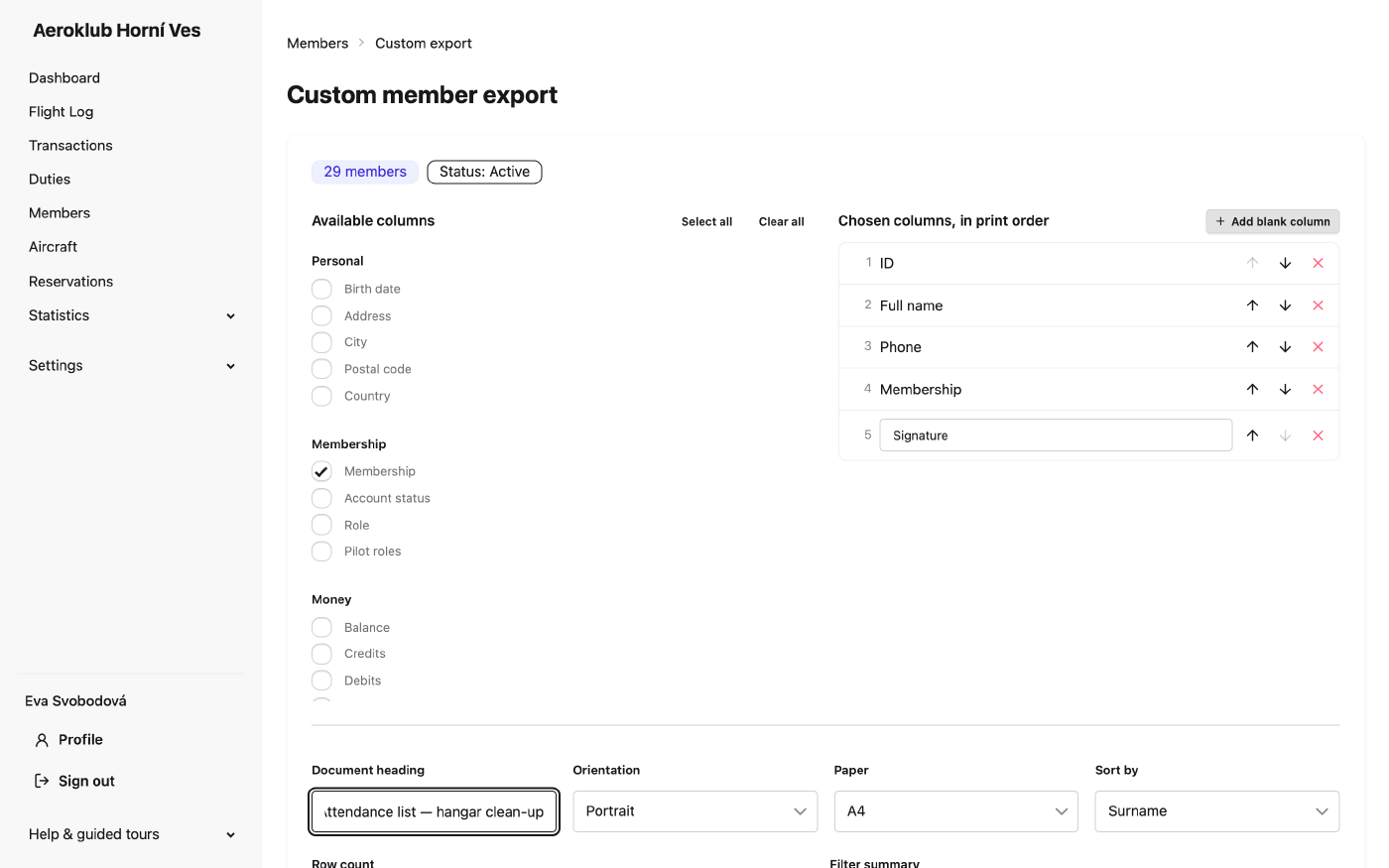
Custom export
- Choose columns from Available columns; they appear under Chosen columns, in print order, where the arrows move each one up or down.
- Add blank column with your own heading — an empty Signature or Paid column for a sheet printed and passed round at the clubhouse.
- Choose CSV or PDF. A PDF prints the number of rows in its footer and, if you want, the filters that produced it. Columns take the width their content needs. A PDF too wide for the page is refused with a suggestion (fewer columns, landscape, or CSV) rather than cutting columns off; narrow selections print two column groups side by side.
- Your choice is remembered in your browser for next time.
You are only offered columns you are allowed to see — for example the members’ money columns only with the right to see balances, and personal data and custom fields only with the right to see them.
Things to know
- Flights: the PDF is always the club’s fixed pilot log book layout; the column picker changes the CSV only.
- Members: keep the id column if you plan to edit the file and import it back — it is how rows are matched to existing members.
- Dates and times in exports are in ISO 8601. Columns holding a moment (a takeoff, a timestamp) are in UTC and say so in the heading; calendar dates (a booking day, a birth date) are plain dates.
- A CSV never contains a row count or filter summary, so it stays importable into a spreadsheet.
Related
- Members · Flight Log · Payments · Duties
- Import — bring an edited export back in.