Flight Log
The one list of every flight — the review queue and the billed record in one place: review, approve, fix, merge, reject and export.
What it is
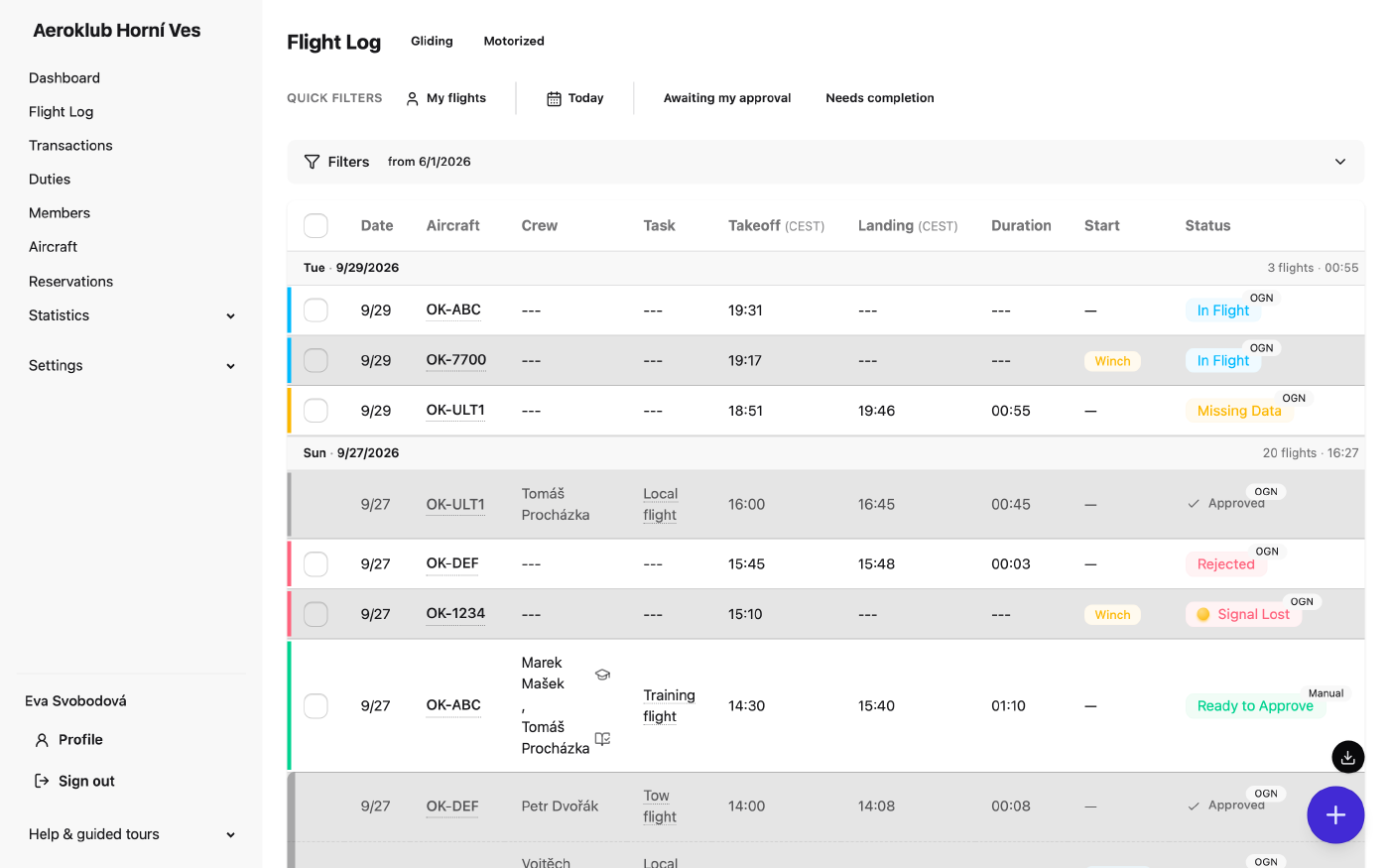
The Flight Log (in Czech Šmírka) is the single list of every flight in every state. There is no separate “review queue” and “flight registry” any more: a detected flight, a flight someone is still completing and a flight billed last month sit in one list, in date order. Approved flights are dimmed so that every remaining colour marks work for the club.
How pilots read the list — statuses, day bands, tow blocks, quick filters, the Gliding / Motorized books and the phone view — is described in the pilot guide under The Flight Log. This page covers what reviewers and administrators do on top of that.
The life of a flight
- In Flight — the tracking saw a takeoff (or someone logged a flight without a landing).
- Pending review — landed. It reads Missing Data until everything approval needs is present (aircraft, pilot in command, landing time, start type for gliders, the tow behind an aerotow, the glider in front of a tow), then Ready to Approve.
- Approved — billed. The pricing rules post charges to the payers’ ledgers.
- Rejected — a soft delete. Not billed, can be reopened.
- Signal Lost — the receiver opened a flight and never saw it land. Add the landing, merge it with its other half, or reject it.
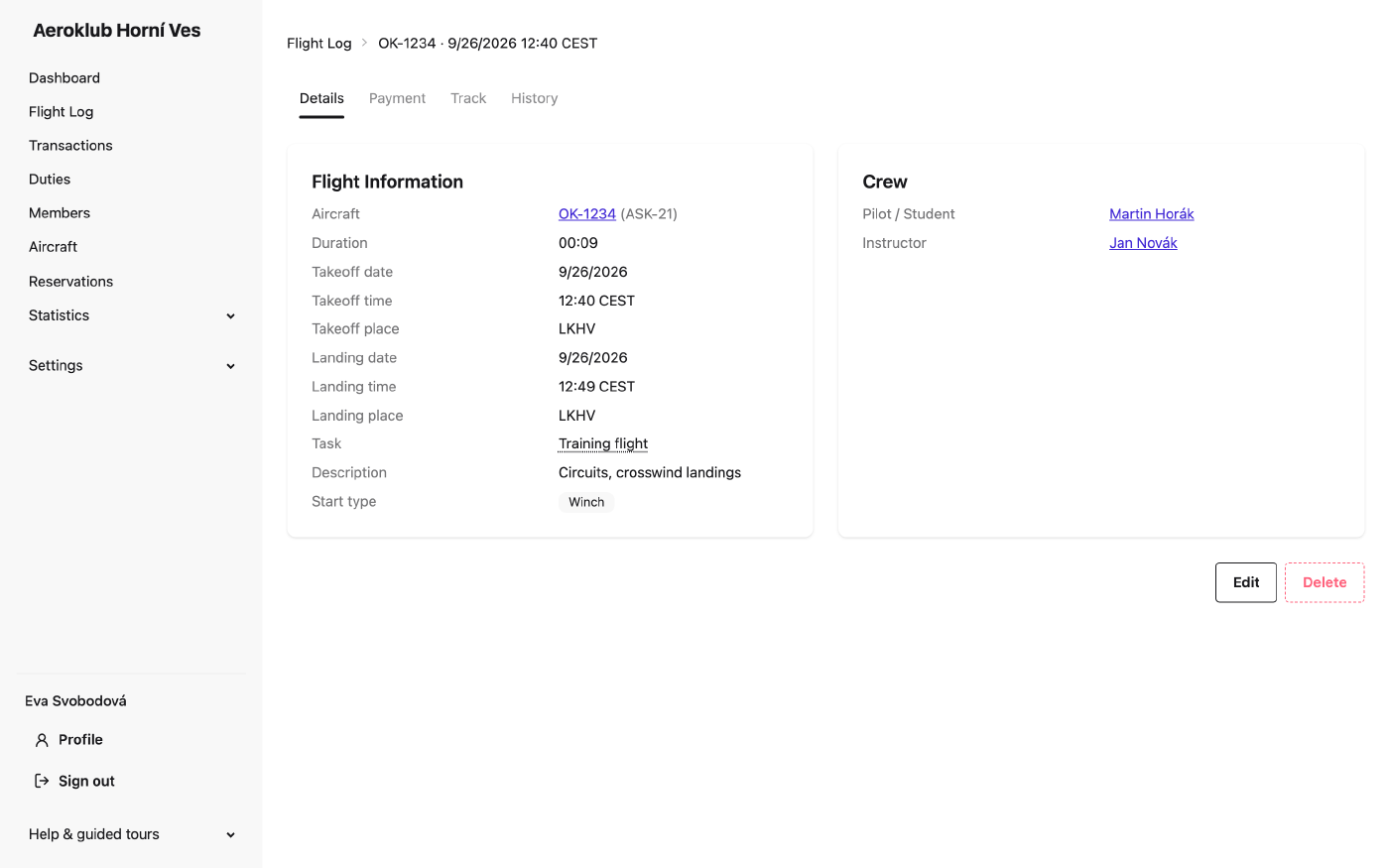
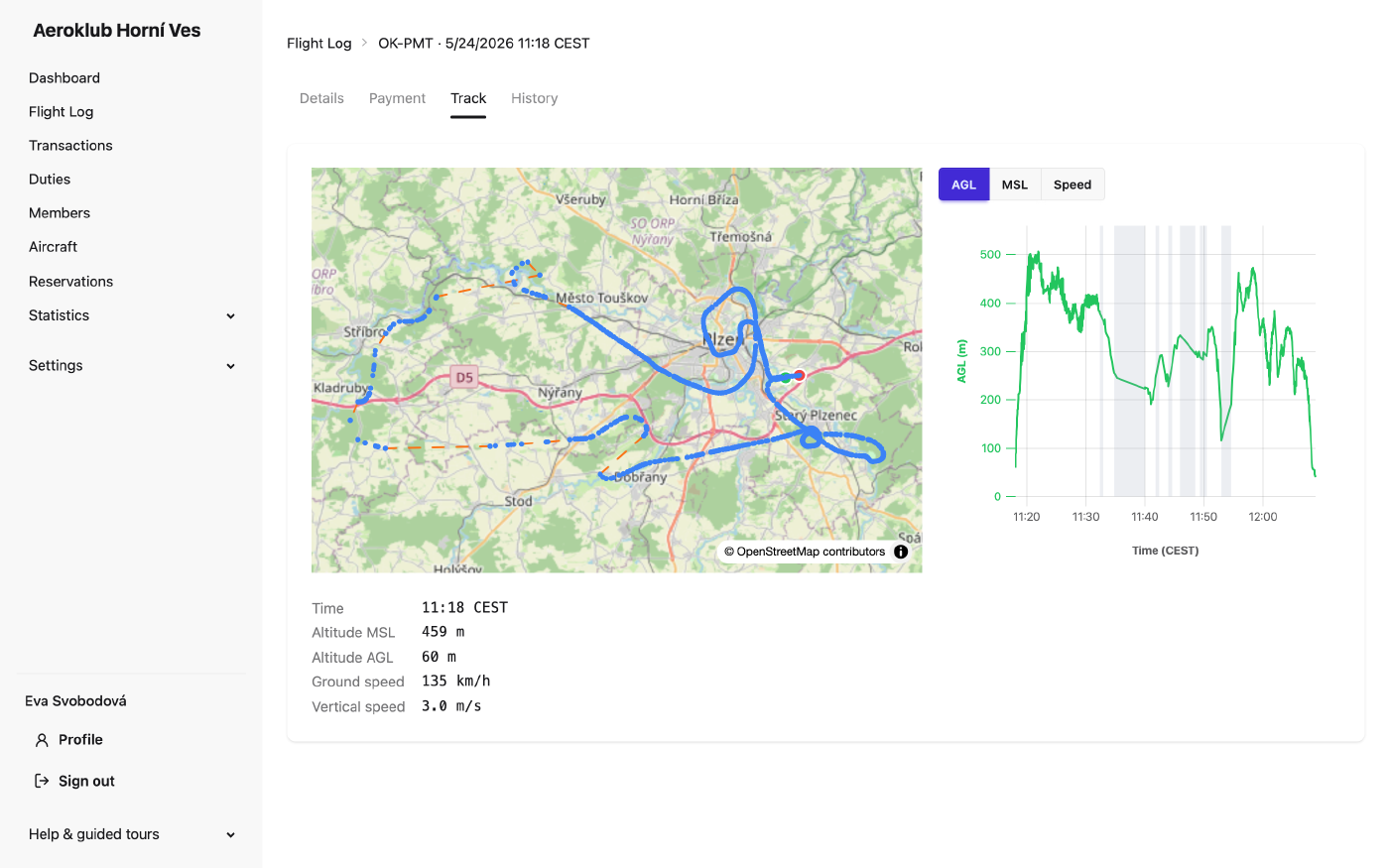
A flight keeps one page and one address for its whole life. Unapproved flights open as the editable review form; approved flights as a read-only summary with Details, Payment, Track and History tabs; rejected flights show the reason and a Reopen button.
Rights
Flight rights split on approval: before it a flight is a log entry anyone with the log right may fix; after it, a settled bill.
| Permission | Allows |
|---|---|
| View flights | The list and every flight’s page. |
| Create and edit unapproved flights | Log flights; edit any flight until it is approved, including tow linking and the now buttons. |
| Delete, decline and merge unapproved flights | Reject, merge or delete unapproved flights; reopen a rejected one. |
| Approve any flight | Approve any flight into billing. |
| Approve own flight | A stakeholder (crew or payer) approves — or declines, or reopens — their own flight. |
| Manage approved flights | Edit or delete any approved flight; re-runs billing. |
| Edit own approved flight | The pilot in command edits their own approved flight; tracked times and aircraft stay locked. |
The default Member role has view, the two own rights and create and edit unapproved flights. See Roles.
Reviewing the day
- Use Needs completion to fill in data, then the status filter Pending review to sign off.
- The set takeoff to now / set landing to now buttons on unapproved rows stamp the time without opening the flight. A takeoff stamp also moves the linked counterpart that hasn’t departed yet.
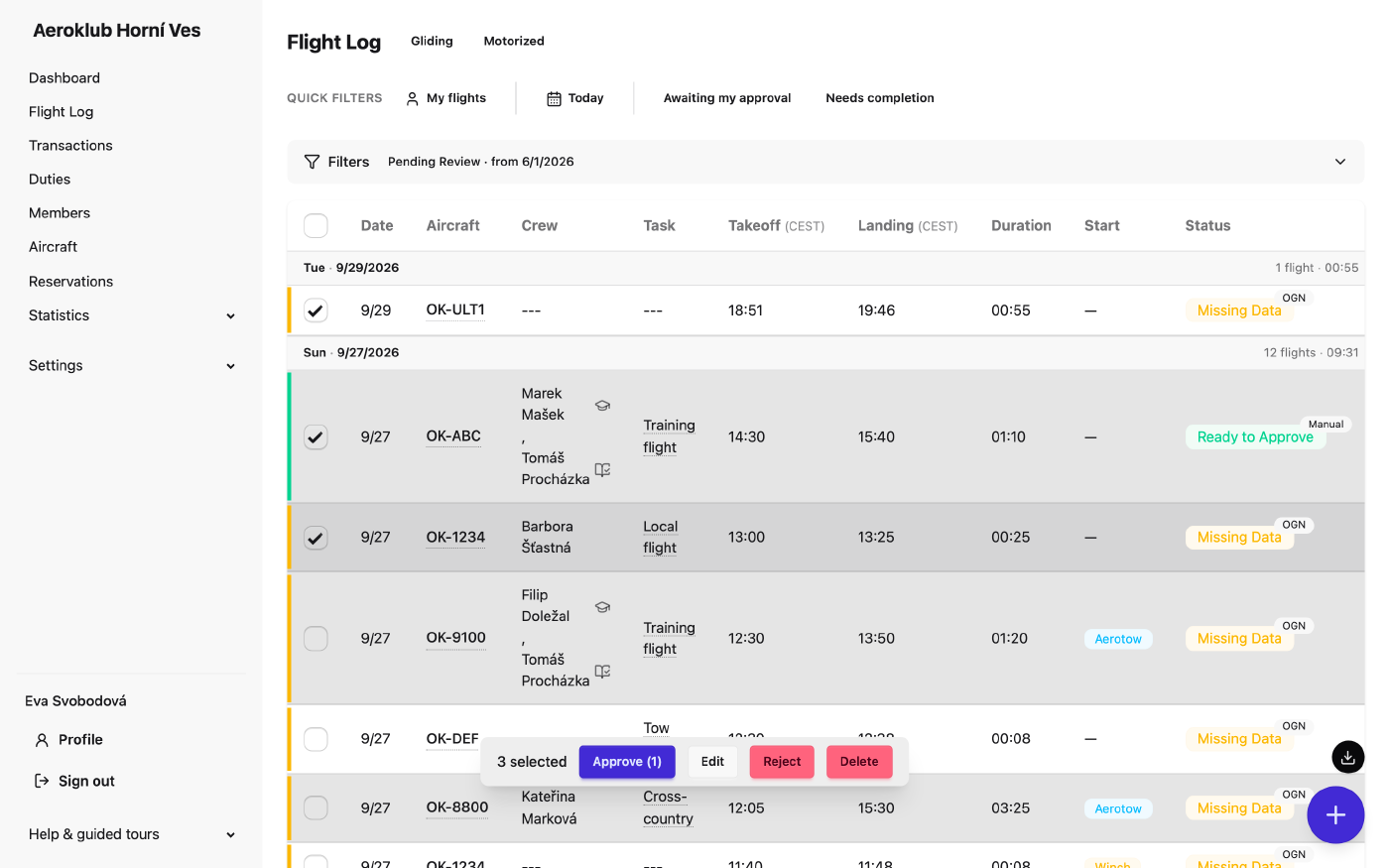
- Tick rows to open the bulk bar: Approve (n), Reject, Edit (fields valid for every selected flight: crew, instructor flight, start type, task, description) and Delete. With club-wide review rights you can select all flights matching the filter, not just the page. Approved rows have no checkbox — bulk actions never touch billed flights.
- A bulk approval takes what it can and reports the rest as skipped with a reason. When the selection holds gliders whose tows would be approved along with them, the bar offers the same also approve the tow switch as the flight page, with a count.
Reviewers with Approve any flight can subscribe to the daily email Flights that cannot be approved — every flight that is missing data or has waited longer than the club’s threshold. See Notifications.
Tows and gliders
- Automatic linking. The tracking records which tug lifted which glider. A background job, every five minutes, turns that into a stored tow ⇄ glider link — the same link a person would make, with the same checks and an entry in the flight’s history. What it can’t settle (no tug flight, a crew apparently in two aircraft, an already approved flight) is left for a reviewer.
- Linking by hand is part of the review form on either flight (Use existing / Create new / Don’t record) and is stored with the form’s Save or Approve.
- Billing. The tow is priced by the tug’s pricing rules but charged to the glider’s payers. The tow charge is created when both halves are approved. Unlinking re-prices both flights.
- Approving one half approves the other when that tow has no payers of its own and would pass every approval check — see Approve a flight.
Merging a flight recorded as two
When radio coverage drops out, the receiver may record one flight as two. Select exactly two unapproved flights of the same aircraft and press Merge. A preview shows the resulting flight and which record is removed: the earlier one is kept (it carries the launch and the tow), the later one contributes the landing. The merged duration runs from the real takeoff to the real landing.
The flight page also shows a hint with a link when a likely other half exists. Merging is refused, with a reason, for different aircraft, a glider and its own tow, approved or rejected flights, or two records that aren’t halves of one flight.
Number of starts
Every flight has a Number of starts, normally 1. A winch session of rolling touch-and-goes arrives from the tracking as one flight; the receiver counts every launch in it. Per-start charges (winch or tow fees) are multiplied by the count. The value is editable.
Warnings and conflicts
- Implausible values (over 24 hours, future times, zero length) are confirmed with Save anyway and never block approval. A saved flight that still looks wrong says so on its page.
- A crew member on two overlapping flights is a warning while flights are being completed, and a block at approval — but only against a flight that is approved or has landed, never against an unfinished or rejected one.
- The same goes for an aircraft on two overlapping flights: a warning on save, and a refusal at approval when the other flight is settled.
Rejecting, reopening, deleting
Reject (with an optional reason) keeps the record out of billing. Reopen puts it back: a flight with a landing returns to review; a flight the receiver never closed returns as Signal Lost. Delete removes an unapproved flight permanently. Deleting an approved flight (with Manage approved flights) removes its charges and re-prices a linked tow or glider.
Editing an approved flight
Edit on an approved flight opens the edit form and re-runs billing on save. Change the flight or the pricing rules and let billing recalculate; charges are never edited by hand.
Waiving a charge (Billing → No charge) is recorded with the person who asked for it. That person cannot approve the flight, and neither can its crew or payers. Waiving the charge of an approved flight sends it back to review, unbilled; a tow billed through the glider follows it.
Flight Track and beacon times
For an aircraft with a Flight Track unit, the tracker’s record is matched to the flight the beacons detected. Each end — takeoff and landing — takes the tracker’s time only when it is within five minutes of the beacon time, or when the beacons recorded none, and never when it would overlap another flight of the same aircraft. So one tracker record covering several circuits leaves each circuit’s flight intact.
Both sets of times are kept. When they differ, the flight page shows Flight Track times differ with a comparison — This flight, Beacons (OGN), Flight Track — and Use Flight Track times / Use beacon times. Switching is recorded in the flight’s history and re-bills an approved flight.
Private aircraft
Flights on members’ private aircraft appear in the list like any other. Browsing one private aircraft’s whole history — its logbook, or the list filtered to that one aircraft — is limited to its owners and to roles managing flights or aircraft. See Aircraft.
Export
The download button next to the + offers:
- Export PDF — the club’s fixed pilot log book layout, for the rows the filters select. It names the log book (gliding / motorized) it was taken from.
- Export CSV — the same rows as data. Times are ISO 8601 in UTC.
- Custom export… — choose and order the CSV columns and add blank ones. See Exports.
Related
- Pilot guide — logging, completing and approving flights.
- Pricing Rules — what each flight is charged.
- Aircraft — tracking IDs and the per-aircraft flight log.
- Flight Statistics — hours and starts over time.