Payments
The club ledger — every charge and credit on every member's account, readable by entry, by type or by flight.
What it is
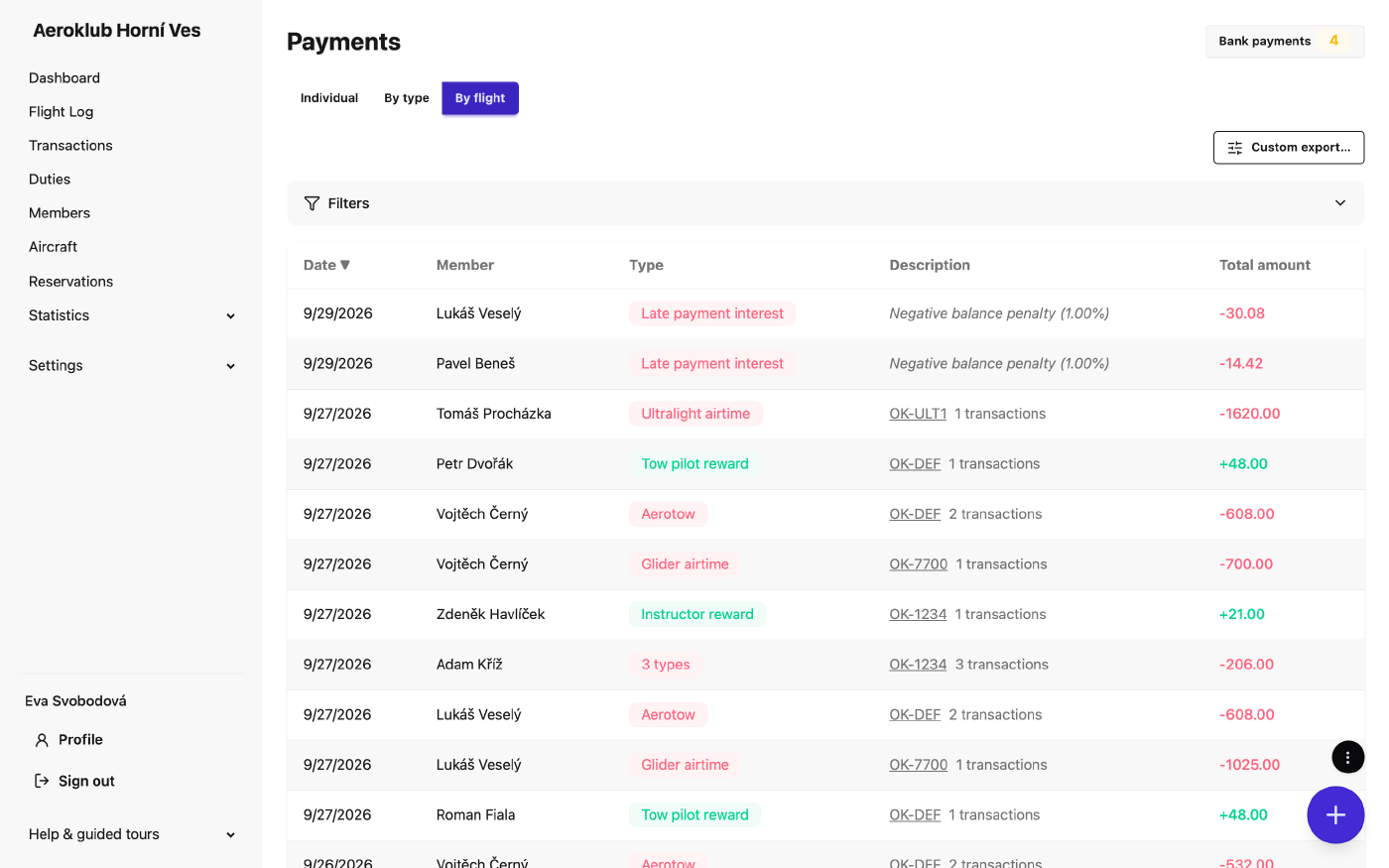
Payments (menu item Transactions) is the ledger of every member account. Each entry is a credit (money added — a bank payment, a reward, duty pay) or a debit (money owed — a flight, a fee, a penalty), and carries a transaction type that says what it was for. A member’s balance is simply the sum of their entries. Entries are never rewritten: a correction is a new entry.
Most entries are written automatically:
- Flights — on approval, the pricing rules post one line per payer per transaction type, so a statement reads glider airtime, aerotow and instruction separately. A rule can also credit a member, such as the instructor or the tow pilot. Lines link back to their flight.
- Duties — approving a duty credits the member.
- Periodic transactions and penalties — posted on their schedule.
- Bank import — incoming transfers matched to a member. See Bank payments.
Everything else — a cash payment, a correction, a one-off fee — is entered by hand.
How to use it
- Choose a view — Individual (one line per entry), By type (a member’s entries of one type on one day added together) or By flight (everything one flight charged a member on one line, while entries without a flight stay grouped by type). Grouping never changes a balance; the choice survives changing the filters.
- Filter by member, date range, category (credit/debit) and type.
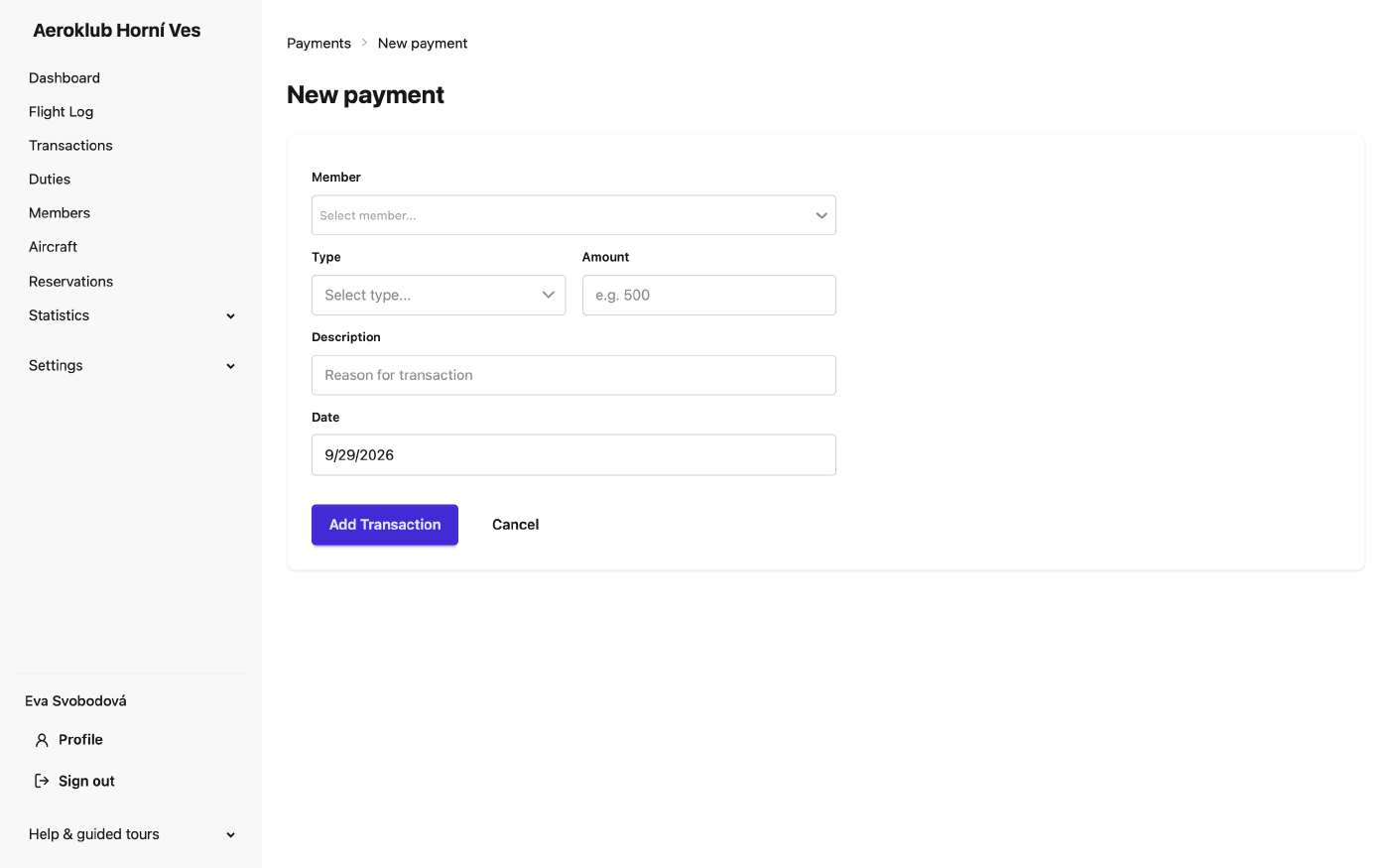
- Add one payment — the round button → Add single transaction: member, type, amount, date and description. The type decides whether it is a credit or a debit.
- Bulk add — post the same entry to every member matching conditions (membership, age, a custom field…); Preview count shows how many members it will reach before Apply to all matching. Leave the conditions empty for all active members.
- Bank payments — the button at the top right opens the bank review queue, with a badge counting the payments waiting for a decision.
- Export — Export CSV, Export PDF, or Custom export… to choose the columns. See Exports.
Lines produced by flights and duties can’t be edited or deleted here. To change them, change the flight (or the duty, or the pricing rule) and billing recalculates.
Related
- Bank payments — incoming transfers and the review queue.
- Pricing Rules — which charges a flight produces and under which type.
- Periodic Transactions and Penalties — scheduled entries.
- Payment Statistics — totals by type.