Approve a flight
Confirm a complete flight so it is billed — on its own page, together with its tow, or several at once.
Approving says: this flight is correct, bill it. Only then are the charges calculated and posted to the payers’ accounts. You can approve your own flights — every flight you flew (as pilot or second pilot) or pay for. Other flights are approved by the club’s reviewers.
Before you approve
The flight must be complete: aircraft, pilot, landing time and, for a glider, the start type — and an aerotow must have its tow. Check the crew, the task and who pays. You don’t approve a flight for someone else by accident: the Approve button only works on flights you are part of, and the bar says why when it doesn’t.
Approve one flight
- Open the flight from the Flight Log (or from Waiting for approval on your dashboard).
- Check the details. If you change something, press Save first — Approve stays disabled while there are unsaved changes.
- Press Approve in the bar at the bottom.
A glider and its tow
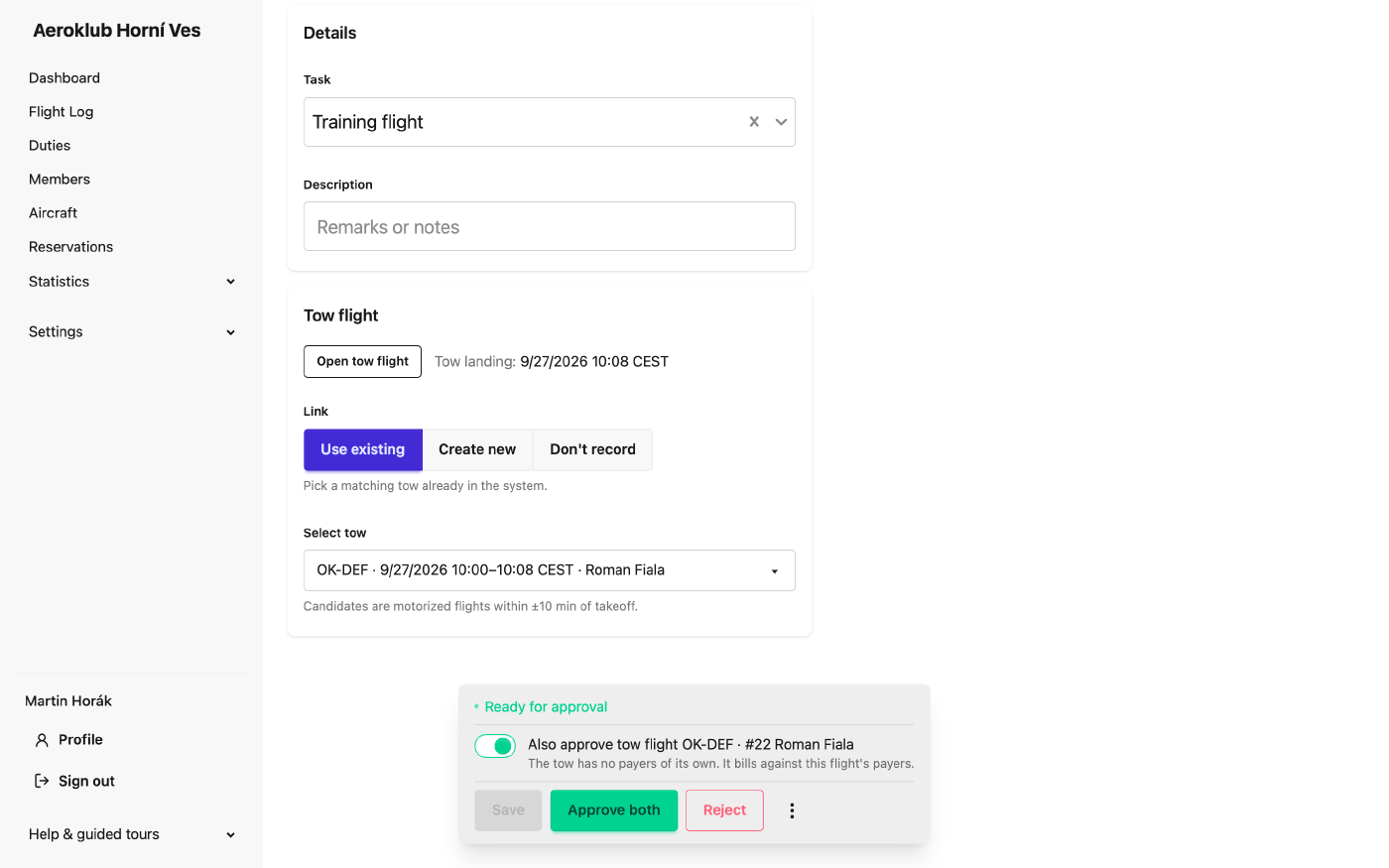
A tow that has no payers of its own is billed to the glider’s payers, so the two are approved together:
- On the glider, a switch Also approve tow flight … is on, and the button reads Approve both. Switch it off to approve only the glider; the tow then waits to be approved on its own.
- On the tow, the bar says the towed flight will be approved as well — the button also reads Approve both. If the glider isn’t complete yet, the tow can’t be approved; complete the glider first.
Approve several at once
In the Flight Log choose Awaiting my approval, tick the flights and press Approve (n) in the bar that appears. The button tells you up front how many of the selected flights can’t be approved and why — for example missing data or you didn’t fly or pay for — and those are simply skipped.
Rules worth knowing
- A no-charge flight must be approved by somebody else — not the person who waived the charge, and nobody who flew the flight or pays for it.
- A pilot can’t be approved on two overlapping flights. The approval names the other flight; fix whichever of the two is wrong.
What happens after approval
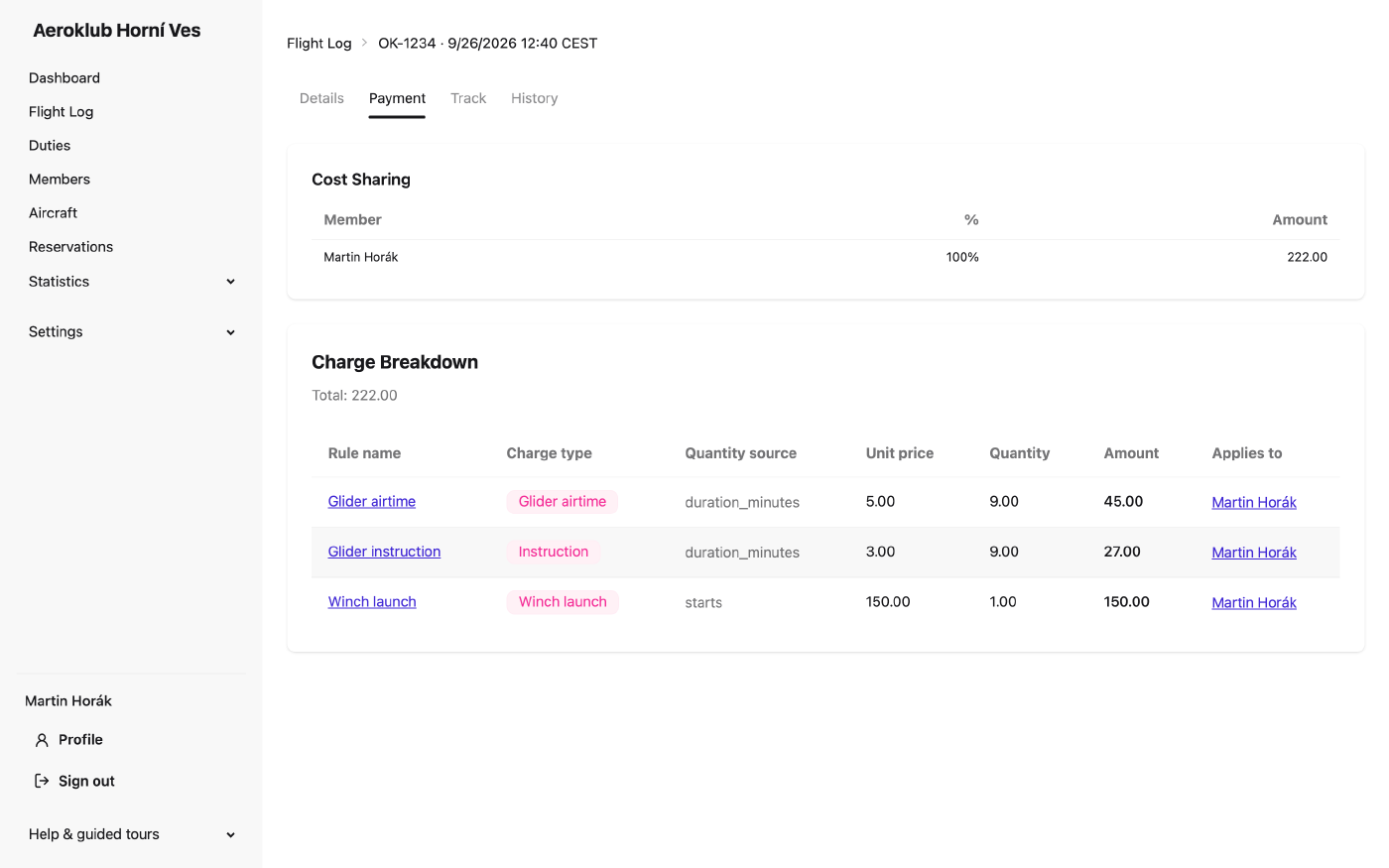
The flight turns grey in the list and its page becomes a read-only summary with a new Payment tab. It shows every charge the club’s pricing rules produced — airtime, launch, tow, instruction — and how they were split between the payers, in percent and in money. The same amounts appear in your payments.
If you find a mistake later, see After approval.
Reject or reopen
A record that isn’t a real flight — a false detection, a duplicate — is rejected: it stays in the log for the record but is never billed. On your own flight you can reject it yourself with Reject next to Approve (on a phone under More actions ⋮) and give a reason.
A rejected flight can be reopened from its page if that was a mistake; it returns to review as if it had never been rejected.