Getting started
Sign in with your invitation, learn the menu, and use AeroclubHQ on your phone.
Sign in
You get access by invitation: the club sends you an email with a link. Open it, choose a username and a password, and you are signed in. The link works for seven days; if it has expired, ask the club to send a new one.
Next time, sign in at your club’s address with the same username and password. Forgot your password? Use Forgot password? on the sign-in page — a reset link, valid for one hour, arrives by email.
The app shows English or Czech, following the language of your browser.
The dashboard
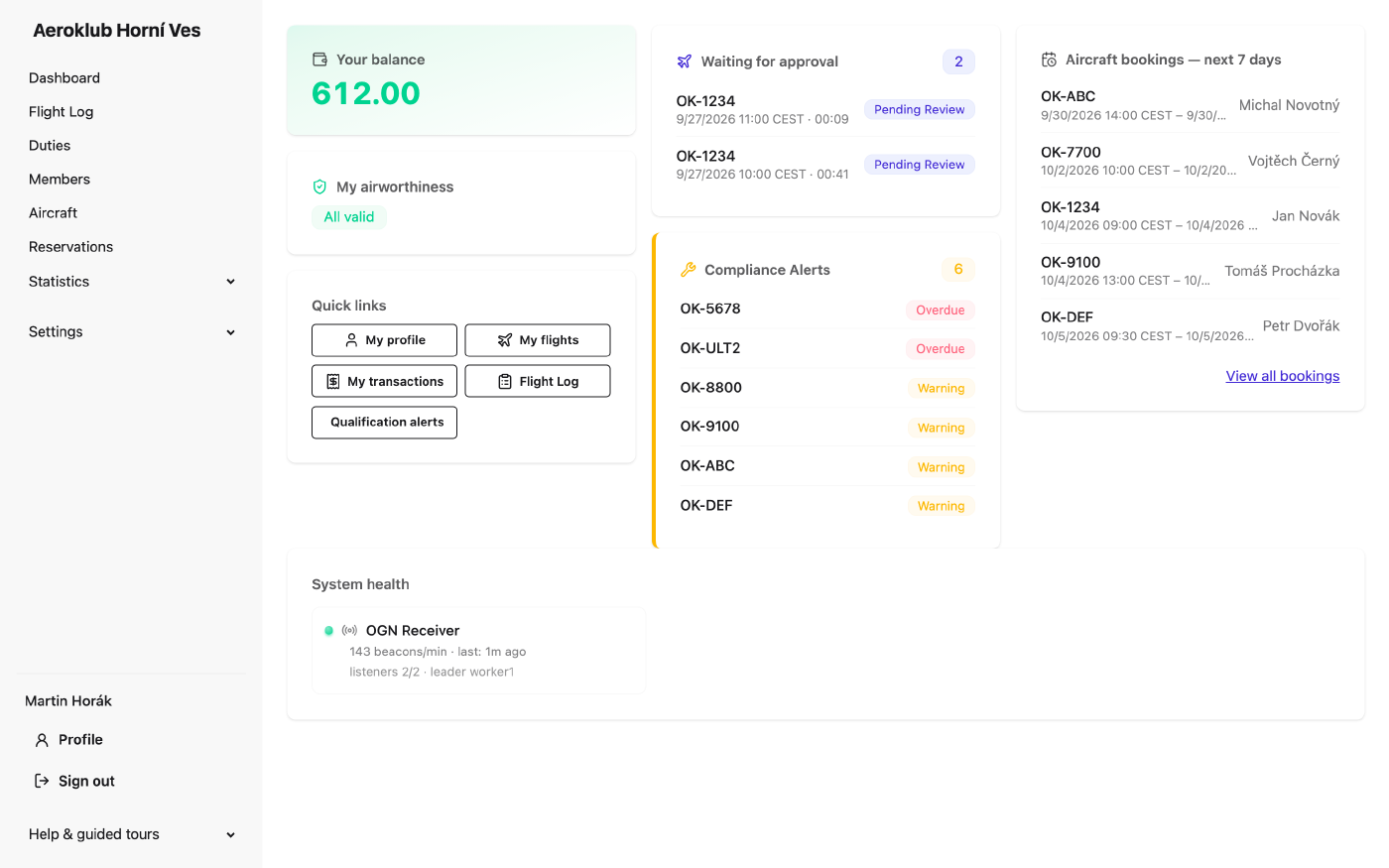
After signing in you land on the Dashboard. As a pilot you see:
- Your balance — what you have on your club account. Negative means you owe the club.
- Waiting for approval — your flights that still need a confirmation. Click one to open it.
- My airworthiness — whether your licences, medical and club currency rules are in order, with the most urgent problem named.
- Quick links — your profile, your flights, your payments and the Flight Log.
- Aircraft bookings — next 7 days — who has reserved which aircraft.
The menu
The menu on the left (behind the ☰ button on a phone) holds everything you can open. The items you will use:
| Menu item | What it is for |
|---|---|
| Flight Log | Every flight of the club. Log, complete and approve flights here. |
| Duties | The work hours you did for the club. |
| Members | Club members; your own profile is under Profile at the bottom of the menu. |
| Aircraft | The fleet, with each aircraft’s status and history. |
| Reservations | Book an aircraft. |
Other items — Statistics and Settings — let you look at club data and rules. You can read them, but you don’t need them to fly.
What you see depends on your role in the club. If a button described in this guide is missing, you don’t have that right — ask the club’s administrator.
Guided tours
At the bottom of the menu, Help & guided tours starts short interactive tours of the screens — for example Logging a flight & billing and Your account. They point at the real controls and can be replayed at any time.
On your phone
Everything works in the phone’s browser; no app to install. The Flight Log shows a compact list there, built for the airfield — see The Flight Log.
Times are club time
All dates and times are shown and entered in the club’s time zone, whatever your phone or computer is set to. Every time says which zone it is in — 14:05 CEST in summer, CET in winter; lists name it once in the column heading.