Your account
Your profile, balance and payments, pilot logbook, licences and the emails you receive.
Everything about you lives on your member page. Open it with Profile at the bottom of the menu.
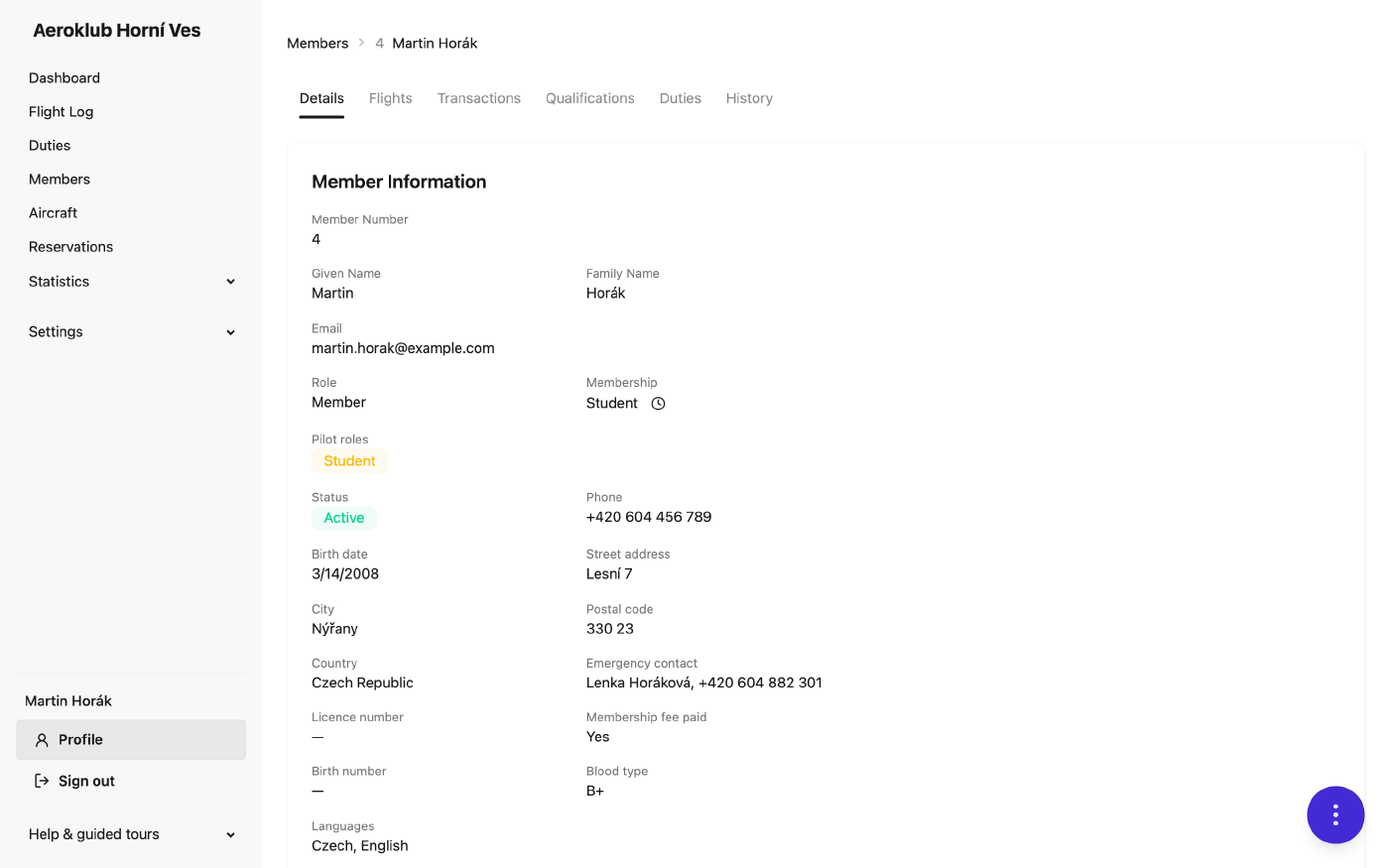
The page has tabs:
| Tab | What you find there |
|---|---|
| Details | Contact details, membership, your pilot roles (pilot, instructor, tow pilot…) and club fields. |
| Transactions | Your balance and every payment and charge. |
| Qualifications | Your licences, ratings and medical, and the club’s currency rules. |
| Duties | The work hours you did for the club. |
| Flights | Your logbook: every flight you were on, with totals. |
| History | Changes made to your record. |
The round button in the bottom-right corner holds the actions for your page: Edit profile, Notification settings and Reset password.
Balance and payments
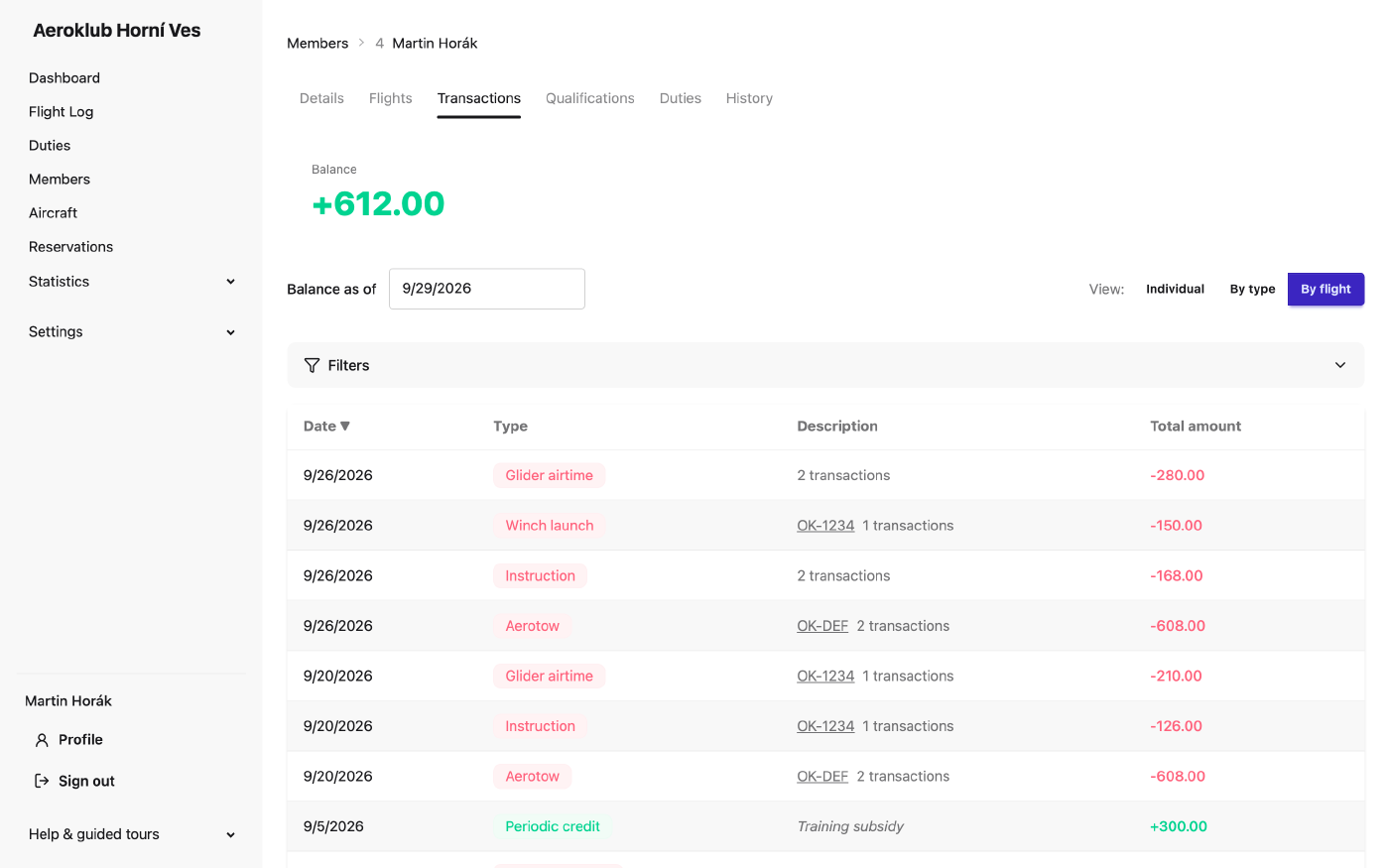
The Transactions tab shows your current Balance and the ledger behind it:
- Charges (red, negative) — flights, tows, instruction, membership fees.
- Credits (green, positive) — your bank payments, rewards for instructing or towing, duty pay.
Each line has a type, so you can see at a glance what you paid for; lines from a flight link to that flight. Switch the View to read it differently:
- Individual — one line per entry.
- By type — entries of the same type on the same day are added together.
- By flight — everything one flight cost you on one line.
Payments you send by bank transfer are usually added automatically after the club’s bank import has run (a few times a day). If your club matches payments by variable symbol, use your member number as the variable symbol.
Your logbook
The Flights tab lists your flights by aircraft category, with running Cumulative hours and starts, split into flights as captain, with instructor and as instructor. Switch between Individual and Grouped. Like a paper logbook, the list ends with three lines: Carried forward (everything before the chosen period), This period and Total. Download your logbook as Logbook PDF or Logbook CSV from the round button.
Totals include the hours you had before the club started using AeroclubHQ, if the club recorded them.
Licences and qualifications
The Qualifications tab groups your credentials by certificate (for example SPL Pilot). Each licence shows Active, Expiring soon, Expired or Ended; each club rule shows Pass or Fail with the date it lapses. The dashboard card My airworthiness summarises the same thing.
Usually the club records your licences. If your role allows it, you can add or renew your own licences here — for example after a medical renewal.
Emails you receive
The club sends you:
- Flights awaiting your approval — a daily digest of your flights that wait for your confirmation.
- Qualification alerts — when a licence or medical is about to expire, has expired, or a currency rule stops being met.
- Monthly balance statement — on the 5th: opening balance, last month’s lines, closing balance.
Turn any of them off under Notification settings, or with the unsubscribe link at the bottom of each email. Messages the club sends to all members can’t be switched off.
Profile and password
Edit profile changes your name, email, phone and address. Reset password sets a new password.