Penalties
Penalty rules for a negative balance — a monthly charge on outstanding debt, as a percentage of the amount owed or a fixed amount, booked under its own transaction type.
What it is
Penalties automatically charge a member a fee when their account balance meets the conditions you set. They judge the state of the account, not an individual flight.
Conditions can use:
- Balance — Current balance, Last month-end balance and Consecutive negative months (the number of month-ends in a row the balance was below zero).
- Member — Membership, Member age (years) and the member custom fields.
The fee is either a Percentage of the last month-end debt or a Fixed amount. A rule runs once a month, on or after the day you choose (1–28); a later day gives time for late or back-dated payments to be entered first. Each rule charges a member at most once a month, but several rules can add up.
Editing a rule creates a new version from its effective date; past versions are kept.
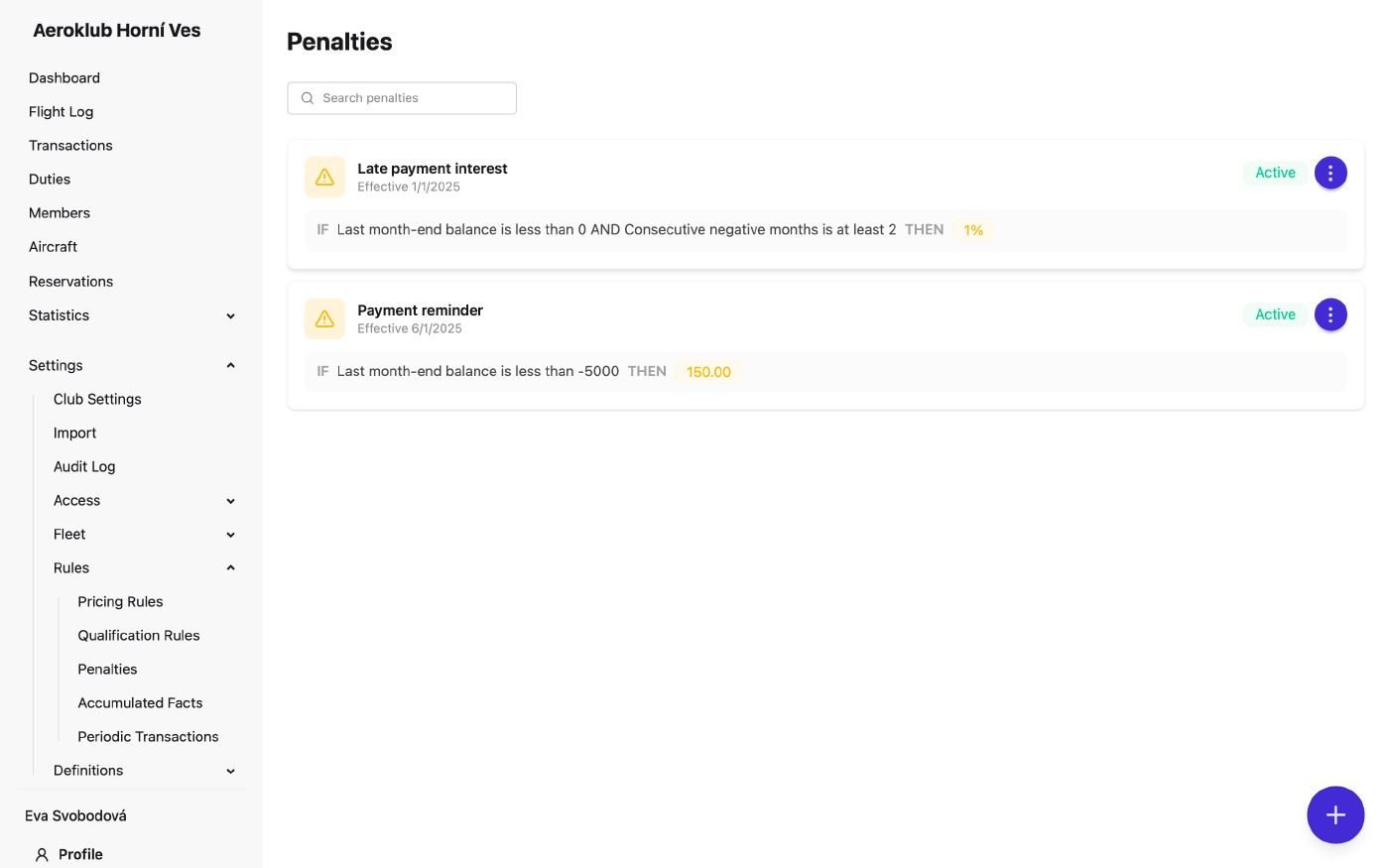
How to use it
- Create a penalty — the + button opens New penalty rule: name and Effective from, the conditions under Charge when the member matches, then the Charge — amount kind, amount, Apply on day of month and Charge type. The preview shows an example, such as what a given debt would cost.
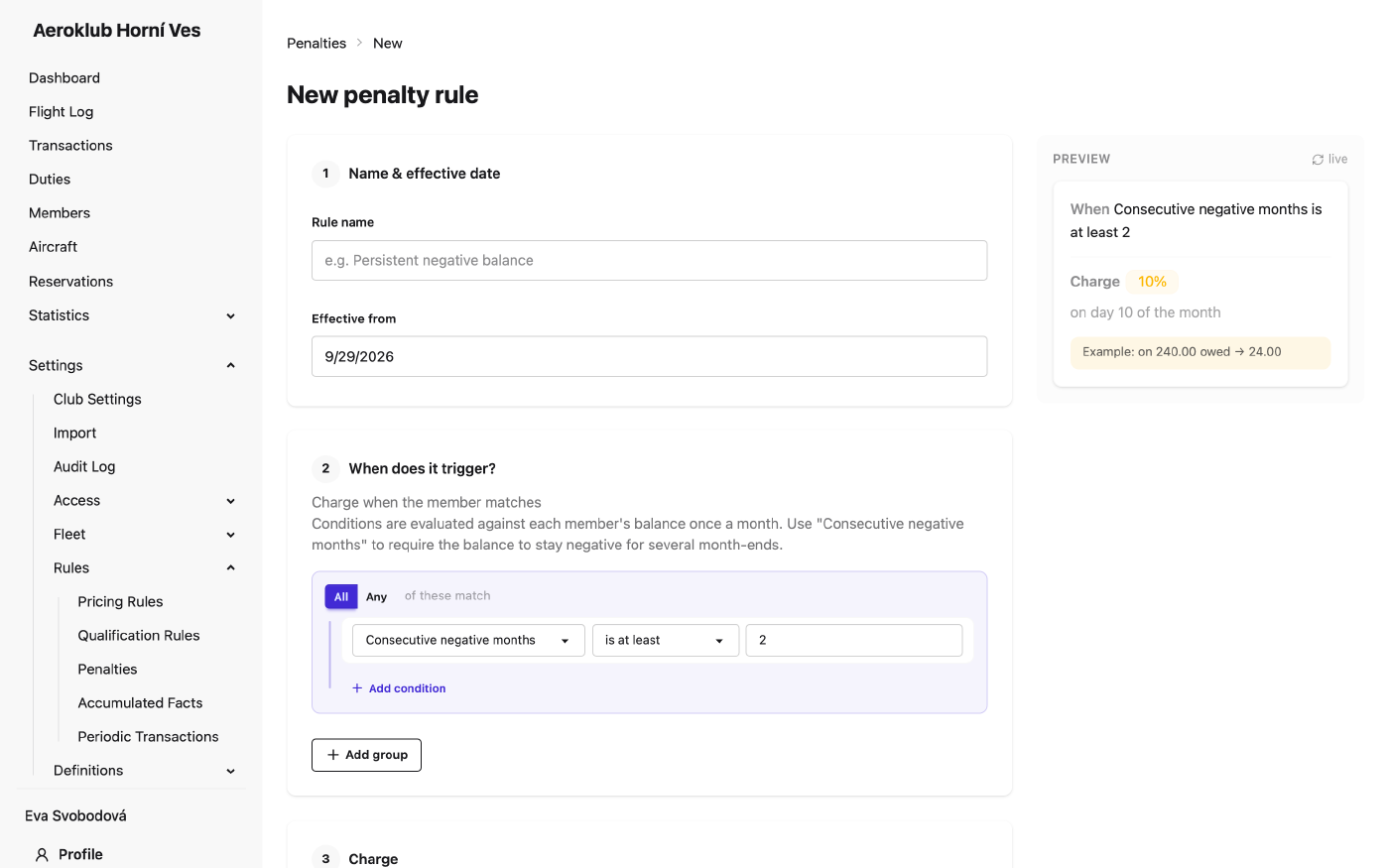
- Charge type — the debit type the penalty is booked under. Empty means Balance penalty.
- Open a penalty — review or edit a rule; saving creates a new version. The page also shows the Version history.
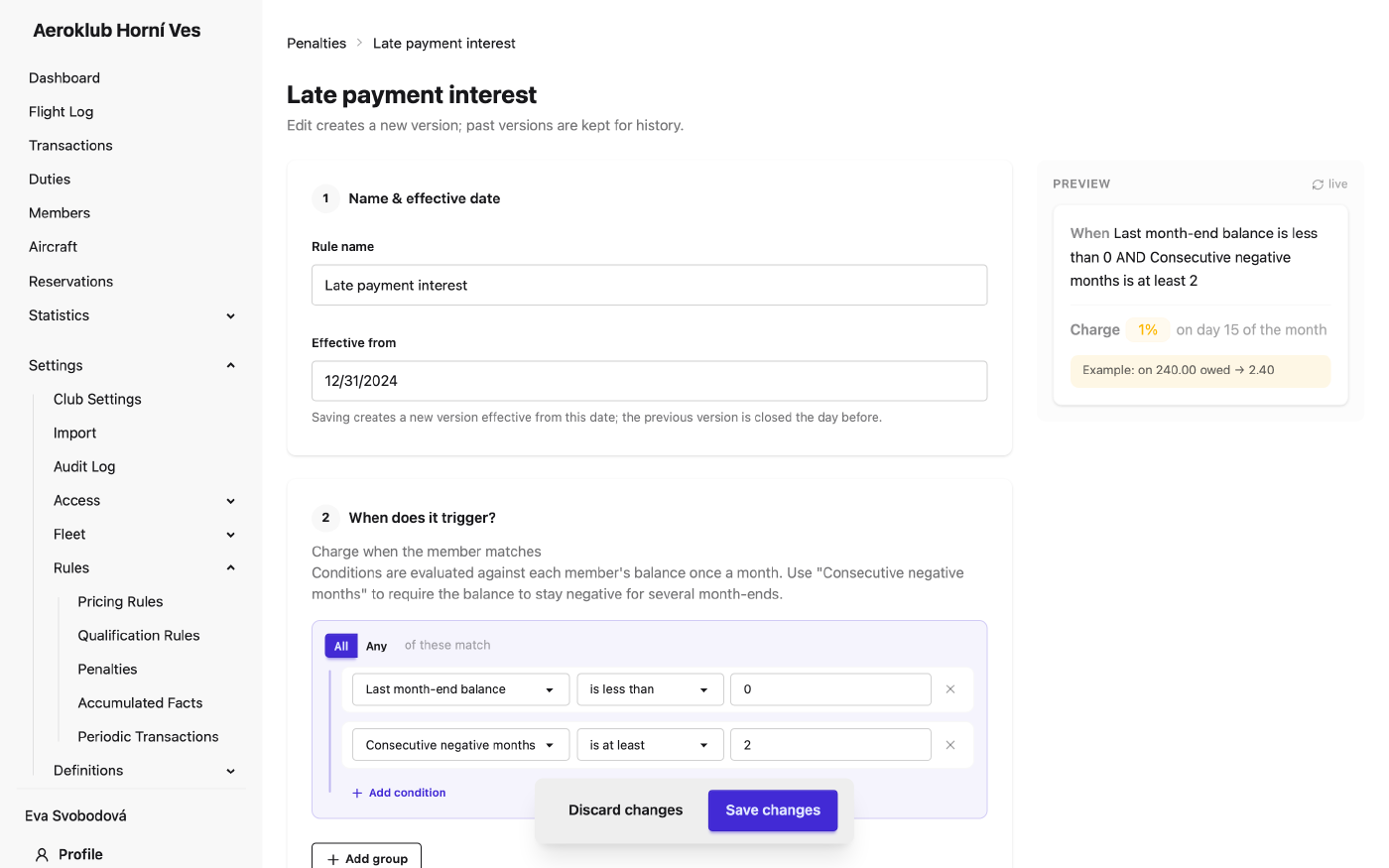
- Deactivate — the rule stops charging members; past charges stay. Reactivate brings it back.
- Search — filter the list by rule name.
To charge only persistent debtors, add Consecutive negative months is at least 2 (or more).
Related
- Payments — where penalty charges are recorded.
- Transaction Types — the type a penalty is booked under.
- Periodic Transactions — recurring charges on a schedule.
- Pricing Rules — the same condition builder used to set prices.