Periodic Transactions
Recurring charges or credits — membership fees, hangar contributions, insurance — posted automatically on a schedule to every member who matches.
What it is
A periodic transaction rule charges or credits members automatically on a schedule — a monthly membership fee, a quarterly hangar contribution, a yearly insurance levy. You define it once; the app applies it to every matching member each period.
A rule has:
- The charge — the Type, the Amount and a Description that appears on the transaction. The type decides whether it is a credit or a debit; the amount is always positive.
- Schedule — Monthly, Quarterly or Yearly, the Day of month (1–28, so it runs in every month) and, for quarterly and yearly, the month. Valid from and Valid to are optional.
- Who it applies to — member conditions. Leave them empty to apply to all active members.
The app checks rules automatically several times a day and posts on the club’s calendar day. A member gets each rule at most once per period, even if the check runs again.
Each rule is shown as a card with its schedule, amount, direction and Next due date. Inactive rules are dimmed.
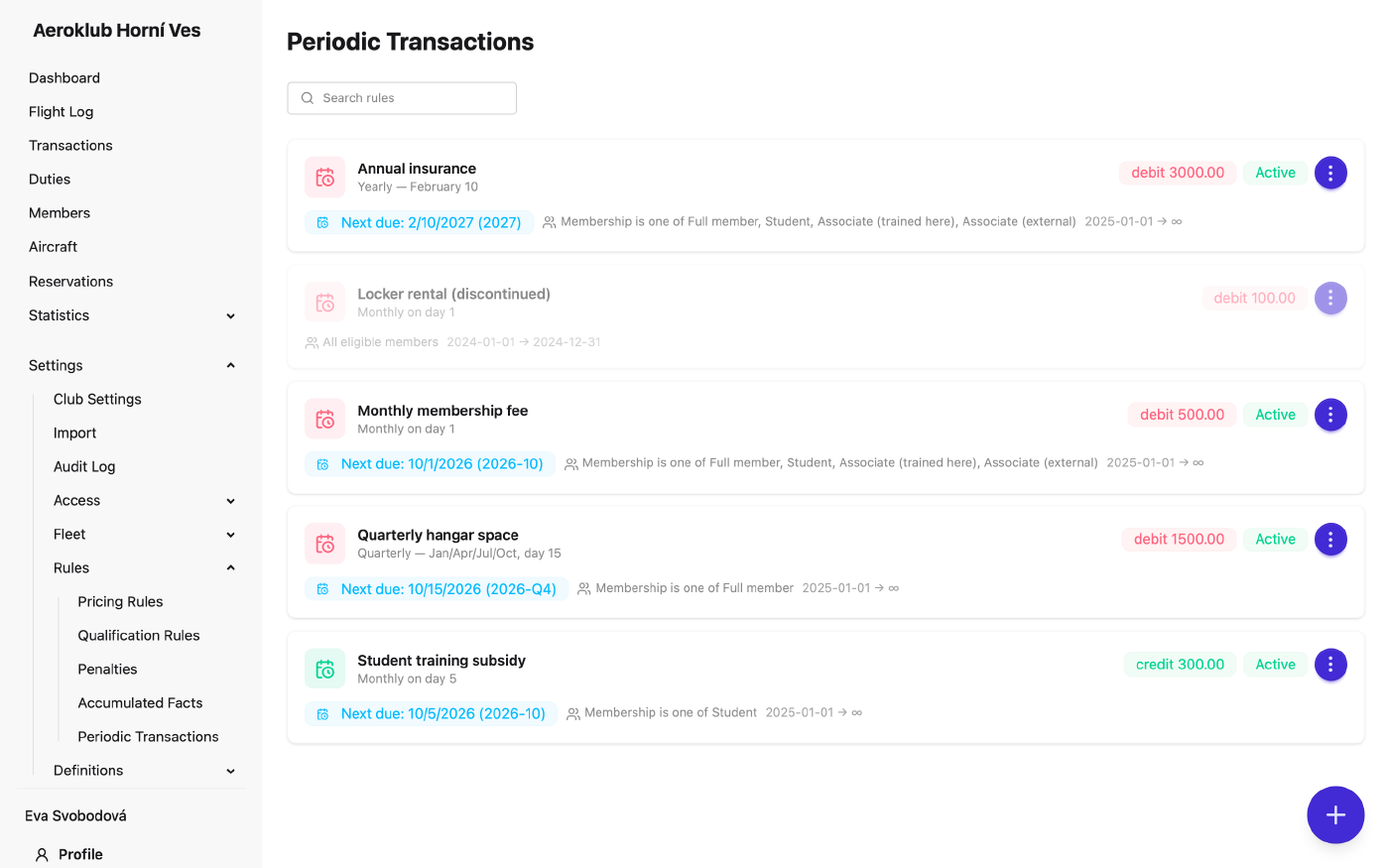
How to use it
- Create a rule — the + button opens New Periodic Transaction Rule. The preview shows Next 3 runs for the schedule you chose.
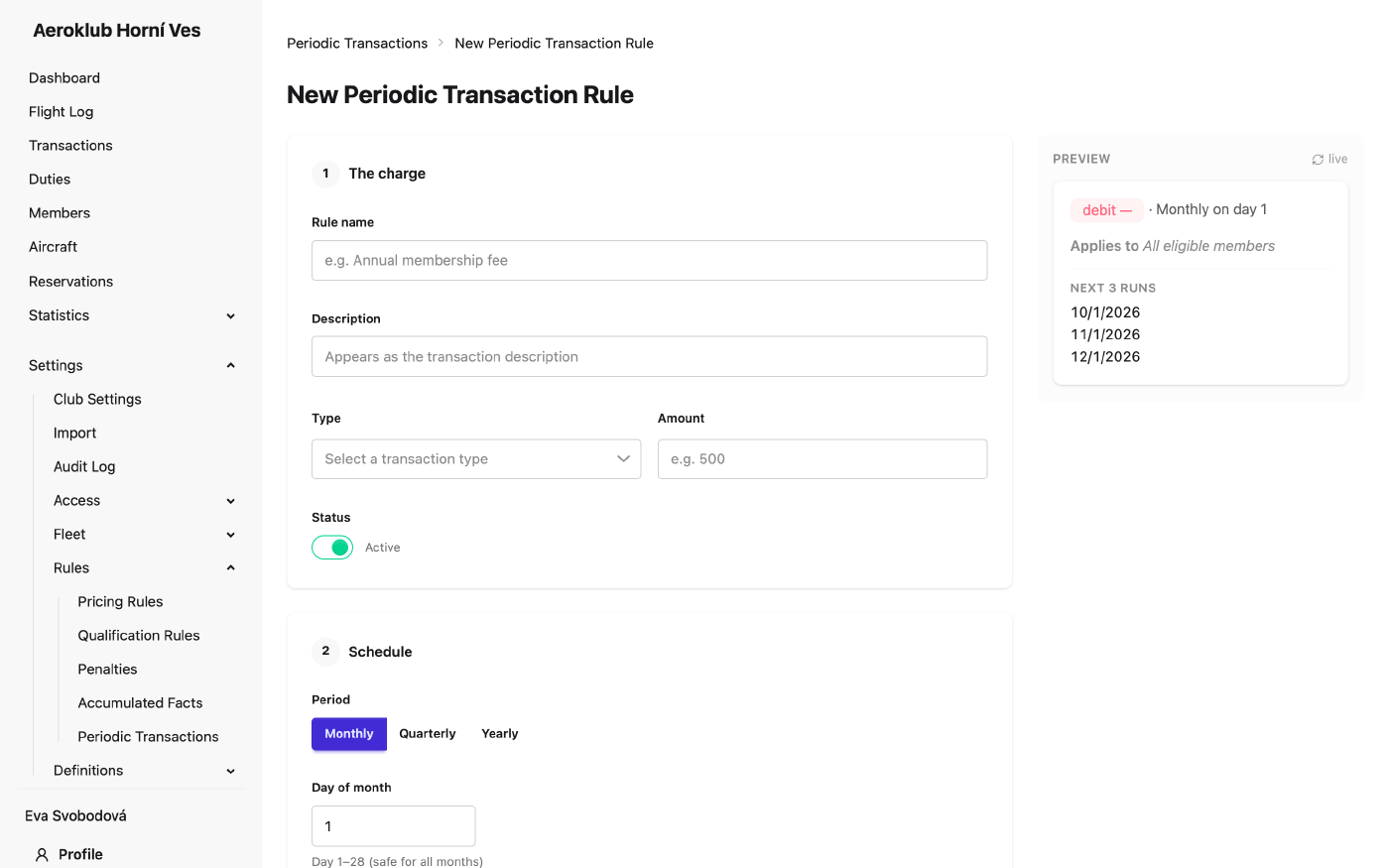
- Choose the type — any of the club’s transaction types, its own or a built-in one such as Periodic charge. Name a specific type (e.g. Membership fee) so members’ statements and the payment statistics show it as its own line.
- Target members — conditions can use Membership, Member age (years), Specific members, Duty hours (previous year) and the member custom fields. Example: charge a work-hours fee only to members with fewer than 20 duty hours last year.
- Edit a rule — Edit on its card. The edit page also shows the Application History: which member received which period, and when.
- Deactivate / Reactivate — from the card’s menu, or with the Active switch in the form.
- Search — filter the cards by rule name.
For a one-off charge to many members, use the bulk transaction on the Payments page instead.
Related
- Payments — the individual entries these rules post, and one-off bulk transactions.
- Transaction Types — the type each rule posts under.
- Memberships — target a rule by membership.
- Penalties — monthly charges driven by the balance.