Pricing Rules
Flight pricing — a flight's price is the sum of every matching rule, each one driven by condition branches (if … else …), booked under its own transaction type and versioned by effective date.
What it is
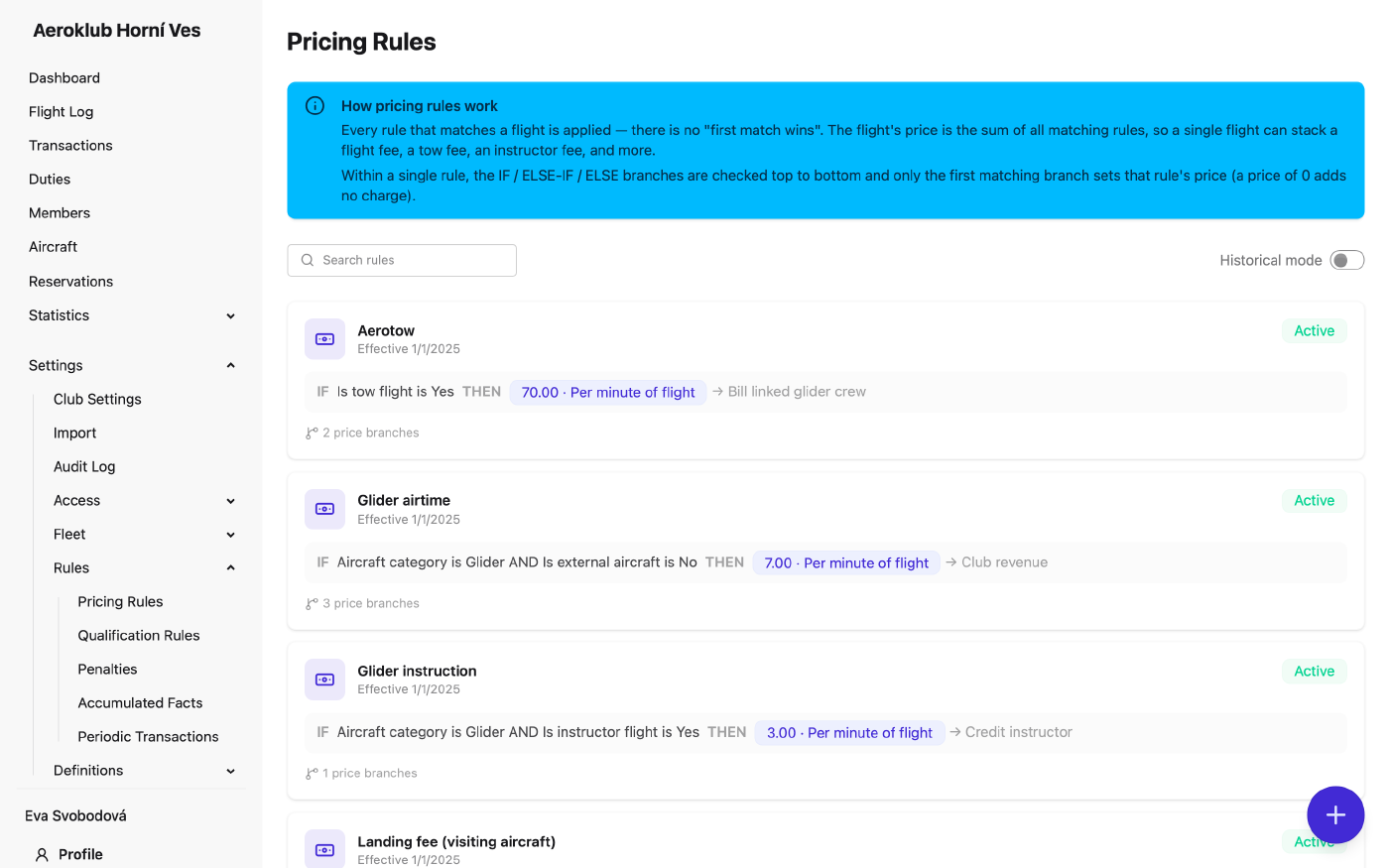
Pricing rules price every approved flight. A flight’s total is the sum of every rule that matches it — there is no “first match wins” — so one flight can stack a flight fee, a tow fee, an instructor fee and more, each from its own rule.
Each rule has three parts:
- Applies to — the name, the Effective from date and the transaction types it books under.
- When this rule applies — an optional Pre-condition. If it is set and the flight doesn’t match, the whole rule is skipped. Use it for a filter the whole rule shares (“tow flights only”, “gliders only”) instead of repeating it on every branch.
- Pricing branches — an ordered IF / ELSE IF / ELSE (default) chain. The first branch whose conditions match sets the rule’s charge. The else branch is optional: without it, a flight that matches no branch gets nothing from this rule.
A branch with a unit price of 0 matches but adds no charge. Rules are versioned by effective date, so an old flight re-bills at the prices that applied on the day it flew.
How to use it
- Create a rule — the + button opens Create Pricing Rule. A live preview on the right shows the rule as a sentence while you build it, including what it is Booked as.
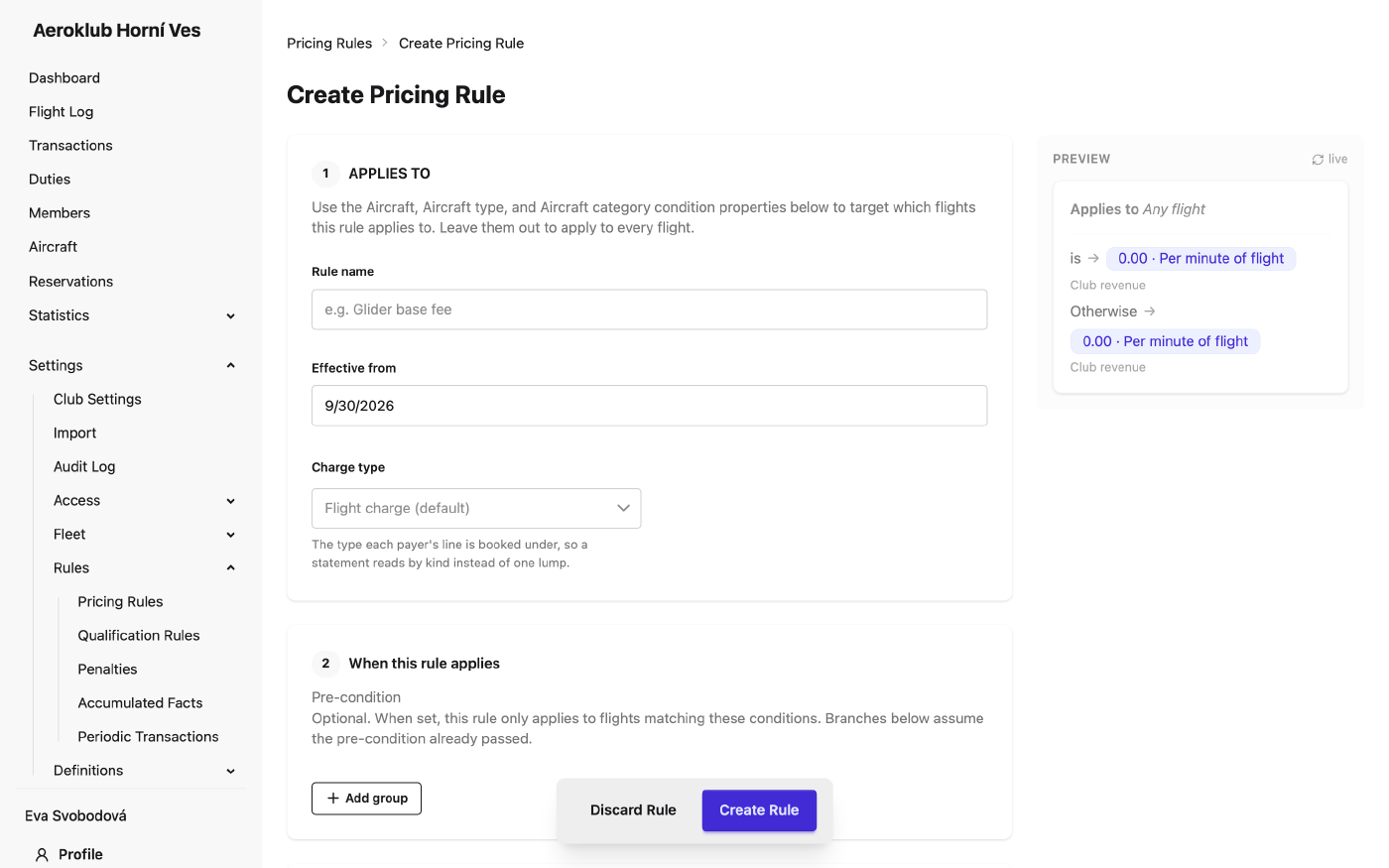
- Target aircraft with conditions — there is no separate scope. Add an Aircraft, Aircraft type or Aircraft category condition. Leave them out and the rule applies to every aircraft. The aircraft picker groups aircraft by ownership and shows deactivated ones only when you search, so a rule can still name a retired aircraft.
- Set each branch — its conditions, Unit price, Charge method and Charge target (see below). Reorder branches with Move up / Move down.
- Open a rule — the detail page shows the current version, its branches and the Version History.
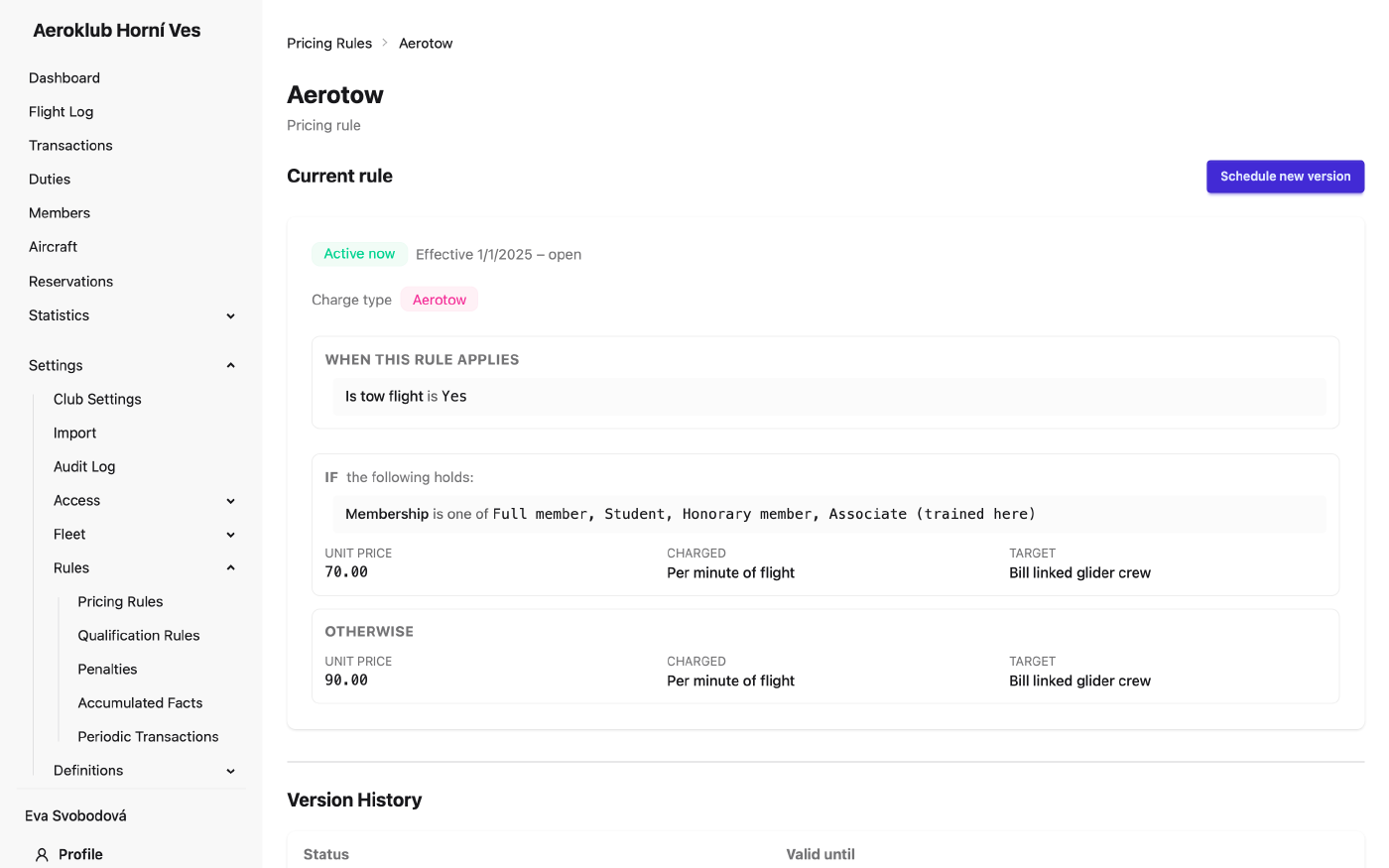
- Change prices — Schedule new version with a future effective date. The current version closes the day before. A scheduled version can still be edited or deleted before it takes effect.
- Deactivate — choose the date from which the rule stops matching flights. Charges already made are not affected. A scheduled deactivation can be cancelled.
- Look back in time — turn on Historical mode in the list and pick a date to see the rules that were active then.
- Search — filter the list by rule name.
Effective dates are days in the club’s time zone. A new rule or version always starts tomorrow or later.
Charge method and charge target
Charge method decides the quantity the unit price is multiplied by:
| Charge method | Charge |
|---|---|
| Per minute of flight | unit price × flight minutes |
| Flat fee (once per flight) | unit price, once |
| Per engine start | unit price × the flight’s number of starts |
Charge target decides who the money goes to:
- Club revenue — the flight’s payers are charged; the club keeps it.
- Credit instructor, Credit tow pilot, Credit second pilot — the payers are charged and that person is credited the same amount. If the person can’t be found on the flight, only the charge is made.
- Bill linked glider crew — for a tow: the charge goes to the payers of the glider it launched (or to the tow’s own payers when there is no glider).
Transaction types
Every rule names the types its lines are booked under, so a member’s statement reads Airtime, Tow fee and Instruction as separate lines, and the payment statistics total real categories.
- Charge type — a debit type for the payer’s line. Empty means Flight charge.
- Credit type — a credit type for the credited person’s line. It appears only when a branch credits someone. Empty means Flight credit.
Each payer gets one line per type: rules that share a type are combined into one line. The types belong to the rule’s version, so re-billing an old flight keeps the label it was booked under. Define the types under Transaction Types.
Conditions
Conditions inside a group are combined with All or Any, and groups are joined with AND or OR. Available properties:
- Member — Membership, Member age (years), Has certificate.
- Flight — Flight duration (minutes), Start type, Flight task, Flight description, Is instructor flight, Is tow flight.
- Aircraft — Aircraft, Aircraft type, Aircraft category, Is private aircraft, Is external aircraft, Double seater, Can self-start, and the club’s aircraft custom fields.
- History — every accumulated fact, e.g. hours flown this year. The flight being billed counts toward its own totals.
Text properties offer is, is not, is one of, contains and does not contain; numbers offer comparisons such as is more than and is at most.
Special cases
- Instructor flights — the student (pilot in command) pays the whole flight; the instructor pays nothing but can earn a credit through Credit instructor.
- Tows — a tow is priced for the pilot it launched: member conditions on a tow (membership, age, certificate, history) read the glider’s pilot in command. A tow with no linked glider uses its own pilot. A tow-pilot credit still goes to the pilot who flew the tow. Editing the glider re-bills its tow; editing the tow never touches the glider.
- Private and external aircraft — ownership alone does not exempt a flight. Because the total sums every matching rule, add Is private aircraft / Is external aircraft is False to your aircraft-usage rules (flight time), and leave club-service rules — the tow, the instructor fee, the landing fee — to charge as normal.
Related
- Flight Log — the flights these rules price; approval triggers billing.
- Transaction Types — the categories each line is booked under.
- Accumulated Facts — running totals the rules read in conditions.
- Qualification Rules — the same condition builder, used for eligibility.
- Payments — where the resulting charges and credits land.