Qualification Rules
The same condition builder as pricing, used to check each member's currency and eligibility — rules a member fails show up as qualification alerts.
What it is
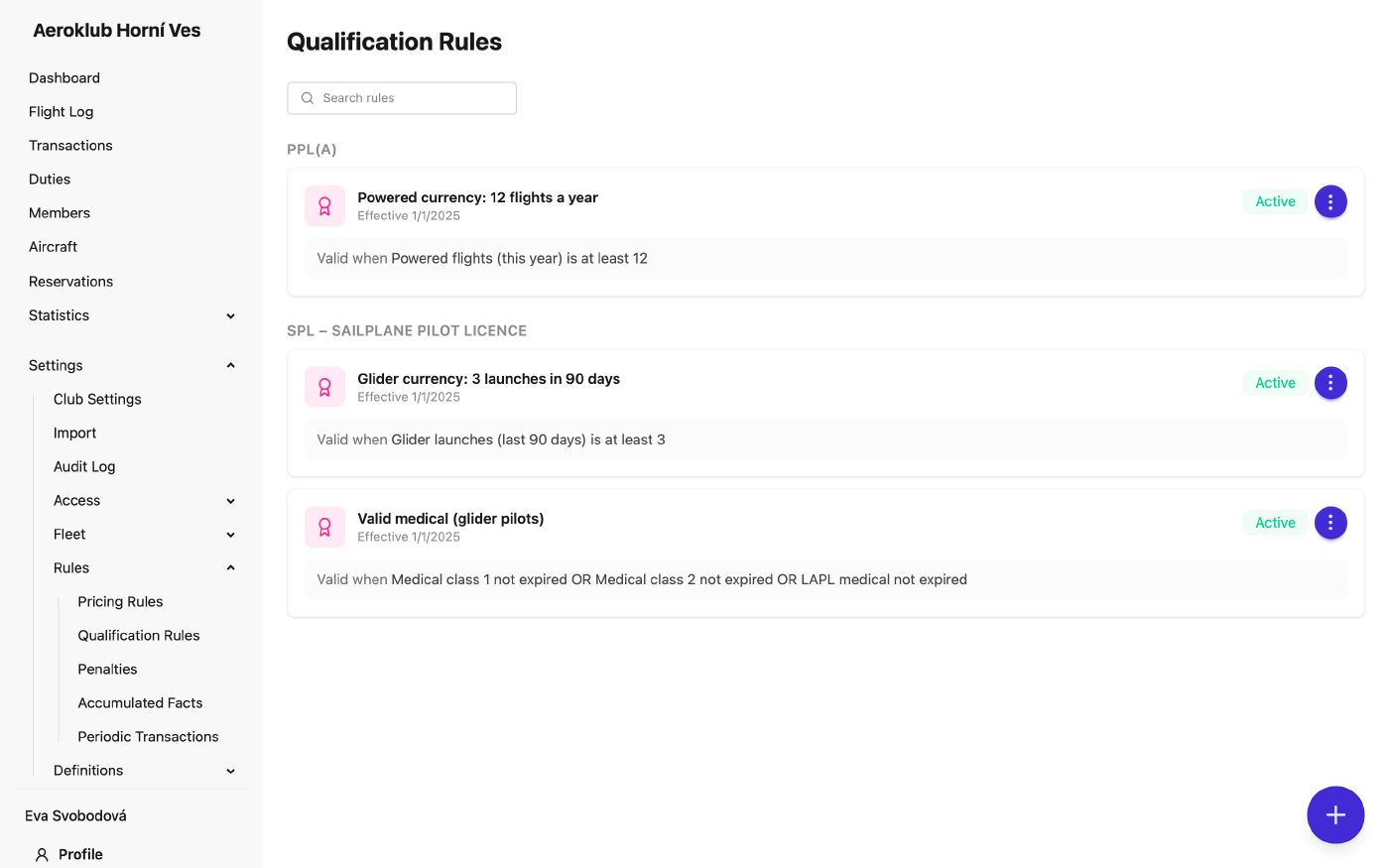
Qualification rules check whether a member is current — for example “3 starts in the last 90 days” or “medical not expired”. They use the same condition builder as pricing, but return met or not met instead of a charge.
A rule can be limited to holders of one licence or rating (Applies to license (optional)). It is then checked only for members who hold that licence type. Without it, the rule applies to every member. The list groups rules by that licence type, with unscoped rules under All members.
The app checks every member against every rule that applies to them. A failed rule becomes a qualification alert, next to the alerts for expired or soon-expiring licences. Alerts are sorted by severity — expired, then failed rule, then expiring soon.
How to use it
- Create a rule — the + button opens the form. Enter a Rule name, optionally the licence type it applies to, the Effective from date and the conditions under Member must meet.
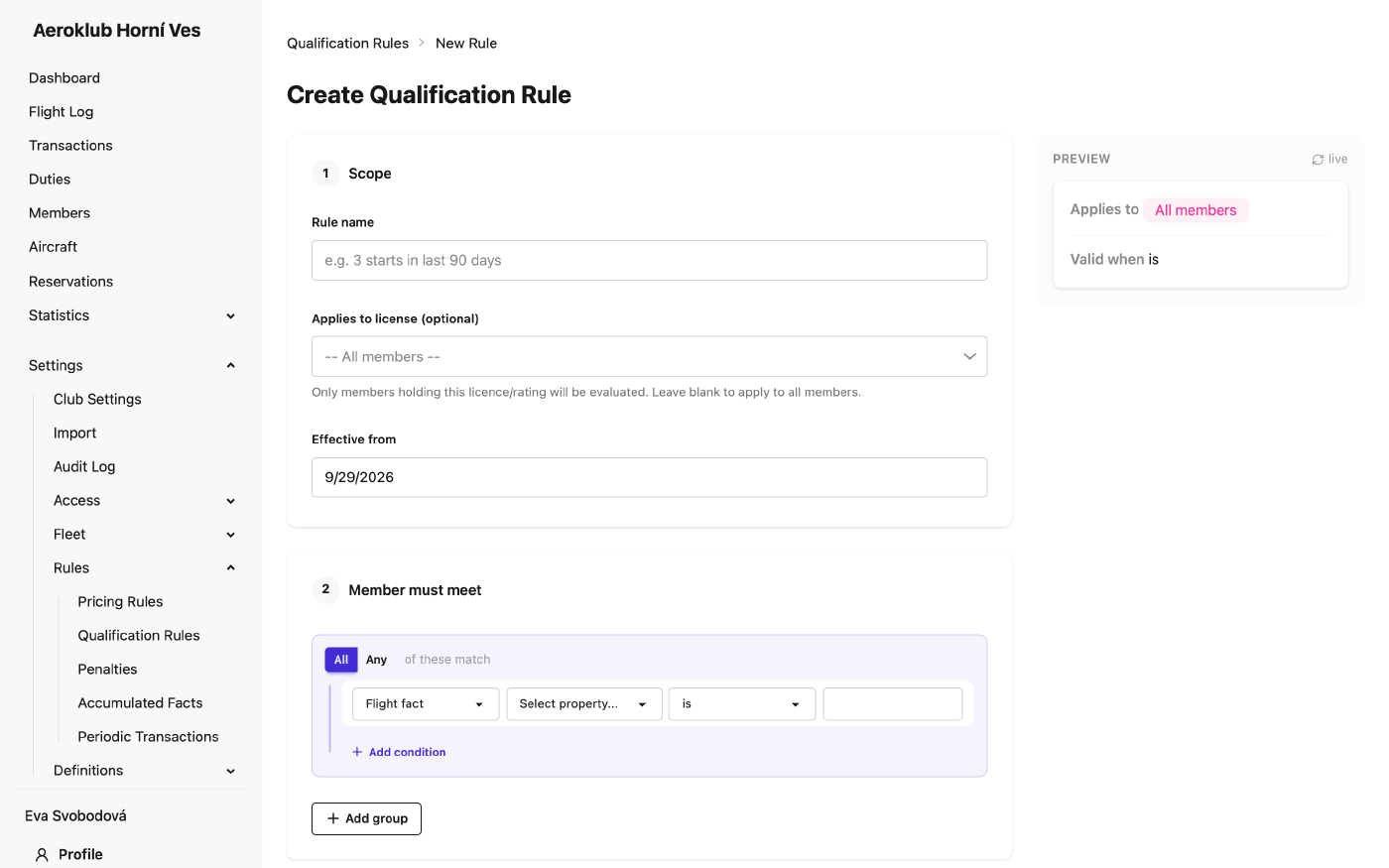
- Pick a condition type — each condition row is either a Flight fact or Licence not
expired:
- Flight fact — Membership, Member age (years), Day of week, the member custom fields, and every accumulated fact (hours or starts over a period).
- Licence not expired — the member holds a licence, rating or credential of the chosen type that is in effect: not expired, not ended, not superseded.
- Edit a rule — saving creates a new version from the date you choose; the previous version closes the day before. Past versions stay in Version History.
- Deactivate — the rule no longer appears on members’ qualification checks.
- Search — filter the list by rule name.
Where results appear
- On each member’s Qualifications tab, as a pass/fail checklist grouped by certificate.
- On the Qualification alerts page and the Dashboard card (for people allowed to see qualification rules).
- In members’ personal email digest, if they have it turned on.
Two club settings control the warnings: Expiry threshold (days) for licences and Qualification lapse warning (days) for rules that are about to lapse.
Overrides
When the data doesn’t reflect a member’s real standing, override the result from the member’s Qualifications tab with Add Override:
- Effect — Pass (treat as meeting the rule) or Exempt (the rule no longer applies to them).
- Expires on — required; after this date the computed result applies again.
- Note — required; why the override was granted.
Only one override per member and rule can be active. Overrides are for administrators only.
Related
- Certificates & Licenses — the licence types rules can require.
- Accumulated Facts — the flight-history totals rules compare against.
- Members — each member’s qualifications and overrides.
- Dashboard — where failed rules appear as alerts.
- Club Settings — the expiry and lapse warning windows.
- Pricing Rules — the same condition builder, used for prices.