Audit Log
A permanent record of who changed what and when, to the second — every change of state, settings included.
What it is
The Audit Log records every change of state in the club: records created, edited and deleted, approvals and rejections, status changes, imports, and every settings change down to a single switch. Entries are only ever added, never edited or deleted. Looking at data — opening pages, filtering, exporting — is not recorded.
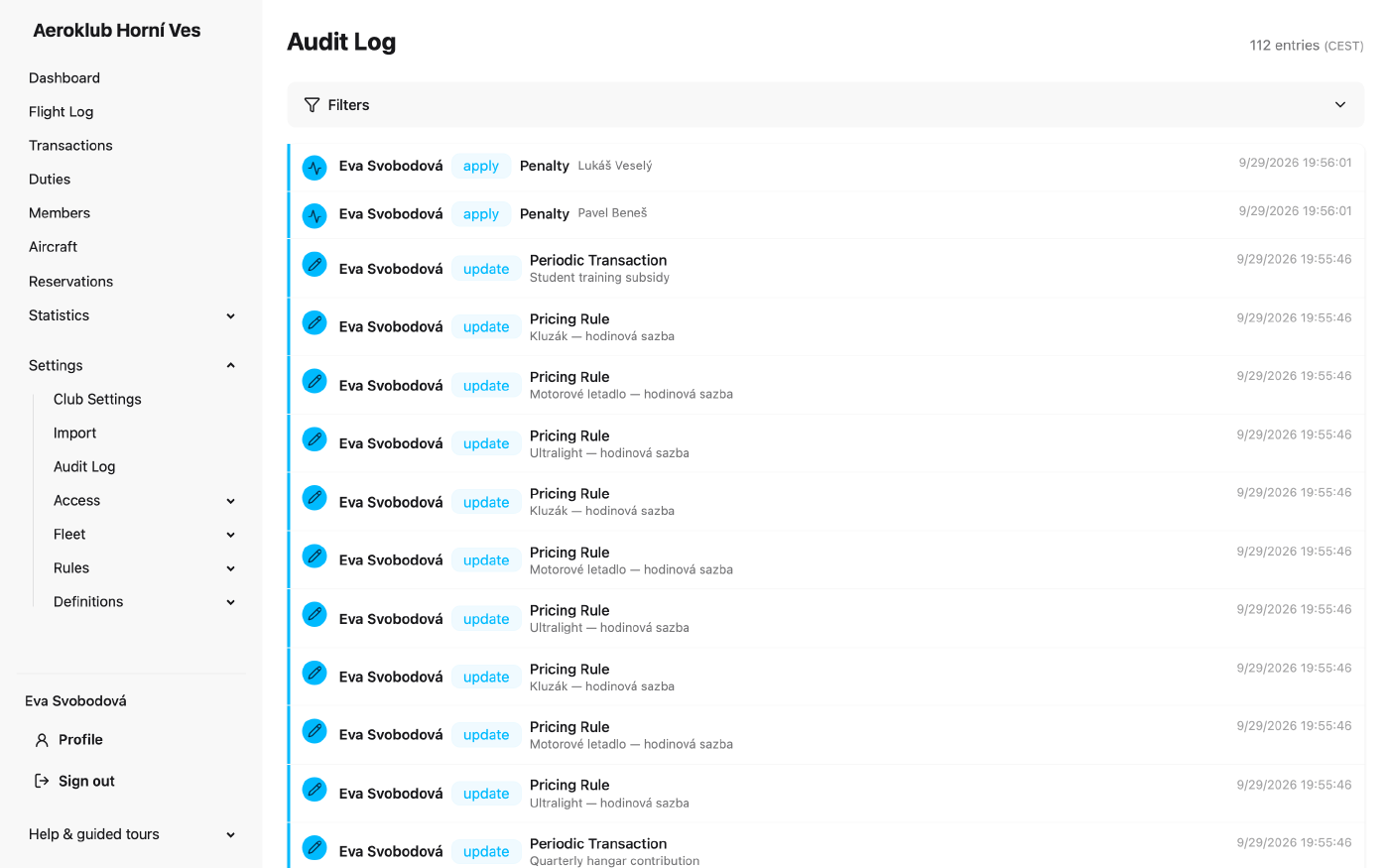
Each entry shows:
- Who made the change. Changes the app makes on its own, such as scheduled jobs, show System.
- The action, as a badge (create, update, delete, approve and others).
- The record it concerns. Click it for a preview of the record’s current state. The name is kept as it was, so the entry stays readable after the record is renamed or deleted.
- The time, to the second, in the club’s time zone.
When an entry changed fields, View (n) opens the list of changes, each from its old value to its new one.
How to use it
- Filter by Entity, Action and Actor, and by date with From and To.
- Trace one record — members, aircraft and flights also have a History tab with the entries for that record only.
What is recorded, and how
- Secrets are never written. Passwords, tokens and the bank client secret are recorded only as set or not set. Bank account numbers show only their last four digits.
- Bulk actions record one entry per affected record, so each record’s history is complete, plus one summary entry for the whole run (for example CSV Import).
- Settings — club settings, notification recipients and statement policy, the bank connection and its mapping rules, and role permissions are all recorded.
Who can see it
Reading the log needs the permission View audit log. The Member role of a new club does not have it, because the log shows every member’s changes. If your club’s Member role still has it and you do not want members to read the log, remove it on Roles.
Related
- Users — the accounts the log attributes changes to.
- Roles — who may read the log, and what each user could change.
- Club Settings — club-wide settings whose changes are logged.