Club Settings
Club-wide configuration — name, contact email, time zone, qualification warnings, integrations and email notifications.
What it is
Club Settings holds the configuration that applies to the whole club. The page has four sections: General, Qualifications, Integrations and Notifications. You need the permission Manage club settings to open it.
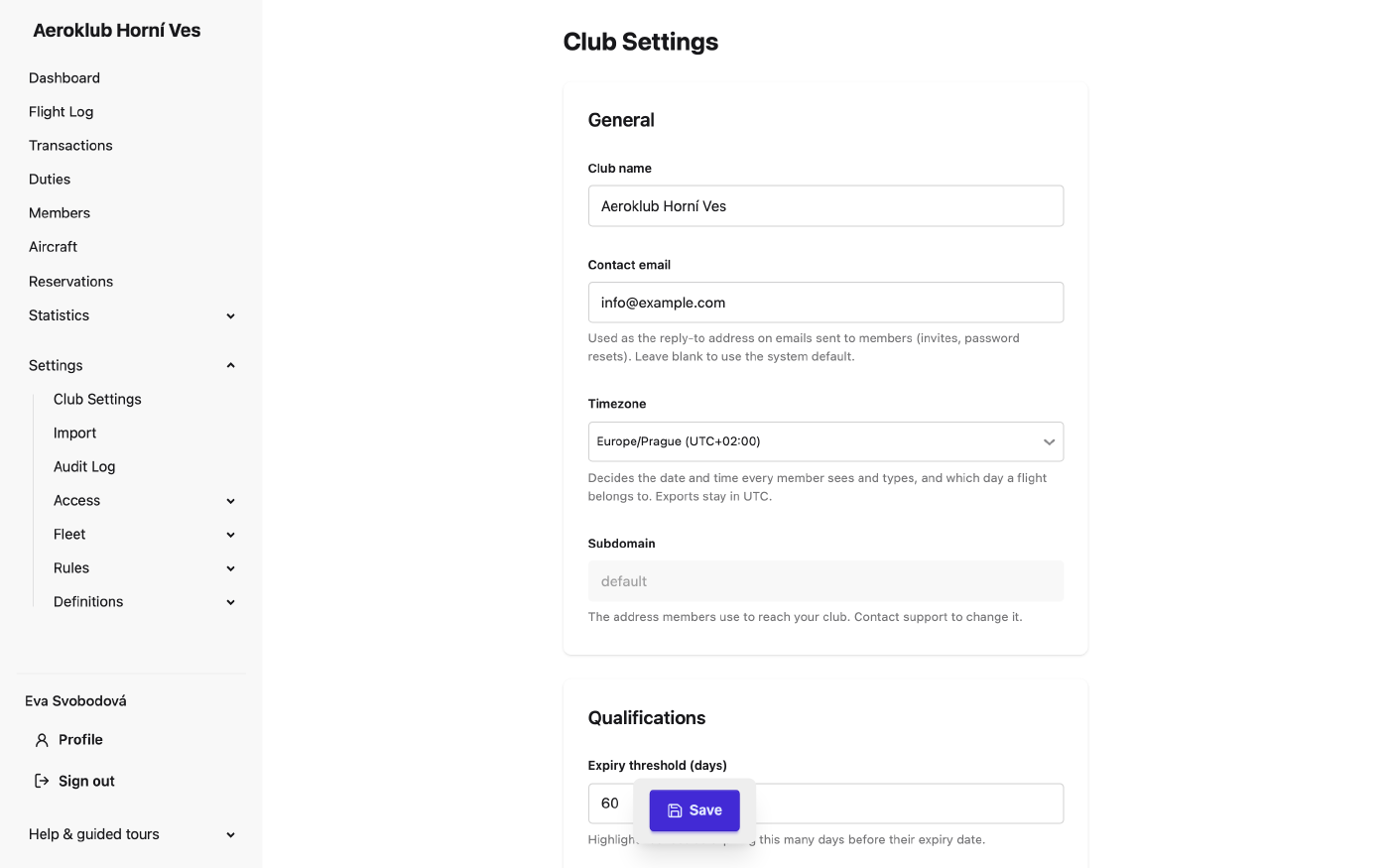
Change the fields you need, then click Save in the bar at the bottom of the page. Every change is recorded in the Audit Log, including each switch you turn on or off.
How to use it
General
- Club name — shown wherever the club is identified, including the sidebar and emails.
- Contact email — the reply-to address on emails sent to members (invites, password resets). Leave it blank to use the system default. Bank alerts are also sent here, see Bank Integration.
- Timezone — the club’s time zone. See Time zone below.
- Subdomain and Custom domain — the address members use to reach the club. Read only; contact support to change them.
Qualifications
- Expiry threshold (days) — how many days before its expiry date a licence is marked as expiring.
- Qualification lapse warning (days) — how far ahead the app warns that a qualification rule will stop being met.
Integrations
- Enable Flight Track — imports precise flight times and GPS tracks from flight-track.eu trackers installed in the aircraft. While it is off, no tracker settings appear anywhere. Once it is on, each aircraft’s edit page gets a Flight Track card for the tracker ID and access key.
- Bank integration — the link Configure ČSAS bank transaction import opens Bank Integration.
Notifications
- Email notifications — the master switch for all email the club sends: digests, alerts and messages to members. While it is off, nothing is sent, and a warning says so. Everyone’s choices are kept, so switching it back on restores them.
- Email language — the language of every email the system sends for this club (English or Czech). Until you choose one, emails are in English and the setup checklist on the dashboard lists it as open.
- Flight review threshold (days) — a flight that waits for approval longer than this appears in the daily email Flights that cannot be approved.
- Choose who receives each notification — opens Notifications.
Time zone
Every date and time a member reads or types is the club’s time, on every device and in every email: flight lists, forms, reservations, payments, duties and the audit log. The time zone also decides which day a flight belongs to, which days a date filter covers, and when day-based rules (recurring payments, penalties, monthly statements) fire. Summer time is applied automatically. A new club starts on UTC.
Time fields show the zone abbreviation for the day in question, for example (CEST) in July and (CET) in January.
Changing the time zone does not move anything already recorded; only how it is read changes. Moving to a zone on the other side of UTC can make some records read one day earlier or later.
Exports stay in UTC: dates use the international format (YYYY-MM-DD), and columns holding a moment in time say UTC in their heading. Aircraft and pilot logbooks also stay in UTC, as is usual in aviation.
Related
- Notifications — who receives which email, and messages to members.
- Bank Integration — the Česká spořitelna connection.
- Users — the accounts that can sign in and manage the club.
- Roles — the permissions that control what those users can do.
- Custom Fields — extend members and aircraft with club-specific fields.