Import
Bring existing data in from CSV files — members, aircraft, flights, payments, opening balances and flight baselines — with a preview before anything is saved.
What it is
Import is where you load data in bulk from CSV files, for example when the club starts using AeroclubHQ or to correct many records at once. Each importer previews your file before anything is saved.
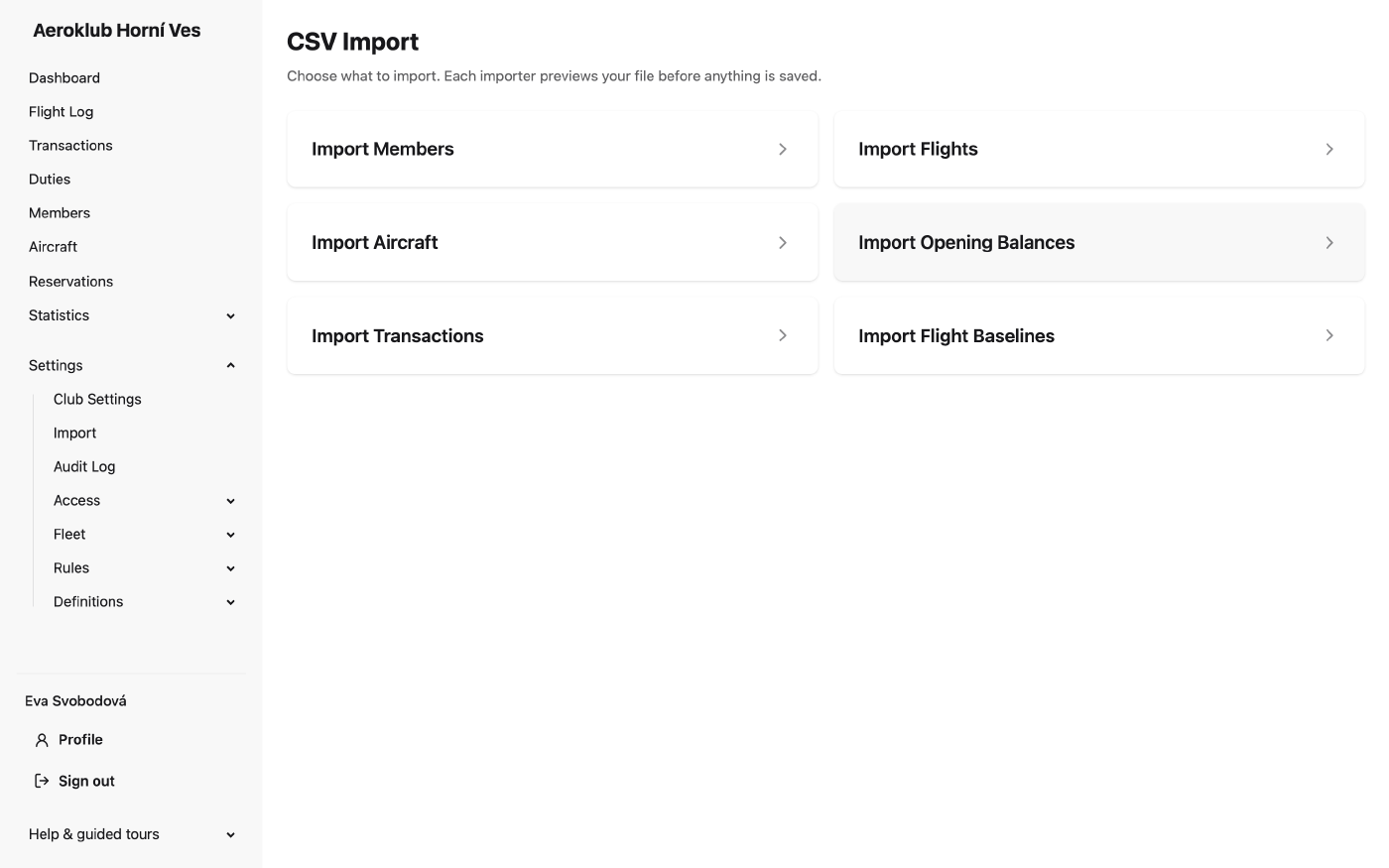
Each importer needs its own permission, and you see only the importers you may use:
| Importer | Permission |
|---|---|
| Import Members | Manage members |
| Import Aircraft | Manage aircraft |
| Import Flights | Manage approved flights (edit/delete any, re-bills) |
| Import Transactions | Manage transactions |
| Import Opening Balances | Manage transactions |
| Import Flight Baselines | Manage members |
How to use it
Members and aircraft
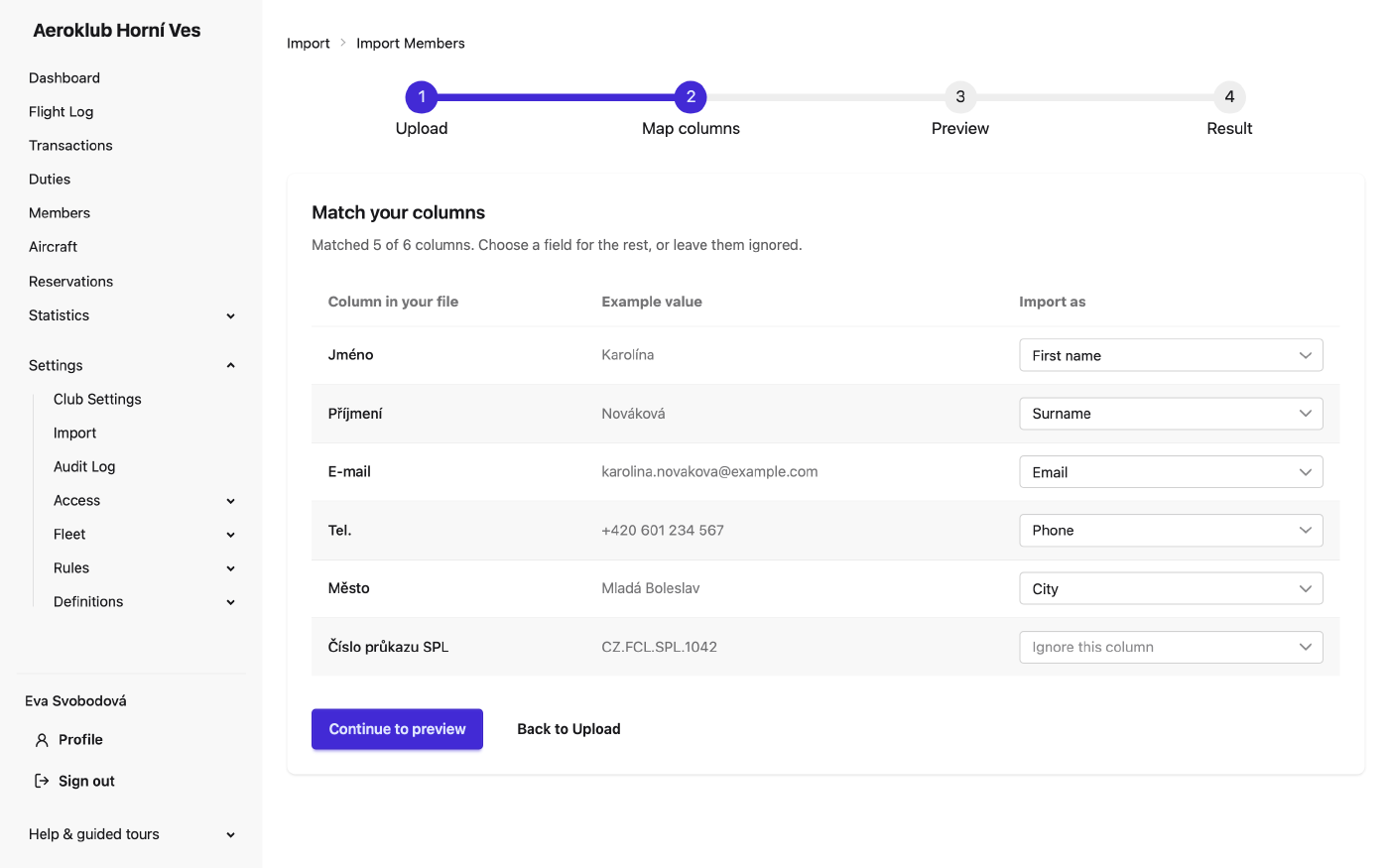
These two importers take every field of the record, including the club’s custom fields. They create new records and update existing ones. The steps are Upload, Map columns, Preview and Result.
- Start from the right file. Click Download template CSV for a file with just the accepted headings. Or export the members list, edit it in a spreadsheet and import it back.
- Upload. Choose the options (see below) and the file, then click Preview Import.
- Match your columns. Column headings are matched to fields by name. Czech headings work (“Jméno”, “E-mail”, “Tel.”), and case and accents do not matter. If every column is recognised, this step is skipped. Otherwise choose a field for each remaining column, or Ignore this column. A heading that only looks like a field is never guessed.
- Preview. Each row shows its action — Create, Update, No change or Error — and, for an update, exactly which fields change from what to what.
- Commit. Click Commit Import. The result shows how many records were created, updated, unchanged and failed. Download failures CSV gives you the failed rows with their reasons.
How existing records are found. A row is matched by the record’s ID, then by member number, then by email (for aircraft: ID, then registration). The file needs at least one of these columns. An ID or member number that matches nothing is an error, not a new record. An email or registration that matches nothing creates a new record.
What is changed. Only the columns in the file are written; fields the file does not carry stay as they are. An empty cell leaves the stored value alone, unless you switch on Empty cells clear values. A member’s name and email and an aircraft’s registration are never cleared by import.
Checks. Every value is checked against the same rules as the edit form, already in the preview.
Each row is saved on its own, so one bad row does not stop the others. Numbers may use a space or
dot for thousands and a comma for decimals (1 234,5). A value like 1,234 or 1.234 is refused,
because it can mean two different numbers.
Aircraft. Choose the Category for new aircraft; their type must already exist in it. The Ownership column accepts club or external. A private aircraft cannot be created by import, because its owners cannot be imported: import it as external, then name the owners in the app.
Not imported. Membership, account status, role and creation date columns from an export are recognised and ignored, so an exported file needs no cleaning. To change memberships in bulk, use Edit on the members list.
Login invites
With the permission Invite users, the members importer can also invite the members it creates: switch on Send login invite to each imported member and pick one role for the batch. Only new members are invited — updated members already have an account or an invite. The emails are sent in the background, a few seconds apart; the delivery state of each invite shows in Users. A problem with an invite never undoes the member import.
Flights, transactions, opening balances and flight baselines
These four importers take a fixed set of columns, listed on each page, and only add records. The preview shows valid rows and rows with errors; only valid rows are committed.
- Import Flights — historical flights, matched to aircraft by registration and to pilots by member number or email.
- Import Transactions — payments of one Transaction type, chosen before upload.
- Import Opening Balances — each member’s money balance when the club started using the app. All rows get one Effective date; leave it empty to use the club’s go-live date. A positive amount is booked as a manual credit, a negative one as a manual debit.
- Import Flight Baselines — each member’s flight totals per aircraft category before go-live: hours and starts as pilot in command, with an instructor, and as instructor. Only approved flights after the baseline’s date are added on top of it. To correct a total later, record a new baseline under Totals on the member’s Flights tab; old baselines are never edited.
Rows are checked one by one. A problem row — for example an unknown member or category, a row repeated in the file, or a date in the future — is reported without stopping the rest.
Audit trail
Every imported or updated record gets its own entry in its history, and each import adds one CSV Import summary entry to the Audit Log.
Related
- Members — where imported members appear, and the export to start from.
- Aircraft — where imported aircraft are stored.
- Transactions — where imported payments and opening balances are recorded.
- Custom Fields — fields that become importable as soon as you define them.