Flight Statistics
Starts and hours of approved flights, grouped by pilot, aircraft, task or certificate.
What it is
Flight Statistics add up approved flights into starts and hours. They show how much the club flew, how each aircraft is used, and each pilot’s time as pilot in command, with an instructor and as instructor. The page is read-only: the numbers always follow the approved flights in the Flight Log. It needs the permission View flights.
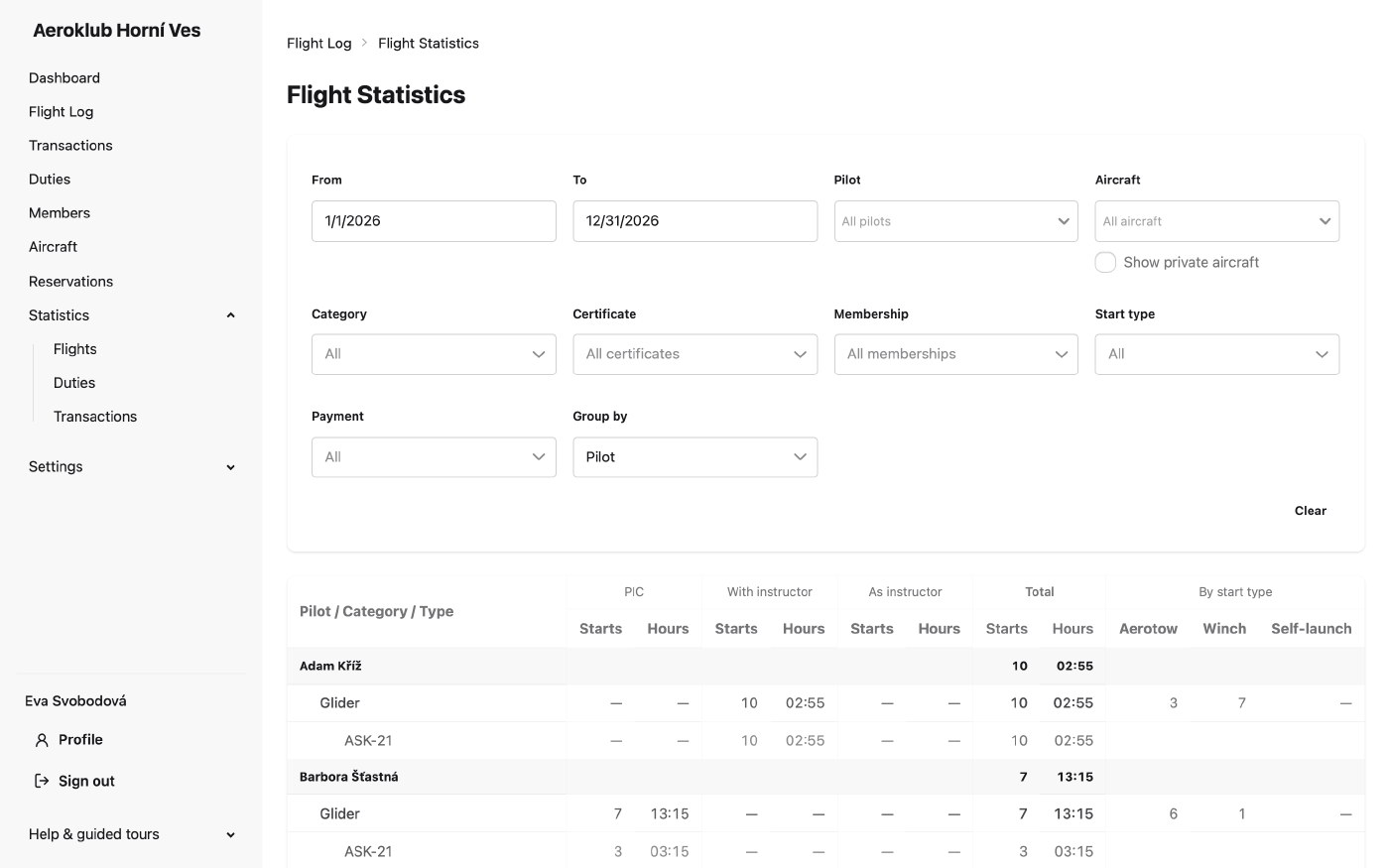
The page opens on the current calendar year, grouped by pilot.
How to use it
Group by
- Pilot — per pilot, broken down by category and type: PIC, With instructor, As instructor and Total, each as starts and hours.
- Aircraft — per category, type and aircraft.
- Task — per flight task, then category and aircraft.
- Certificate — per pilot certificate, then category and aircraft.
Every grouping also splits starts By start type: Aerotow, Winch and Self-launch.
A second pilot who is not an instructor does not earn instructor time.
Filters
- From / To — the period.
- Pilot and Aircraft.
- Category and Start type.
- Certificate — tick one or more. A flight counts when its pilot held one of the ticked certificates on the day of the flight, so a student’s flights before and after qualifying fall under different certificates. With exactly one certificate ticked, the category is set to match it.
- Membership — tick one or more.
- Payment — Charged or Payment disabled flights.
Clear resets every filter. Deactivated members, aircraft, tasks and certificates can still be chosen, so past seasons stay searchable.
Private aircraft
Flights on members’ private aircraft are left out by default. Show private aircraft adds them back, limited to the private aircraft you may browse. It appears only for owners of a private aircraft and for roles that manage flights or aircraft. External aircraft (not owned by the club or a member) always count, like club aircraft.
Related
- Flight Log — the flights behind these numbers.
- Duty Statistics — the hours members put into duties.
- Payment Statistics — credits and debits by type.
- Certificates — the certificates the filter and grouping use.